




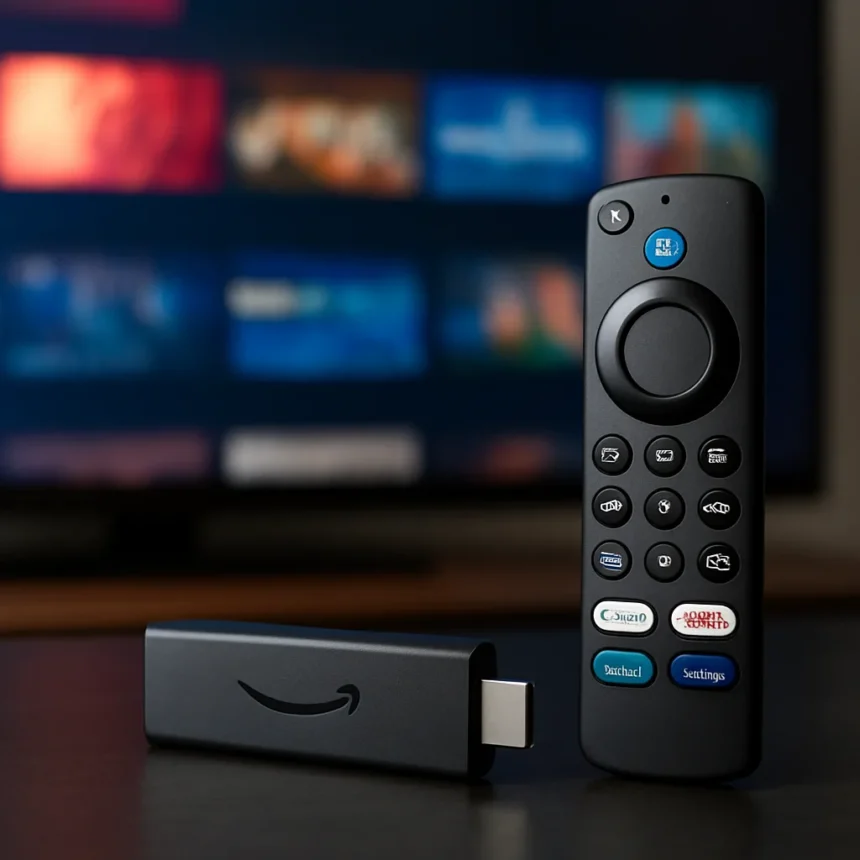
The Fire TV Stick 4K Plus is a compact streaming dongle made by Amazon, currently discounted to around $25 to $30 depending on the retailer. It supports 4K resolution, Dolby Vision, Dolby Atmos audio, and Wi-Fi 6, and it runs on 8GB of internal storage. If your smart TV has been crawling through menus and stuttering on apps, this is the cheapest fix available — and it’s a surprisingly complete one.
TL;DR: The Fire TV Stick 4K Plus costs as little as $25 right now and packs 4K, Dolby Vision, Dolby Atmos, Wi-Fi 6, and access to Xbox Game Pass and Amazon Luna cloud gaming into a single HDMI dongle. It’s one of the most capable budget streaming devices on the market at this price point.
What does the Fire TV Stick 4K Plus actually do?
The Fire TV Stick 4K Plus plugs into any HDMI port and effectively replaces your TV’s built-in smart platform with Amazon’s Fire TV interface. It supports 4K streaming with Dolby Vision HDR and Dolby Atmos spatial audio, connects via Wi-Fi 6 for faster and more stable wireless performance, and ships with 8GB of onboard storage for apps and downloads.
Wi-Fi 6 support is worth calling out specifically. Older streaming sticks — including Amazon’s own previous-generation devices — used Wi-Fi 5, which can struggle in crowded home networks with multiple devices competing for bandwidth. Wi-Fi 6 handles that congestion more efficiently, which matters when you’re trying to pull a 4K HDR stream without buffering.

Alexa Plus is also included, giving voice control access beyond basic playback commands. Whether you find voice assistants useful or annoying is personal preference, but it’s there if you want it.
Is the Fire TV Stick 4K Plus worth it for cloud gaming?
The Fire TV Stick 4K Plus supports both Xbox Game Pass and Amazon Luna cloud gaming, which makes it genuinely interesting beyond pure streaming. At $25 to $30, it’s the cheapest way to get Xbox games on a TV screen without buying an actual console — and that’s a real value proposition that Microsoft probably doesn’t love.



Cloud gaming on a streaming stick has obvious limitations. You’re dependent on your internet connection, and latency-sensitive games will always feel better on native hardware. But for casual gaming — turn-based titles, slower-paced adventures, anything that doesn’t require frame-perfect inputs — the Fire TV Stick 4K Plus opens up a library that would otherwise cost hundreds of dollars in hardware to access.
Amazon Luna is the other cloud gaming option here, and it gives the stick a second gaming ecosystem that you won’t find on competing devices like the Roku Ultra or Google’s Chromecast with Google TV. That dual-platform gaming support at this price is genuinely unusual.
How does the Fire TV Stick 4K Plus compare to competing streaming devices?
The Fire TV Stick 4K Plus sits in a crowded category. Roku’s streaming sticks, Google’s Chromecast with Google TV, and Apple TV all compete for the same HDMI port. Apple TV 4K is the clear performance leader, but it costs several times more — it’s a different product for a different budget. The more relevant comparison is Roku and Google’s offerings at similar price points, neither of which currently includes Xbox Game Pass support.
Google TV has a strong interface and deep Android app support. Roku has the broadest channel selection and the simplest UI. Fire TV’s advantage is Amazon ecosystem depth — Prime Video integration is tighter here than anywhere else — plus the cloud gaming angle that neither Roku nor Google TV can match at this price.



For households already paying for Xbox Game Pass or Amazon Prime, the Fire TV Stick 4K Plus is the obvious choice. For everyone else, it’s still competitive on specs and price, but the interface is more ad-heavy than Roku’s, and that’s a real trade-off worth knowing about before you buy.
Should you buy the Fire TV Stick 4K Plus right now?
At $25 to $30, the Fire TV Stick 4K Plus is close to an impulse buy for anyone with a slow or aging smart TV. The combination of 4K, Dolby Vision, Dolby Atmos, Wi-Fi 6, and cloud gaming access at this price is hard to argue with. It won’t replace a dedicated games console, and it won’t satisfy anyone who finds Amazon’s ad-forward interface irritating. But as a pure performance upgrade for a TV that’s struggling? It does exactly what it promises.
Does the Fire TV Stick 4K Plus need a subscription to work?
No subscription is required to use the Fire TV Stick 4K Plus as a streaming device. You can access free ad-supported content without paying for anything. Services like Xbox Game Pass and Amazon Luna require their own separate subscriptions, but the device itself works without one.
What Wi-Fi does the Fire TV Stick 4K Plus support?
The Fire TV Stick 4K Plus supports Wi-Fi 6, the current mainstream standard for home networking. This is an upgrade over older streaming sticks that used Wi-Fi 5, and it means the device handles busy home networks with multiple connected devices more reliably — which matters most when streaming 4K HDR content.
Can you use the Fire TV Stick 4K Plus on any TV?
Yes. The Fire TV Stick 4K Plus connects via HDMI and works with any TV that has an available HDMI port, regardless of the TV’s brand or built-in software. It effectively bypasses the TV’s native smart platform entirely, which is exactly the point if your TV’s built-in interface has become slow or poorly supported.
The Fire TV Stick 4K Plus won’t be the right fit for everyone — Amazon’s interface is opinionated, and the cloud gaming pitch only lands if you’re already invested in those ecosystems. But as a hardware upgrade for a sluggish smart TV, it’s one of the most complete packages available at this price. The Wi-Fi 6 support and dual cloud gaming platforms give it a genuine edge over similarly priced alternatives, and at $25, the risk of trying it is minimal.
Where to Buy
This article was written with AI assistance and editorially reviewed.
Source: Windows Central