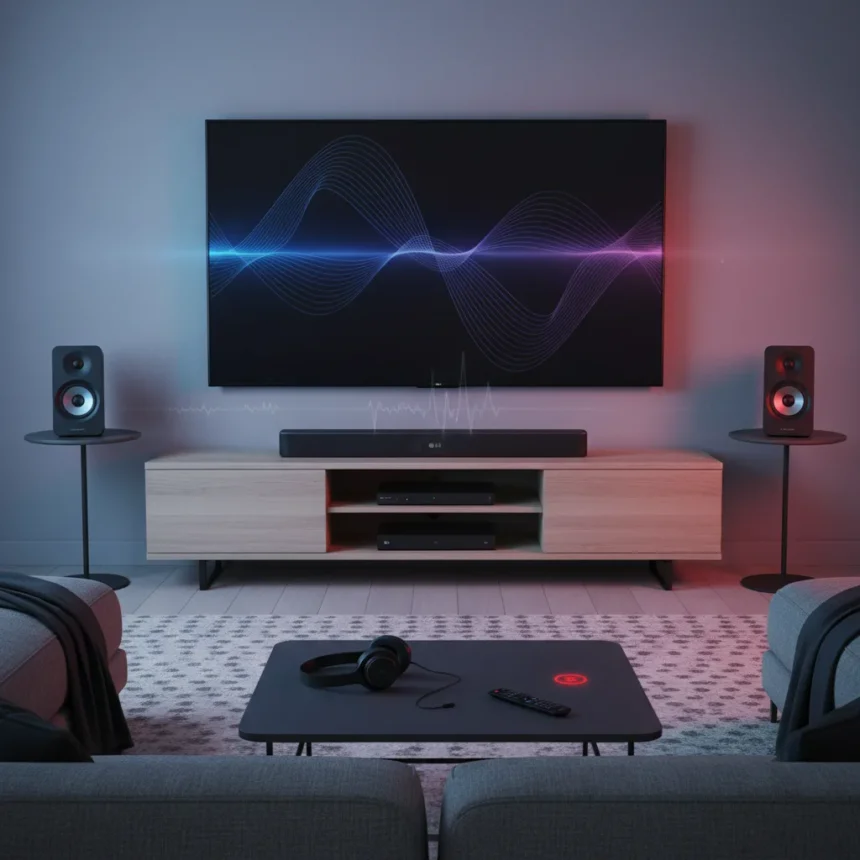
LG Sound Suite Dolby Atmos FlexConnect is the first family of products supporting Dolby’s flexible speaker placement technology, fundamentally changing how Atmos systems adapt to imperfect rooms. After weeks of testing the H7 soundbar paired with M5 and M7 wireless speakers, the verdict is complicated: this is genuinely innovative technology hamstrung by an aggressively tuned audio profile that prevents full recommendation despite its architectural breakthroughs.
Key Takeaways
- FlexConnect is the first Dolby Atmos tech to dynamically optimize speaker placement without fixed channel assignments.
- The system delivers impressive height, scale, and spatial precision even when speakers sit in suboptimal positions.
- Calibration is fast but requires manual distance input and volume-dependent accuracy assessment.
- Brash, shouty audio profile undermines the system’s spatial strengths for music and dialogue.
- No HDMI input; all external sources route through TV eARC, limiting direct connectivity options.
What FlexConnect Actually Does Differently
Dolby Atmos FlexConnect isn’t a gimmick—it’s an impressively effective technology that delivers convincing height, scale, and spatial precision even when speaker placement isn’t ideal. Unlike traditional Atmos soundbars that require fixed 5.1.2 or 7.1.4 configurations, FlexConnect optimizes based on room settings and speaker locations, enabling expandable setups with M5 and M7 speakers for genuine 3D soundscapes without rigid layouts. The H7 soundbar itself is a 9.1.6 spatial audio system powered by an Alpha 11 AI Processor Gen 3, with 12 drivers and 8 passive radiators by Peerless.
During testing, the auto-calibration feature proved to be an admirable performer. The system assessed speaker positions accurately and adjusted settings based on room characteristics—though calibration quality depends on not running the test at excessively low volumes. You’ll need to manually input the distance from soundbar to listening position, a step that feels oddly antiquated for a system this advanced. Once calibrated, the LG ThinQ app allows you to shift the sweet spot with a ‘Set Position’ button to refocus the soundfield, a genuinely useful feature for repositioning without recalibrating.
The Setup Process and Expansion Flexibility
Getting LG Sound Suite Dolby Atmos FlexConnect running is straightforward: plug in the soundbar and wireless speakers, pair them via the LG ThinQ app, then run calibration—sometimes requiring a second attempt for optimal accuracy. The system maps your room and optimizes settings automatically. Expansion is where the flexibility shines. Pair the H7 soundbar with M5 or M7 speakers to customize overhead channel assignments and create 3D sound tailored to your layout.



LG locks pairings to specific soundbars, TVs, and speakers for consistent performance, which eliminates the risk of mismatched components but also restricts your upgrade path. This is a trade-off: consistency over flexibility. Competitors like Sony’s HT-A9 and early FlexConnect adopters such as TCL offer alternative approaches, though none have matched LG’s implementation maturity.
Where LG Sound Suite Dolby Atmos FlexConnect Excels
The system produces huge, room-filling sound with impressive Dolby Atmos handling and deep, powerful bass. Height channels create a convincing dome of sound even in rooms where ceiling speakers are impossible. The spatial precision is genuinely impressive—objects move convincingly through 3D space in Dolby Atmos content. Calibration is swift and, when volume levels are appropriate, assesses speaker positions with surprising accuracy. The ability to shift the sweet spot without recalibrating is a genuine quality-of-life win.



FlexConnect’s architecture means you’re not locked into traditional surround placements. Wall-mounted M5 or M7 speakers can function as height channels, surrounds, or both, depending on room layout and content. This flexibility is the system’s greatest strength and explains why LG worked closely with Dolby to make it happen.
The Critical Flaws That Undermine the Promise
Here’s where LG Sound Suite Dolby Atmos FlexConnect stumbles: the audio profile is brash and shouty, preventing a full recommendation despite the system’s technical strengths. Dialogue lacks the clarity and separation you’d expect from a flagship Atmos system. Vocals in the mid-range struggle with separation compared to premium hi-fi setups, a weakness that persists across music, film, and streaming content.
The lack of a dedicated HDMI input is a genuine connectivity limitation. All external sources must connect via TV eARC, which means you’re tethered to your television’s audio capabilities and dependent on eARC compatibility. This is a step backward for a system at this price point and complexity level.
Calibration, while fast, feels old-fashioned. Requiring manual distance input in 2025 seems like an oversight—most competing systems use ultrasonic or IR-based distance detection. The fact that calibration accuracy depends on current volume level adds another layer of friction. If you run calibration at a lower volume than you typically listen, the system’s optimization may not apply well at your preferred listening levels.



LG Sound Suite Dolby Atmos FlexConnect vs. Traditional Atmos Setups
Traditional Atmos soundbars require fixed surround configurations—typically 5.1.2 or 7.1.4 channels with speakers placed in predetermined locations. LG Sound Suite Dolby Atmos FlexConnect breaks that mold by dynamically assigning speaker roles based on placement. This means you can position speakers for aesthetics or practicality rather than conforming to rigid channel assignments. The Quad Suite 7 and Immersive Suite 7 Pro offer elite Atmos with flexibility, but they don’t match the dynamic optimization of FlexConnect.
The trade-off is that competitors’ traditional Atmos systems often deliver cleaner, less aggressive audio profiles. LG’s focus on spatial innovation came at the expense of tonal balance, a choice that favors spectacle over musicality.
Should You Buy LG Sound Suite Dolby Atmos FlexConnect?
If you have a room where traditional speaker placement is impossible and you prioritize spatial innovation over audio refinement, this system deserves consideration. The FlexConnect technology genuinely works, and the flexibility it enables is genuinely valuable. However, if you listen to a lot of music or watch dialogue-heavy content, the brash audio profile will frustrate you. The lack of DTS:X support alongside Dolby Atmos is another limitation if you have a mixed content library.
This is a system for early adopters who value architectural innovation over sonic perfection. It’s not the complete package yet—and that’s honest.
Is LG Sound Suite Dolby Atmos FlexConnect worth the upgrade from my current soundbar?
Only if your current system can’t accommodate proper speaker placement and you’re willing to accept a more aggressive audio profile in exchange for spatial flexibility. If your existing soundbar delivers clean, balanced audio, the upgrade is worth considering only if room constraints make traditional Atmos impossible.
Can you use LG Sound Suite Dolby Atmos FlexConnect with non-LG speakers?
No. LG locks pairings to specific soundbars, TVs, and speakers for consistent performance. You’re committed to the LG ecosystem once you buy into the system.
What’s the difference between the H7 and other LG Sound Suite models?
The H7 is the flagship 9.1.6 soundbar with the Alpha 11 AI Processor Gen 3 and full FlexConnect support. The Quad Suite 7 and Immersive Suite 7 Pro offer different channel configurations and feature sets, but only the H7 is the first Dolby Atmos FlexConnect soundbar.
LG Sound Suite Dolby Atmos FlexConnect is a genuinely innovative product that solves a real problem—how to deliver Atmos in rooms where traditional setups fail. The execution is 80% there. Fix the audio profile, add proper HDMI inputs, and automate the distance calibration, and this becomes a no-brainer for anyone with a challenging room. Right now, it’s a smart choice for the technically adventurous, not the average listener.
Edited by the All Things Geek team.
Source: What Hi-Fi?