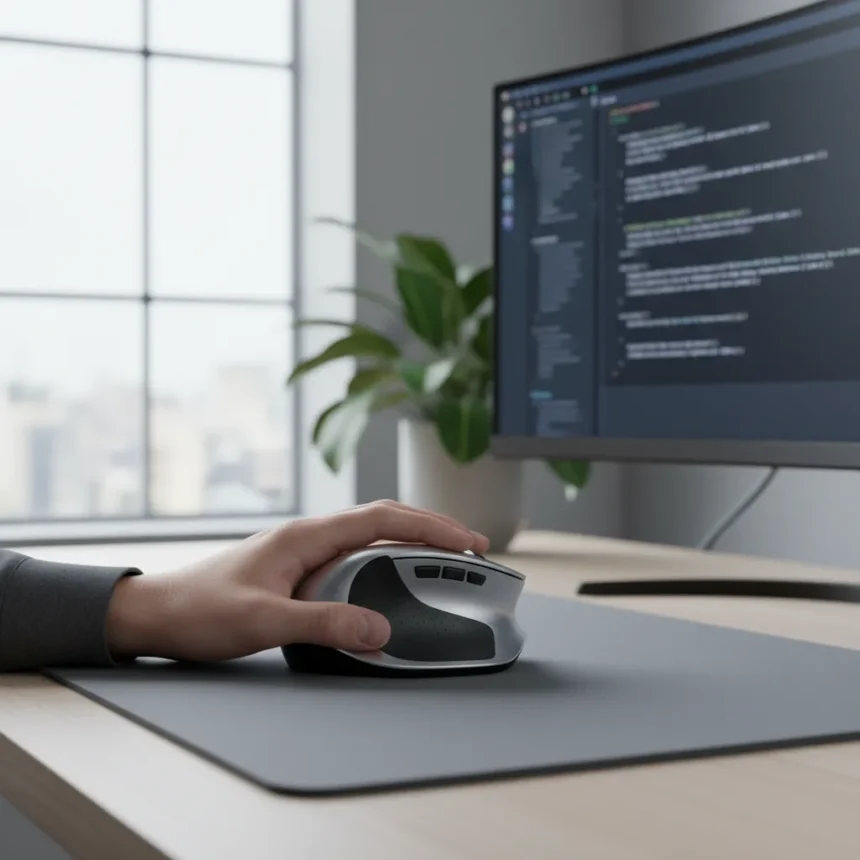
An ergonomic mouse for carpal tunnel is a specialized input device designed to reduce strain on the wrist and hand during extended computer use. Prolonged mouse use can trigger or worsen carpal tunnel syndrome, a condition where the median nerve becomes compressed in the wrist, causing pain, numbness, and tingling. The right ergonomic mouse redistributes pressure and promotes neutral wrist positioning, addressing the root cause of repetitive strain injury.
Key Takeaways
- Ergonomic mice reduce wrist strain by promoting neutral hand positioning during computer work
- Carpal tunnel pain from mouse use often develops gradually over months of poor ergonomics
- Vertical and contoured designs are the most effective shapes for wrist pain relief
- Proper mouse placement and desk height matter as much as the mouse itself
- Switching to an ergonomic mouse can eliminate pain without requiring surgery or medication
How Ergonomic Mouse Design Prevents Wrist Pain
Traditional flat mice force your wrist into a pronated position—rotated inward—which compresses nerves and tendons over time. An ergonomic mouse for carpal tunnel counters this by supporting your hand in a more neutral, upright position. Vertical mice angle your palm sideways, mimicking a handshake grip. Contoured mice curve to fit your hand’s natural shape, reducing tension across the wrist joint. Both designs shift load away from the median nerve, the nerve bundle that swells when compressed in carpal tunnel syndrome.
The key difference between ergonomic and standard mice lies in grip mechanics. With a regular mouse, your forearm rotates inward to reach the device, straining the pronator muscles and tightening the carpal tunnel. Ergonomic designs eliminate this rotation. Your forearm stays in a neutral, relaxed position, and your wrist remains straight rather than bent or twisted. This seemingly small change prevents the micro-injuries that accumulate into chronic pain.
Choosing the Right Ergonomic Mouse for Your Wrist
Not all ergonomic mice work for every hand. Size, grip style, and button placement matter. A mouse that is too small forces your fingers into a claw grip, which tenses the forearm muscles that feed into the carpal tunnel. A mouse that is too large strains your hand if you have smaller fingers. Vertical mice suit people with medium to large hands and those who prefer a relaxed grip. Contoured mice work better for users who want a more traditional feel with added support.


Test ergonomic mice before committing if possible. Visit a retailer that stocks multiple models or buy from a seller with a return policy. Your hand shape is unique—what solved one person’s wrist pain may not suit yours. Left-handed users should verify that a model comes in a left-handed version; many ergonomic mice are right-hand only, limiting your options.
Ergonomic Mouse Placement and Desk Setup
An ergonomic mouse for carpal tunnel only works if your desk setup supports it. Your mouse should sit at elbow height, with your forearm parallel to the ground and your wrist straight. If your desk is too high, you will reach upward and strain your shoulder and neck. If it is too low, you will bend your wrist downward. A mouse pad with wrist support can help, but it is not a substitute for proper desk height. Your chair should allow your feet to rest flat on the floor and your thighs to be parallel to the ground. Adjust these factors before switching mice, or the ergonomic mouse alone will not solve your pain.



Keep your mouse close to your keyboard, roughly at the same height and distance. Reaching far to the side strains your shoulder and rotator cuff, which can trigger referred pain in your wrist. Position the mouse within easy reach of your dominant hand’s resting position.
When to Seek Professional Help
If wrist pain persists after switching to an ergonomic mouse and adjusting your workspace, consult a healthcare provider. Severe carpal tunnel syndrome may require physical therapy, anti-inflammatory medication, or in rare cases, surgery. Early intervention is critical—the longer compression continues, the more damage occurs to the median nerve. A doctor can perform nerve conduction tests to confirm carpal tunnel syndrome and rule out other causes of wrist pain, such as tendinitis or arthritis.
Most people see improvement within two to four weeks of using an ergonomic mouse paired with proper ergonomics. If pain worsens or does not improve after a month, professional evaluation is necessary.
Does an ergonomic mouse really prevent carpal tunnel?
Yes, when combined with proper desk ergonomics. An ergonomic mouse for carpal tunnel reduces the mechanical stress that triggers or worsens the condition. However, the mouse alone is not a cure-all—your desk height, keyboard position, and work habits matter equally. If you spend eight hours hunched over a poorly positioned workstation, even the best ergonomic mouse will not prevent pain.



Can I use an ergonomic mouse if I already have carpal tunnel?
Yes, and it often provides relief. Switching to an ergonomic mouse for carpal tunnel can reduce pain and inflammation by eliminating the repetitive strain that aggravates the condition. Many people experience noticeable improvement within days to weeks. However, if your carpal tunnel is severe, you may need additional treatment such as a wrist splint or physical therapy alongside the mouse switch.
How long does it take to adjust to an ergonomic mouse?
Most users adjust within three to seven days. Your hand and forearm muscles will feel different at first because they are working in a new position, but this adjustment period is brief. If discomfort persists beyond a week, the mouse may not be the right fit for your hand size or grip style, and you should try a different model.
Switching to an ergonomic mouse for carpal tunnel is one of the fastest, cheapest ways to address wrist pain from computer work. The investment pays off immediately—no surgery, no medication, no waiting. If you spend hours at a desk and your wrist hurts, this change alone can transform your workday.
Where to Buy
34% OFFLogitechLogitech MX Vertical$79.25$119.99shop now | 33% OFFAnkerAnker 2.4G Wireless Vertical$19.98$29.99shop now | 16% OFFPerixxPerixx PERIMICE-713RX$25.23$29.99shop now | Amazon Big Spring Sale
Edited by the All Things Geek team.
Source: Tom's Guide