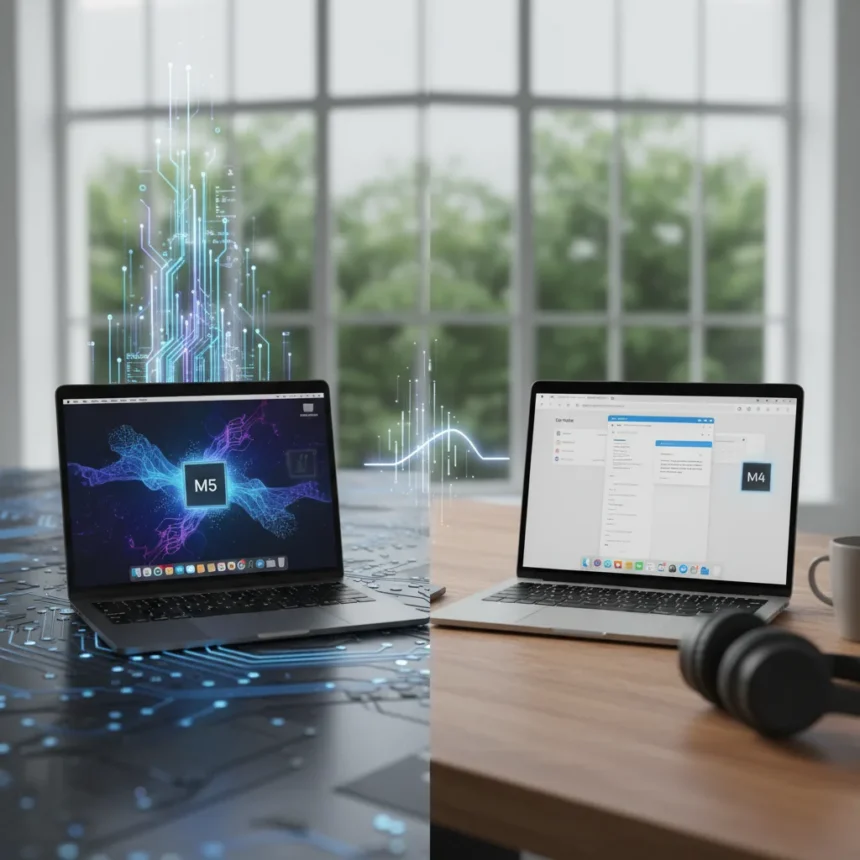
MacBook Air M5 vs M4 comes down to one question: do you need the performance boost, or will the older chip handle your work just fine? Both models are on sale right now, and the answer depends entirely on what you actually do with your laptop.
Key Takeaways
- MacBook Air M5 is 15-22% faster in multi-core tasks and 30% faster in GPU performance than M4
- M5 delivers 2x faster storage speeds using PCIe 4 instead of M4’s PCIe 3
- Real-world gains: M5 image generation 24% faster, AI tasks up to 4x faster
- Both models are fanless, thin, and available in 13-inch and 15-inch sizes
- M4 remains excellent for everyday tasks; M5 justifies the upgrade for creators and AI workloads
MacBook Air M5 vs M4: Raw Performance
The MacBook Air M5 vs M4 performance gap is real but not dramatic for light work. The M5 features a 10-core CPU with 4 performance cores and 6 efficiency cores, identical to the M4’s core count but with architectural improvements that push multi-core Geekbench 6 scores to 17,073 compared to the M4’s 14,731—a 15% gain. Single-core performance widens further, with the M5 running roughly 24% faster in some benchmarks. GPU performance tells a more aggressive story: the M5’s Metal score hits around 76,000 versus the M4’s 55,000, a 30% jump.
Storage speed is where MacBook Air M5 vs M4 shows one of its clearest advantages. The M5 uses PCIe 4 storage, delivering roughly 2x faster read and write speeds compared to the M4’s PCIe 3 architecture. For anyone moving large video files or working with massive datasets, this matters. For casual users, it’s invisible.
Real-World Gains: Where M5 Pulls Ahead
Benchmark numbers tell only part of the story. The MacBook Air M5 vs M4 difference becomes tangible in creative workflows. Image generation runs 24% faster on the M5—14 seconds versus 18 seconds on the M4. Video export in Final Cut Pro and 3D rendering in Blender both show 1.5x faster completion times. The most dramatic gap appears in AI workloads, where the M5 can be up to 4x faster, thanks to its improved Neural Engine and memory bandwidth architecture.


For writers, casual video editors, and web developers, these gains evaporate into irrelevance. A 14-second image generation process is still nearly instant. A Final Cut Pro export that takes 45 minutes instead of 30 minutes matters only if you’re exporting multiple times per day. The MacBook Air M5 vs M4 decision hinges on frequency and scale, not on whether the M5 is technically superior.
Memory Bandwidth and AI: The M5’s Real Advantage
The M5 pushes memory bandwidth to 153GB/s in select configurations, 28% higher than the M4’s 60GB/s baseline. This architectural change directly benefits AI inference, machine learning workflows, and large language model interactions. If you’re running local AI tools, prompt engineering, or training small models on your laptop, the MacBook Air M5 vs M4 becomes a meaningful choice. For everyone else, it’s a feature you’ll never notice.



The M4 remains fully capable for running AI assistants and modern software. The difference is velocity, not capability. The M5 simply finishes tasks faster, which compounds over weeks and months of heavy use.
MacBook Air M5 vs M4: Design and Ports
Both models are functionally identical in form factor. Both are fanless, thin, lightweight, and available in 13-inch and 15-inch sizes. Both include Thunderbolt 4 ports, a 12MP Center Stage camera, and Apple’s Liquid Retina display. The MacBook Air M5 vs M4 offers no design surprises or aesthetic differences. If you prefer the 15-inch screen for creative work, both chips are available in that size.
MacBook Air M5 vs M4: Which Should You Buy?
Buy the MacBook Air M5 if you’re a content creator, video editor, 3D artist, or AI developer. The 15-30% CPU boost, 30% GPU gain, and 2x storage speed combine to reduce friction in real work. Buy the M4 if you’re a student, writer, coder doing web development, or everyday user. It handles all modern tasks fluidly, costs less, and will remain capable for years. The MacBook Air M5 vs M4 isn’t about which is objectively better—it’s about which matches your actual workload.
How much faster is the M5 than the M4 in real-world tasks?
The M5 delivers 24% faster image generation, 1.5x faster video export and 3D rendering, and up to 4x faster AI inference compared to the M4. For everyday browsing, email, and document work, the difference is imperceptible.



Is the MacBook Air M4 still worth buying in 2025?
Yes. The M4 remains an excellent machine for general computing, coding, design, and content consumption. The MacBook Air M5 vs M4 only favors the M5 if you regularly perform CPU-intensive or GPU-heavy tasks. Otherwise, the M4 offers outstanding value and longevity.
Does the MacBook Air M5 have the same ports as the M4?
Yes. Both models include identical Thunderbolt 4 ports, USB-C connections, and audio jacks. The MacBook Air M5 vs M4 shows no differences in connectivity or external expansion options.
The MacBook Air M5 vs M4 decision ultimately isn’t complicated. If you’re a professional creator or AI developer, the M5’s performance gains justify the upgrade. If you’re anyone else, the M4 is still a fantastic laptop that will serve you well for years to come. Both are on sale right now, so grab whichever matches your actual needs rather than the one with the bigger number on the spec sheet.
Where to Buy
for $1,049 (was $1,099) | for $1,149 (was $1,399) | 5% OFFAppleMacBook Air 13 (M5, 16GB RAM, 512GB SSD)$1,049$1,099shop now | 18% OFFAppleMacBook Air 13 (M4, 24GB RAM, 512GB SSD)$1,149$1,399shop now
Edited by the All Things Geek team.
Source: TechRadar