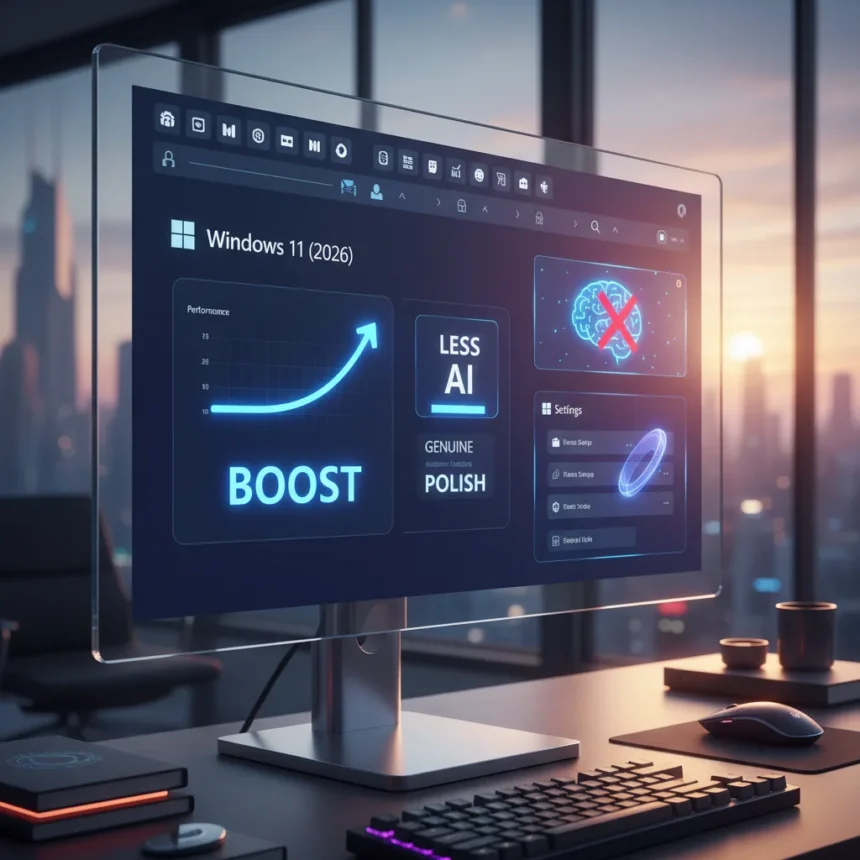
Windows 11 improvements 2026 finally deliver what users have been demanding since the OS launched: a movable taskbar, less intrusive AI, and genuine performance gains that make the system feel less bloated. Microsoft rolled out nine meaningful updates via the Windows Insider Program in March 2026, addressing frustrations that have plagued Windows 11 since its debut. These are not flashy features or marketing gimmicks—they are the kind of polish that separates a mature operating system from one that feels half-finished.
Key Takeaways
- Taskbar can now be repositioned to the top or sides, addressing a top user request since Windows 11 launch.
- Copilot AI presence has been significantly reduced, with fewer expansions and notifications cluttering the interface.
- File Explorer is faster and more reliable, with reduced flicker and smoother network device handling.
- Windows Update now offers unlimited pause options, removing a major source of frustration for power users.
- Windows Hello biometric sign-in is more reliable for facial recognition and faster for fingerprints, with better gaming handheld support.
The Taskbar Finally Listens to Users
The movable taskbar is the headline feature, and for good reason. Since Windows 11’s launch, users have asked for this relentlessly. Microsoft is introducing the ability to reposition the taskbar to the top or sides of the screen, along with smaller size options. This single change addresses one of the most consistent complaints about Windows 11’s rigid interface design. For users who spent years with Windows 10 or earlier versions, the locked-bottom taskbar felt like a step backward. Now it feels like a choice again.
The taskbar repositioning matters because it restores control to the user. Some people work on ultrawide monitors and prefer the taskbar on the side. Others want it at the top for laptop screens. Windows 11 had forced everyone into the same layout, which felt unnecessarily stubborn. The fact that Microsoft is finally delivering this suggests they are listening to actual user feedback rather than imposing design decisions from above.
Windows 11 improvements 2026 dial back the AI
One of the most frustrating aspects of Windows 11 has been the relentless push of Copilot. The AI assistant appeared in the taskbar, the Start menu, the search bar, and notifications—often without users explicitly asking for it. Microsoft has reduced Copilot’s presence and expansions significantly in the early 2026 updates. This is not about removing AI entirely; it is about making it optional rather than mandatory.


The reduction in AI-driven notifications and interface elements is a quiet win. Windows 11 felt like it was trying to sell you something at every turn. The new approach feels less like bloatware and more like an actual operating system. Users who want Copilot can still access it; users who do not want it cluttering their desktop no longer have to fight it.
Performance and Reliability Fixes That Actually Matter
Beyond the headline features, Windows 11 improvements 2026 include dozens of under-the-hood refinements that improve daily usability. File Explorer is now faster and more responsive, with reduced flicker and smoother navigation. Network device handling is more reliable, and the input flyout is more responsive. For anyone who has experienced lag or stuttering in File Explorer when browsing network shares, this is a meaningful fix.



Windows Update has also been overhauled. The new unlimited pause option removes the anxiety of forced updates interrupting work. The settings page performs more smoothly, making it less painful to manage update preferences. Storage Settings now scans temporary files faster, and printing performance has improved for high-volume jobs. These are not revolutionary changes, but they are the kind of refinements that make an OS feel mature.
Windows Hello biometric enhancements add better support for gaming handhelds like the ROG Ally X, with more reliable facial recognition and faster fingerprint sign-in. The Feedback Hub has been completely redesigned with a simpler submission flow and better screenshot tooling. Windows Backup can now restore settings and Microsoft Store apps at first sign-in, including support for Entra hybrid join and multi-user setups.
Widgets and Notifications Get Quieter
Widgets have been a contentious feature in Windows 11. The new improvements simplify widget settings, reduce notifications, and provide more control over feed content and personalization. The default behavior is now quieter, which means users are not bombarded with updates they did not ask for. This aligns with the broader philosophy of the 2026 updates: give users control, reduce noise, and let the OS work in the background.
Search has also been refined across the entire system. Results are now faster and more accurate, with a clear distinction between local and web results. This consistency applies to search in the taskbar, Start menu, File Explorer, and Settings. It is a small detail, but fragmented search behavior across different parts of Windows has always felt sloppy.



How Do These Updates Compare to Previous Windows 11 Releases?
Windows 11 has received steady updates since launch, but the early 2026 improvements represent a shift in philosophy. Previous updates added features and pushed Copilot integration. These updates remove friction and restore user control. The movable taskbar, reduced AI, and performance fixes address the most common complaints from the Windows community, whereas earlier updates often felt like they were solving problems Microsoft cared about rather than problems users faced.
The rollout strategy also differs. These improvements are arriving via the Windows Insider Program channels—Canary, Beta, Dev, and Release Preview—in March 2026, with broader availability rolling out through April. This gives users early access and provides Microsoft with feedback before wider deployment. It is a more measured approach than the aggressive feature dumps of previous releases.
Is Windows 11 finally becoming the OS it should have been?
Windows 11 launched with promise but delivered a frustrating experience for power users and everyday people alike. The rigid interface, aggressive AI integration, and forced update behavior made the OS feel like it was working against users rather than for them. The early 2026 improvements suggest Microsoft is finally course-correcting. A movable taskbar, less Copilot, faster File Explorer, and genuine reliability fixes are not revolutionary, but they are what Windows 11 needed from the start.
When will these Windows 11 improvements 2026 be available to everyone?
The updates are rolling out via the Windows Insider Program as of March 2026, with broader availability expected through April 2026. Windows 11 version 26H1 supports new devices launching in early 2026, but the improvements are also available through Windows Update for existing devices. Users in the Release Preview channel should see these features sooner than those on stable builds.
Do I need to upgrade to get these Windows 11 improvements 2026?
No. All improvements are free via Windows Update. You do not need to buy anything or upgrade to a new device. If you are running Windows 11 on an existing machine, these updates will arrive automatically or through the Insider Program channels depending on your update settings.
Will the movable taskbar work on all Windows 11 devices?
The taskbar repositioning is part of the early 2026 updates rolling out to Windows 11 devices. However, the research brief does not specify hardware requirements or compatibility limitations. Check Microsoft’s official Windows documentation for device-specific details.
Windows 11 improvements 2026 finally prove that Microsoft can listen and adapt. The movable taskbar, reduced Copilot presence, faster File Explorer, and reliability fixes are the kind of thoughtful refinements that make an operating system feel mature and respectful of user time. After years of frustration, Windows 11 is becoming the OS it should have been at launch. For anyone who has been considering switching to macOS or Linux, these updates might be reason enough to give Windows another chance.
Edited by the All Things Geek team.
Source: Windows Central