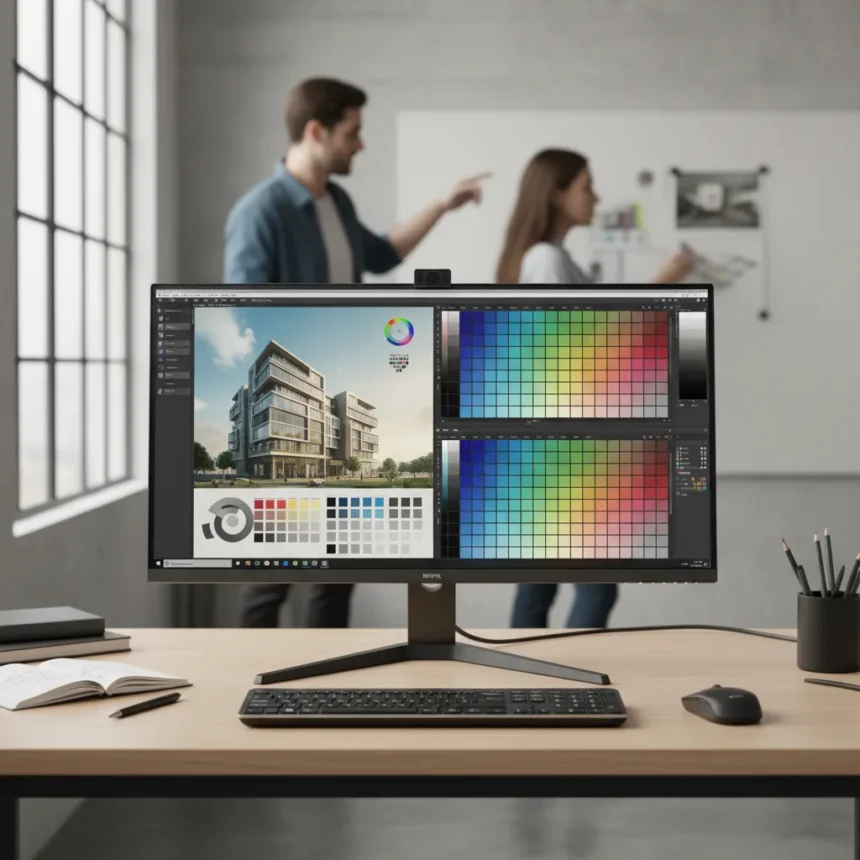
The BenQ DesignVue PD2770U is a 27-inch 4K professional monitor made by BenQ, featuring a built-in hardware colorimeter that eliminates the need for external calibration tools—a feature traditionally reserved for enterprise-grade displays costing thousands more. This IPS LCD panel delivers 3840 x 2160 resolution with 99% Adobe RGB and 99% DCI-P3 color coverage, making it a serious contender for photographers, designers, and video editors who refuse to compromise on accuracy.
Key Takeaways
- Built-in colorimeter enables self-calibration without external hardware, a rarity at this price point.
- Achieves DeltaE ≤1.5 average with factory modes, measured sRGB DeltaE 0.89 post-calibration.
- Light-Adaptive Calibration automatically adjusts color accuracy based on ambient lighting conditions.
- RJ45 LAN connectivity and Device Management Solution software sync color settings across multiple monitors.
- Premium build includes fully adjustable stand, magnetic shading hood, and Wireless Hotkey Puck G3.
Self-Calibration Changes the Game for Independent Creators
The BenQ DesignVue PD2770U eliminates a friction point that has plagued small studios for years: the need to purchase external colorimeters costing $500–$1,500 separately. Instead, this monitor calibrates itself using an internal hardware colorimeter, automatically adjusting its factory-preset modes for sRGB, Adobe RGB, Rec.709, DCI-P3, Display P3, and DICOM color spaces. After calibration, measured performance shows an sRGB DeltaE of 0.89 with white point stability between 6,369K and 6,470K—numbers that rival dedicated professional displays.
Light-Adaptive Calibration is where the BenQ DesignVue PD2770U truly stands apart from competitors like BenQ’s own SW270C or SW271C models. This feature automatically recalibrates based on ambient light changes, meaning your display stays color-accurate whether you’re working at dawn or under studio lights. The monitor also supports auto-scheduled recalibration, so you can set it and forget it—a convenience that independent creators rarely find at this price tier.
Color Accuracy and Uniformity: The Trade-Offs
BenQ DesignVue PD2770U specifications promise wide-gamut coverage across multiple professional color spaces, backed by Pantone Validation and Calman Verification certifications. The native contrast ratio stands at 1000:1, though uniformity compensation reduces this to 665:1—a meaningful sacrifice that prioritizes color consistency across the screen over absolute contrast. Pre-calibrated modes arrive warm at 6,197K, requiring recalibration to hit the target 6,500K white point.


The 5ms gray-to-gray response time and 60Hz refresh rate confirm this is not a gaming monitor, but the 178-degree viewing angles and 163 PPI pixel density deliver the precision expected from a professional tool. One reviewer noted a mild whining sound from the backlight, though this is not uncommon in high-brightness LED-backlit panels. The Nano Matte anti-glare finish reduces reflections without introducing the grainy texture that frustrates some color professionals, striking a balance between glare control and image clarity.
Connectivity and Multi-Monitor Workflow Integration
The BenQ DesignVue PD2770U addresses a real pain point for studios managing multiple displays: keeping color consistent across all of them. USB-C with 96W Power Delivery simplifies cable management, while HDMI 2.1 and DisplayPort 1.4 provide flexibility for different source devices. The RJ45 LAN port is the standout feature—it enables the Device Management Solution (DMS) software to sync calibration profiles across multiple PD2770U monitors on the same network, eliminating the tedious manual recalibration of each display.



This networked approach transforms the BenQ DesignVue PD2770U from a single-display tool into an enterprise-class solution at consumer pricing. A two-monitor setup for color-critical work no longer means manual recalibration of each unit; instead, calibrate once and push settings across the network. The included Wireless Hotkey Puck G3 provides quick access to presets and settings without reaching for software menus, a small but meaningful quality-of-life feature.
Build Quality and Ergonomics
The BenQ DesignVue PD2770U ships with a fully adjustable stand offering height, tilt, swivel, and pivot adjustments—essential for the long editing sessions that creative professionals endure. A magnetic shading hood is included in the box, protecting the screen from stray ambient light during critical color work. The premium build quality and attention to detail suggest BenQ designed this monitor for professionals who will use it for years, not casual users looking for a cheap 4K display.
At MSRP $1,699 USD, the BenQ DesignVue PD2770U positions itself as an investment in workflow efficiency. For small studios and independent creators accustomed to either skipping color calibration or spending extra on external colorimeters, this monitor’s built-in calibration justifies the premium. It competes favorably against professional monitors requiring external calibrators, offering mastering-level precision without the additional hardware expense.
Is the BenQ DesignVue PD2770U worth the investment?
Yes, if you manage color-critical work and currently rely on external calibration or skip it altogether. The built-in colorimeter, Light-Adaptive Calibration, and network sync via RJ45 are features traditionally found in enterprise displays costing $3,000+. For photographers, video colorists, and designers who need accuracy without the overhead, this monitor delivers exceptional value.



How does the BenQ DesignVue PD2770U compare to other 27-inch professional monitors?
BenQ’s own SW270C and SW271C offer similar color gamut coverage but lack the built-in colorimeter and RJ45 multi-monitor sync. The PD2770U adds these enterprise features at comparable pricing, making it the more feature-rich choice for studios managing multiple displays. If you need a single, standalone monitor and budget is tight, older professional models may suffice—but the BenQ DesignVue PD2770U’s self-calibration eliminates a major ongoing cost.
What certifications does the BenQ DesignVue PD2770U carry?
The monitor is Pantone Validated, Pantone SkinTone certified, and Calman Verified, confirming its color accuracy meets professional standards. These certifications carry weight in industries like photography and video mastering, where color credibility matters for client work.
The BenQ DesignVue PD2770U arrives at a pivotal moment for creative professionals tired of choosing between affordable displays and professional color accuracy. Built-in calibration, light-adaptive adjustment, and networked multi-monitor sync transform it from a luxury into a practical necessity for studios that can no longer justify external calibrators or outdated color workflows. For independent creators and small teams, this monitor represents the bridge between consumer pricing and professional capability.
Edited by the All Things Geek team.
Source: Tom's Hardware