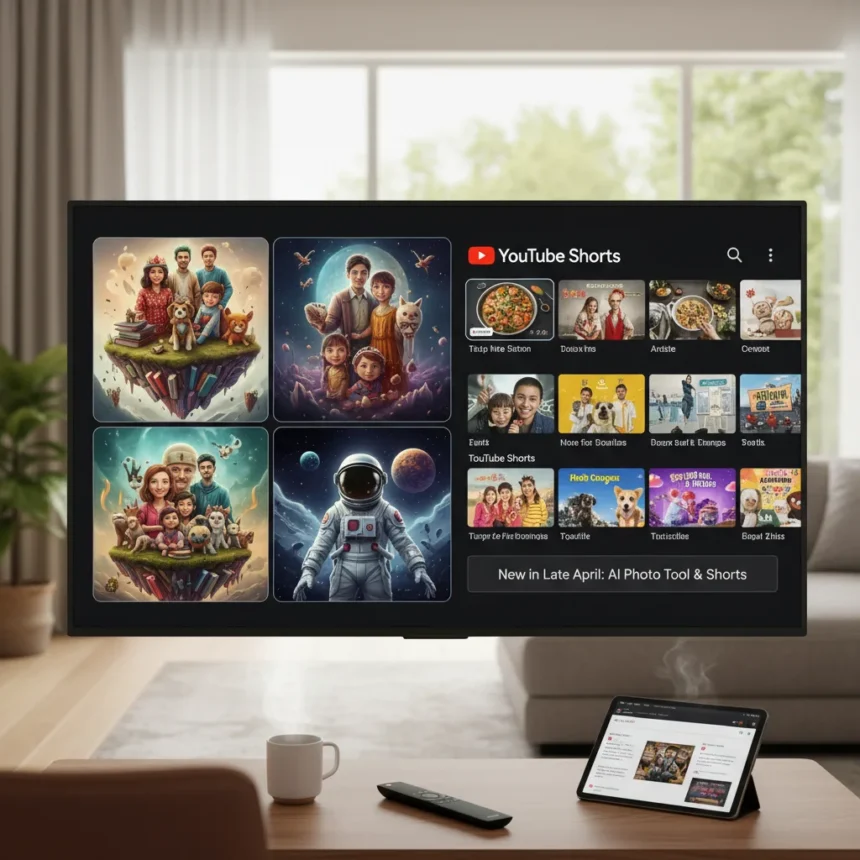
Google TV AI photo creation marks a significant shift in how the platform handles personal media on your big screen. The late April update introduces a new Create feature that uses artificial intelligence to generate playful, wacky versions of family photos, integrated directly into Google TV’s ambient mode experience. This move positions Google TV not just as a streaming hub but as a creative tool for living room entertainment, while also teasing a dedicated YouTube Shorts row that could reshape how viewers discover short-form video content on television.
Key Takeaways
- Google TV’s new Create feature uses AI to transform family photos into wacky, personalized versions for ambient display.
- Late April update teases a forthcoming YouTube Shorts row, bringing short-form video discovery to the TV interface.
- Feature builds on existing personalization options including Google Photos albums, art collections, and weather displays.
- Ambient mode slideshows now include AI-generated photo variations alongside traditional personal photo galleries.
- YouTube Shorts row mirrors existing app integration patterns like YouTube, YouTube TV, and Kids button-hold switching.
What Google TV AI Photo Creation Actually Does
The Create feature transforms ordinary family photos into AI-generated variations that feel playful rather than serious. Instead of simply displaying your photo library in ambient mode, Google TV now generates wacky, creative interpretations of those images. This sits alongside Google TV’s existing ambient capabilities, which already let you personalize your display with Google Photos albums, traditional art collections, street art, weather information, and time displays. The new AI tool essentially adds another layer to what was already a fairly robust personalization system, making the idle TV screen feel more dynamic and entertaining.
Google TV handles portrait photos intelligently through existing settings that let users pair or exclude them from ambient slideshows. The Create feature respects these preferences while adding generative variation on top. For households with multiple family members, this means your TV can cycle through both your original photos and their AI-reimagined versions without feeling repetitive or cluttered.
YouTube Shorts Row: Bringing Short-Form Video to Television
The teased YouTube Shorts row represents Google’s answer to a growing reality: short-form video is no longer a phone-only phenomenon. YouTube Shorts has become a significant part of the YouTube ecosystem, and bringing a dedicated row to Google TV makes strategic sense for both user engagement and discovery. The implementation mirrors how Google TV already handles app variety through button-hold shortcuts that let users switch between YouTube, YouTube TV, Kids, and Music without leaving the main interface.



This addition acknowledges that living room viewing habits have shifted. Viewers increasingly want quick, snappy content alongside traditional long-form streaming, and a dedicated Shorts row makes that transition seamless on the big screen. The feature remains in teasing stage, meaning rollout timing is still uncertain, but the direction is clear: Google is betting that short-form video belongs on your television, not just your phone.
How Google TV AI Photo Creation Compares to Existing Personalization
Google TV’s ambient mode was already competitive with other smart TV platforms in terms of customization depth. You could pull from multiple photo sources, layer in contextual information like weather and time, and control how specific photo types display. The new AI creation feature doesn’t replace this foundation—it extends it. Where a Roku or Amazon Fire TV might offer static photo galleries or limited art options, Google TV now offers generative variation on top of that base.



The Chromecast with Google TV hardware itself has faced criticism for storage constraints that can limit app installations and ambient content quality. These software updates help maximize the value of existing devices without requiring hardware upgrades, which is a smart move given the device’s modest storage footprint. The addition of AI photo creation and Shorts row integration makes the platform feel more feature-complete even if the underlying hardware hasn’t changed.
When Will These Features Roll Out?
The Create feature rolled out in late April to compatible Google TV devices, particularly Chromecast with Google TV hardware. However, the YouTube Shorts row remains in teasing phase with no confirmed launch date, meaning some users may see it sooner than others depending on their device and region. Google typically staggers feature rollouts across its installed base to monitor stability and gather feedback before full deployment.
If you own a Chromecast with Google TV, check your device settings for the new Create option in ambient customization. If it’s not visible yet, it should appear within weeks as the rollout continues. The Shorts row will likely follow a similar staged approach once Google finalizes the integration and user interface design.
Does Google TV AI photo creation work with all photo sources?
The Create feature works with photos from Google Photos, which is Google TV’s primary photo integration. Facebook photos are available experimentally in ambient mode, though it’s unclear whether AI generation extends to that source. For the broadest compatibility and best results, using Google Photos as your primary source ensures the AI tool can access and transform your images reliably.



Can you control what kind of wacky versions the AI generates?
The research brief does not specify customization options for the AI generation style, so specific controls remain unclear. The feature appears to generate variations automatically without granular user control over the aesthetic direction. As the feature rolls out more widely, Google may add style options or filters, but that’s not confirmed at this stage.
Will YouTube Shorts row replace the existing YouTube row?
The teased Shorts row appears to be an addition rather than a replacement, similar to how Google TV already offers separate shortcuts for YouTube, YouTube TV, and Kids through button-hold switching. This suggests your standard YouTube row will remain, with Shorts getting its own dedicated space for easy discovery without disrupting existing navigation habits.
Google TV’s April update represents a deliberate push to make the platform feel less like a pure streaming box and more like a creative, personalized entertainment hub. The AI photo creation tool adds genuine novelty to ambient mode—something that could differentiate Google TV from competitors still relying on static photo galleries. Meanwhile, the YouTube Shorts row acknowledges a viewing shift that’s already happening on phones and tablets, bringing it to the one screen where it arguably matters most: the living room television. Neither feature is revolutionary on its own, but together they signal Google’s commitment to evolving Google TV beyond passive consumption into active, personalized entertainment discovery.
Edited by the All Things Geek team.
Source: Android Central