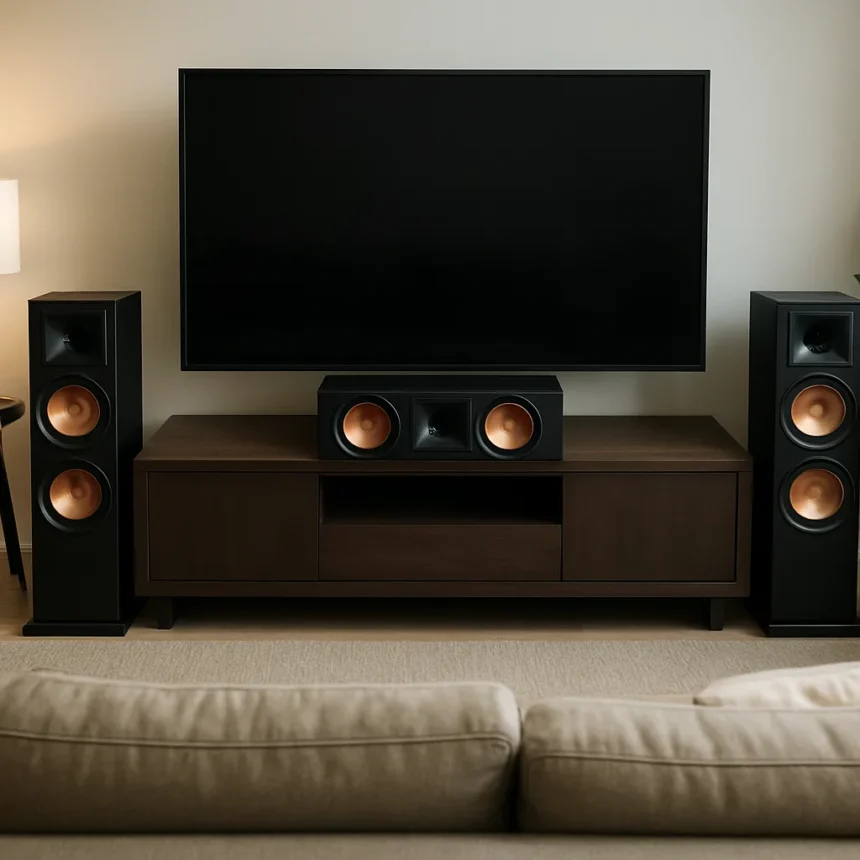
Home theater setup is one of those projects where enthusiasm routinely outpaces planning, and the results can be quietly catastrophic for your viewing and listening experience. The gap between a technically impressive equipment list and a system that actually performs well comes down almost entirely to installation decisions — decisions that are easy to get wrong and surprisingly hard to reverse once walls are painted and furniture is in place. Getting these fundamentals right before you buy a single cable is the difference between a setup you love and one you quietly resent.
Why home theater setup planning matters more than the gear
The single most persistent myth in home cinema is that better hardware automatically means better results. It does not. A premium OLED television mounted at the wrong height, or a high-end soundbar positioned against a reflective wall, will consistently disappoint compared to mid-range equipment placed thoughtfully. The room itself is part of the system. Hard surfaces reflect sound unpredictably, awkward viewing angles introduce geometric distortion, and poor cable management creates both aesthetic and practical problems that compound over time. Treating the room as a neutral container for your gear is the first and most expensive mistake you can make.
Room acoustics deserve particular attention. Parallel walls, bare floors, and large glass surfaces create standing waves and flutter echo that no amount of DSP correction can fully resolve. Basic acoustic treatment — even rugs, curtains, and soft furnishings — makes a measurable difference to how a system sounds. Addressing the room before finalising speaker placement is not an optional extra; it is the foundation everything else rests on.
The home theater setup mistakes that catch most people out
Speaker placement is where most custom builds go wrong first. Surround speakers mounted too high or too far behind the listening position lose the envelopment effect entirely. Front left and right speakers placed asymmetrically relative to the primary seat create a phantom centre image that drifts off-axis, undermining dialogue clarity regardless of how capable the speakers themselves are. Subwoofer placement is equally critical — corner placement maximises bass output but often at the cost of accuracy, while a single subwoofer anywhere in the room will produce uneven bass response depending on where you sit.



Cable routing is the other area where good intentions collapse under the weight of practical shortcuts. Running signal cables parallel to power cables over long distances introduces interference that manifests as hum, noise, or degraded picture quality. In-wall cable runs look clean but require careful planning around building regulations and future-proofing — running conduit rather than bare cable costs more upfront but makes upgrades dramatically simpler. The instinct to cut costs on cabling is understandable but consistently counterproductive.
Screen height and viewing distance are frequently miscalculated. Mounting a television above a fireplace is one of the most common installation choices and one of the most ergonomically problematic — the resulting neck strain during extended viewing sessions is real, and the heat exposure is genuinely damaging to panel longevity over time. The general principle is that the centre of the screen should sit at roughly seated eye level, and viewing distance should scale with screen size rather than being dictated by room layout alone.



Calibration: the step most home theater setup guides skip
Even a perfectly placed system running well-routed cables will underperform without calibration. Factory display settings are optimised for showroom brightness, not living room accuracy — contrast, colour temperature, and motion settings all typically need adjustment before a television shows what it is genuinely capable of. Most modern AV receivers include automatic room correction software that measures speaker output and adjusts timing and levels to compensate for room anomalies. Using it takes twenty minutes and produces results that manual adjustment rarely matches.
The temptation to skip calibration is strongest when the system already sounds and looks impressive out of the box. Resist it. The difference between an uncalibrated and a properly calibrated setup on the same hardware is not subtle — it is the difference between a system that impresses visitors and one that genuinely satisfies the person who uses it every day.
Is it worth hiring a professional for a home theater setup?
For straightforward setups, a careful DIY approach with proper planning produces excellent results. Where professional installation earns its cost is in complex multi-room configurations, in-wall speaker installations, or any setup involving structural modifications. A professional will also carry liability for electrical work that a DIY installer does not. The honest answer is that most single-room setups are well within competent DIY territory — provided the planning comes before the purchasing.
What is the most common home theater setup mistake?
Poor speaker placement is consistently the most damaging error, particularly asymmetric front speaker positioning and subwoofer placement that prioritises output over accuracy. These mistakes affect every single listening session and are often difficult to correct without repositioning furniture or remounting equipment.



Does room correction software fix a bad home theater setup?
Room correction helps significantly but cannot compensate for fundamental placement errors or severe acoustic problems. It is a refinement tool, not a rescue tool — the room and speaker positions need to be as good as possible before correction software is applied for it to deliver its full benefit.
The lesson from every well-executed custom home theater build is the same: the gear gets the credit, but the planning does the work. Measure the room, map the cable routes, settle on speaker positions, and only then start ordering equipment. The mistakes that haunt these setups are almost never about what was bought — they are about what was skipped.
Edited by the All Things Geek team.
Source: TechRadar