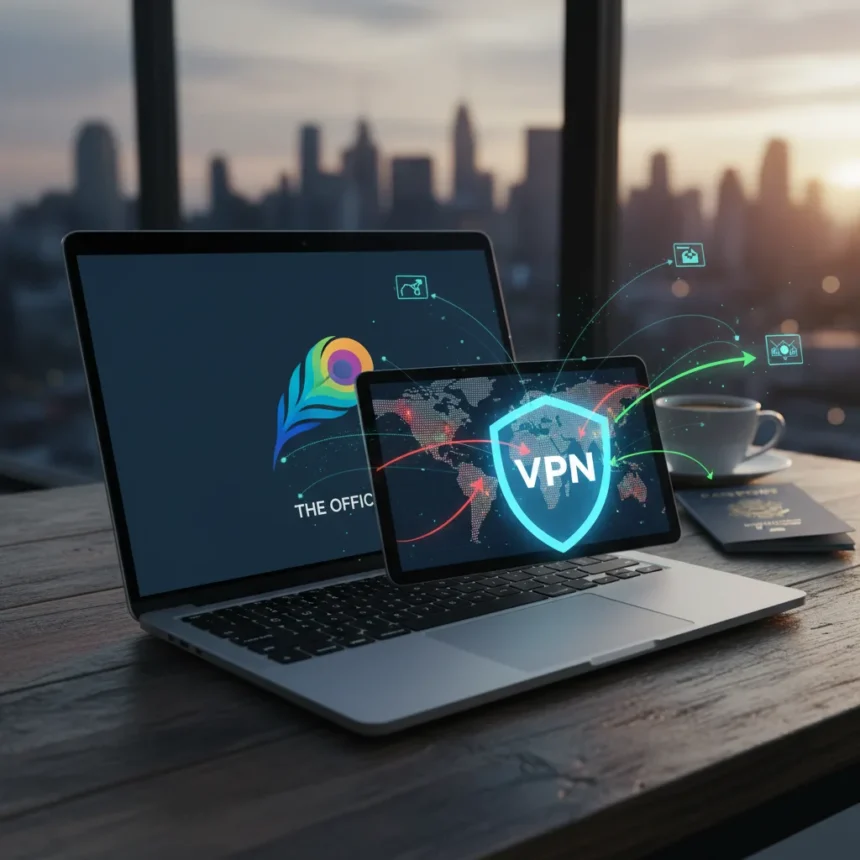
Peacock is NBC’s streaming service, available only in the US and select territories like the UK and Ireland for Sky/NOW subscribers. Outside these regions, you’ll hit a geo-block error: “It looks like you don’t meet the US roaming rules” or “This service is unavailable in your region.” To watch Peacock from anywhere, you need a VPN that can bypass these restrictions by routing your connection through a US server.
Key Takeaways
- Peacock is strictly geo-blocked outside the US unless you use a VPN with US servers
- Many VPNs get blocked by Peacock due to licensing agreements; not all VPNs work reliably
- NordVPN, ExpressVPN, and Surfshark are among the most consistent options for unblocking Peacock
- You’ll need a VPN subscription, then a valid Peacock subscription with an accepted payment method
- Most top VPNs offer 30-day money-back guarantees to test before committing
Which VPNs Actually Unblock Peacock
Not every VPN can watch Peacock from anywhere because Peacock actively blocks VPN traffic to enforce its geographic licensing agreements. The service detects and blacklists VPN IP addresses, so free or outdated VPNs often fail within days. The most reliable options include NordVPN, which offers fast 4K streaming speeds and class-leading unblocking performance. ExpressVPN ranks nearly perfect for Peacock access, with all US servers tested and working consistently. Surfshark provides a budget-friendly alternative without sacrificing unblocking capability. Proton VPN, Private Internet Access (PIA), CyberGhost, and PrivateVPN also maintain strong track records. Windscribe offers a free tier, though it caps data at roughly 4 hours of HD streaming monthly; its paid tier performs better for streaming.
The key difference between these VPNs lies in speed and detection evasion. NordVPN handles 4K without stuttering, while Surfshark costs considerably less. ExpressVPN prioritizes unblocking consistency across all sessions, and PIA allows unlimited simultaneous device connections—useful if you want to stream on multiple screens. Each VPN uses different server infrastructure and detection-avoidance techniques, so one provider’s US servers might work while another’s get blocked within weeks. This is why testing before full commitment matters.
How to Watch Peacock from Anywhere with a VPN
The process to watch Peacock from anywhere is straightforward but requires the right setup. First, subscribe to a VPN that reliably unblocks Peacock—NordVPN, ExpressVPN, or Surfshark are solid starting points. Download and install the VPN app on your device, whether that’s Android TV, Fire Stick, iOS, Android, Apple TV, Roku, PlayStation, Xbox, or even your router. Open the VPN app and connect to a US server to obtain a US IP address. Once connected, visit the Peacock website or app, select a subscription plan, and sign up with an accepted payment method. After your account is active, keep the VPN connected to your US server and stream live TV, shows, movies, and sports without interruption.



For Proton VPN specifically, you’ll need to upgrade to Proton VPN Plus or Proton Unlimited if you’re on the free tier, then connect to a Proton VPN Plus US server after creating your Peacock account. If you want to run a VPN at the router level using Windscribe, access your router’s admin panel, open the VPN client section (supporting WireGuard, OpenVPN, or IKEv2), import the Windscribe configuration file, and activate the VPN connection. This approach protects all devices on your network without needing individual app installations.
What to Do If Your VPN Gets Blocked
Peacock’s blocking is ongoing because it must enforce licensing agreements that restrict content to specific regions. If your VPN stops working, the service has likely detected and blacklisted that VPN’s IP addresses. The solution is to switch to a different VPN provider—for example, if NordVPN gets blocked, try ExpressVPN or PIA, both of which maintain separate server infrastructure and detection-evasion methods. Consult your VPN provider’s support guide for troubleshooting steps specific to their service. Many top VPNs offer 30-day money-back guarantees, so you can test multiple providers risk-free before settling on one.



Why VPNs Are Necessary for Global Peacock Access
Peacock’s geo-blocking stems from licensing deals that permit NBC to show content only in the US and a handful of other territories. International streaming rights are expensive and fragmented—different companies own broadcast rights in different regions, so NBC cannot legally stream the same content worldwide without renegotiating contracts in each country. A VPN masks your real location by routing traffic through a US server, making Peacock’s servers believe you’re in an allowed region. This bypasses the geo-check, but it does not change Peacock’s requirement that you pay for a subscription with an accepted payment method. VPNs also unblock other geo-restricted services like Netflix, Disney+, Prime Video, BBC iPlayer, and Hulu, so the investment benefits multiple streaming habits.
Supported Devices for Peacock with a VPN
Peacock works on nearly every modern streaming device, and most support VPN apps or router-level VPN configuration. Android TV, Fire Stick, and Roku allow you to install VPN apps directly from their app stores. iOS and Android phones and tablets run standard VPN apps. Apple TV, PlayStation, and Xbox also support VPN apps, though setup varies by device. If your device doesn’t have a native VPN app, you can configure a VPN on your home router using WireGuard, OpenVPN, or IKEv2 protocols, protecting all connected devices simultaneously. This router approach is especially useful for older smart TVs or devices with limited app ecosystems.
FAQ
Is using a VPN to watch Peacock legal?
Using a VPN itself is legal in most countries. However, bypassing geo-restrictions violates Peacock’s terms of service, and NBC could theoretically ban accounts found using VPNs. In practice, enforcement is inconsistent, but the risk exists. Check your country’s VPN laws before proceeding.
Can I use a free VPN to watch Peacock?
Free VPNs rarely work with Peacock because they lack the resources to maintain undetected server infrastructure and are quickly blacklisted. Windscribe’s free tier is a rare exception, though it limits you to roughly 4 hours of HD streaming per month, making it impractical for regular viewing. Paid VPNs with 30-day money-back guarantees offer better value.



Will Peacock work if I travel to the US with my VPN?
If you’re physically in the US, you don’t need a VPN—Peacock recognizes your genuine US IP address. Connecting to a VPN while in the US may actually cause errors, as Peacock detects the VPN and blocks access. Disconnect your VPN when traveling domestically in the US.
Watching Peacock from anywhere is possible, but it requires a VPN that stays ahead of Peacock’s blocking efforts. NordVPN, ExpressVPN, and Surfshark offer the best balance of speed, reliability, and price. Test your chosen VPN during its money-back guarantee period to confirm it works with your devices before committing long-term. The streaming landscape continues to tighten geo-restrictions, so expect VPN providers to adapt their tactics as Peacock improves its detection systems.
Edited by the All Things Geek team.
Source: TechRadar