





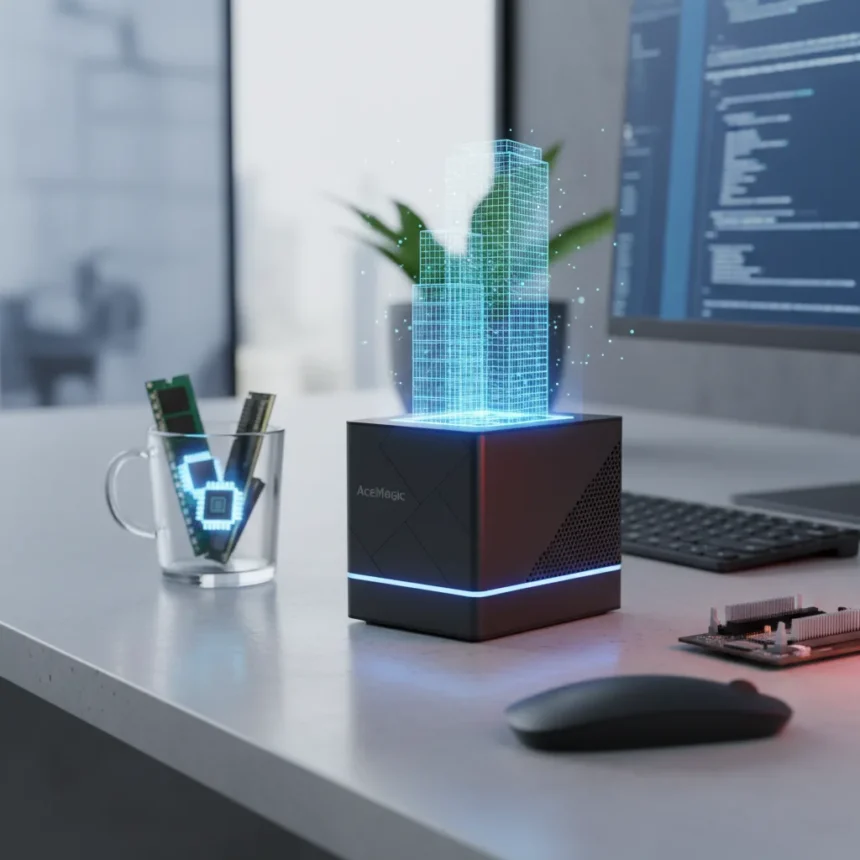
The AceMagic K1 mini PC is a compact desktop replacement powered by Intel’s 12th Gen Core i5-12600H processor, designed for office work, light creative tasks, and emulation rather than demanding gaming. Measuring just a few inches across, this sub-$300 device challenges the assumption that small form factor means weak performance—but only if you keep expectations realistic.
Key Takeaways
- Intel 12th Gen Core i5-12600H handles office tasks, Microsoft 365, and light games at low settings
- Compact design with three-monitor support via Type-C, HDMI 2.0, and DisplayPort 1.4
- Upgradeable RAM and SSD; ships with 16GB DDR and 512GB SATA SSD
- Power consumption stays under 47W, making it ideal for always-on media or office use
- Single-channel RAM and thermal throttling limit sustained gaming performance
What Makes the AceMagic K1 Mini PC Stand Out
The AceMagic K1 mini PC succeeds because it knows its lane. This is not a gaming machine pretending to be compact—it is a productivity device that happens to fit in your palm. The i5-12600H processor, paired with 16GB of upgradeable DDR RAM and a 512GB SATA SSD, handles spreadsheets, web browsing, and video conferencing without breaking a sweat. Microsoft 365 runs smoothly. Adobe Lightroom handles batch edits without stuttering. For remote workers and office environments, that is the entire value proposition, and it delivers.
Connectivity is where the K1 impresses for its size. You get two USB 3.2 ports on the front, four on the rear, plus Gigabit Ethernet, Wi-Fi 6E, Bluetooth 5.2, and the three-monitor setup capability via Type-C, HDMI 2.0, and DisplayPort 1.4. That is more versatile than many tower PCs at this price point. The design is matte black and understated—it looks like it belongs on a desk, not in a gaming cave.
Where Thermal Limits and RAM Configuration Betray the AceMagic K1 Mini PC
Push the AceMagic K1 mini PC beyond its comfort zone and you will hit a wall fast. The device draws around 35W under sustained load, with brief spikes to 47W, but the compact chassis cannot dissipate heat efficiently enough to maintain peak performance for long stretches. This is not a design flaw—it is physics. Small form factor means small heatsink, and small heatsink means thermal throttling when the processor tries to sustain high clock speeds.


The RAM configuration compounds this problem. The K1 ships in single-channel mode, which cuts bandwidth to the processor and GPU. Upgrading to dual-channel requires purchasing a second 16GB module, but even then, the SATA SSD is a bottleneck for creative workflows. If you are editing 4K video or processing large datasets, you will feel the lag. For emulation, the K1 handles PlayStation 3 and Xbox 360 titles at 30-60fps, and Nintendo Switch games at 42-60fps in Full HD, but that is the ceiling. Modern AAA games at playable frame rates? Not without compromises.
Upgradeability Saves the AceMagic K1 Mini PC from Obsolescence
What rescues the AceMagic K1 mini PC from being a disposable gadget is its open architecture. The RAM slot is accessible—you can add a second 16GB module. The SSD bay accepts both PCIe and SATA drives, so you can swap the stock SATA drive for a faster NVMe SSD to speed up boot times and application loading. Neither upgrade requires special tools or technical wizardry. This is rare in mini PCs at this price, where manufacturers often solder components to cut costs.



The case is tight—reviewers note that opening it requires patience—but the upgrade path exists. For $50-100 in parts, you can transform the K1 from a single-channel, SATA-limited machine into something with dual-channel RAM and NVMe speed. That flexibility extends the device’s useful life by years, which matters when you are buying at the budget end of the market.
How Does the AceMagic K1 Mini PC Compare to Alternatives?
The AceMagic K1 mini PC occupies an odd space. It outperforms Intel-based business graphics in light creative work, but AMD Ryzen-equipped mini PCs like the Ryzen 5 7430U variant—which appears in many competing models—edge ahead in pure office task performance. However, the i5-12600H’s integrated graphics handle emulation more reliably than AMD’s equivalent, giving the K1 an edge if you care about retro gaming.
Against traditional tower PCs, the K1 trades raw performance for size and power efficiency. A full-size desktop with a discrete GPU will crush it in gaming and rendering. But the K1 uses a fraction of the electricity, generates minimal heat, and occupies a tenth of the footprint. For a media center, 3D printer controller, or office machine that runs 24/7, that efficiency translates to real savings over years of use.
Is the AceMagic K1 Mini PC Worth Buying?
Yes, if you are buying for office work, light creative tasks, or emulation and you can live with its thermal ceiling. The sub-$300 price point, upgradeable components, and multi-monitor support make it a strong value for remote workers and small offices. No, if you expect gaming performance or sustained heavy workloads. The AceMagic K1 mini PC is honest about what it is—a compact, efficient workhorse for everyday tasks. Respect those boundaries and it will serve you well. Ignore them and you will spend weeks troubleshooting thermal throttling and wishing you had bought something bigger.



Can you upgrade the RAM and SSD in the AceMagic K1 mini PC?
Yes. The K1 ships with one 16GB DDR RAM module in an open slot, so you can add a second module for dual-channel performance. The SSD bay accepts both PCIe NVMe and SATA drives, so you can replace the stock SATA SSD with a faster NVMe drive. Opening the case requires patience but no special tools.
Does the AceMagic K1 mini PC support multiple monitors?
Yes, it supports up to three 4K displays via Type-C, HDMI 2.0, and DisplayPort 1.4. This makes it suitable for productivity setups where you need multiple screens for spreadsheets, code editors, or design work.
What is the thermal performance of the AceMagic K1 mini PC under load?
The K1 consumes around 35W under sustained load, with brief spikes to 47W, and idles at roughly 6W. The compact chassis limits heat dissipation, so expect thermal throttling during prolonged gaming or rendering sessions. This is a trade-off for its small size.
The AceMagic K1 mini PC is the rare budget device that does not pretend to be something it is not. It excels as an office machine, emulation box, and always-on media player. Push it into gaming or sustained creative work and it will disappoint. Buy it for what it actually is—a compact, efficient, upgradeable workhorse—and you will have a solid desk companion for years.
Where to Buy
$289.99 at Amazon | $339 at Amazon | Amazon.com | Amazon.co.uk | $330 at Amazon.com
Edited by the All Things Geek team.
Source: TechRadar




