





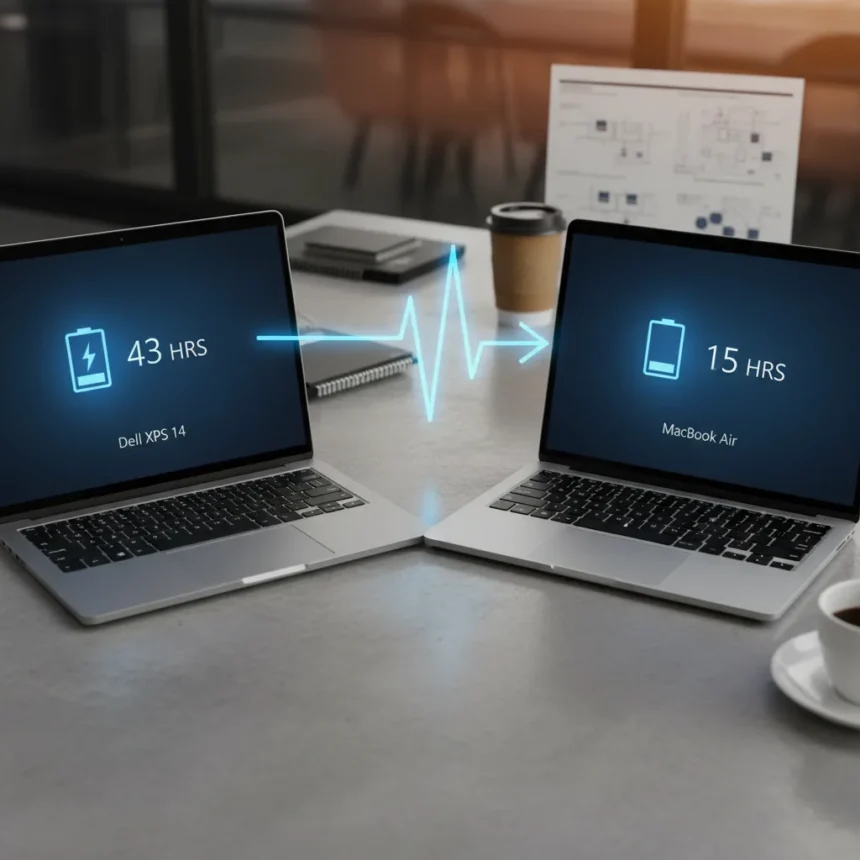
The Dell XPS 14 battery life claim of 43 hours during web browsing has set a new benchmark for Windows laptops, reportedly crushing Apple’s M5 MacBook Air by more than 28 hours in the same test. This achievement rests on two hardware innovations: a redesigned 70Whr battery using first-ever 900ED cells, and a display that can drop to 1Hz refresh rate when displaying static content like emails or PDFs.
Key Takeaways
- Dell XPS 14 claims up to 43 hours battery life during web browsing with its 1Hz-capable 120Hz VRR LCD display
- New 900ED battery cells are 23% smaller and 12% lighter than predecessors while delivering higher energy density
- LCD model outperformed M5 MacBook Air by over 28 hours in web browsing tests, according to Dell’s claims
- Display options include 1200p LCD with 1-120Hz VRR or 2.8K tandem OLED, both 30% more power-efficient than prior XPS generations
- Real-world testing shows more modest results: LCD version achieved 20 hours 41 minutes in mixed workload tests
How the 1Hz display drives Dell XPS 14 battery life
The headline feature enabling these battery claims is straightforward engineering. When you are reading email, viewing a photo, or scrolling a static PDF, the display does not need to refresh 120 times per second. Dell’s new LCD panel drops to 1Hz in these scenarios, slashing power consumption dramatically. The OLED variant uses a 20-120Hz variable refresh range instead, still offering efficiency gains but with less aggressive power savings. This is not a gimmick—it is a genuine architectural shift that works because modern operating systems and applications handle variable refresh rates transparently.
The 900ED battery cells amplify this advantage. These new cells are 23% smaller and 12% lighter than the previous generation while maintaining higher energy density, allowing Dell to pack more power into the same physical footprint. The combination means the XPS 14 can sustain web browsing, video playback, and light productivity work far longer than competitors. Dell claims up to 31 hours of Netflix streaming at 250 nits brightness, and over 40 hours of local video playback on the LCD model.
Real-world battery performance versus Dell’s claims
Independent testing reveals a significant gap between Dell’s optimized lab results and everyday use. Tom’s Hardware measured the LCD XPS 14 at 20 hours 41 minutes during mixed workloads including web browsing, video streaming, and OpenGL tasks at 150 nits brightness. That is impressive and substantially longer than many competitors, but it falls short of the 43-hour web browsing claim. The OLED variant performed worse in the same test, lasting 12 hours 23 minutes. Dell’s numbers assume static content where 1Hz refresh actually applies—reading emails, not streaming video or running applications that demand constant screen updates.


Skeptics on Hacker News have raised valid concerns about real-world usage patterns. Most people do not spend eight hours reading PDFs without switching applications, which means the 1Hz optimization activates intermittently rather than continuously. Adaptive charging, another power-saving feature that limits charging to 80% after 12 hours of being plugged in, also plays a role in these claims. These are not deceptive tactics, but they do explain why Dell’s 43-hour figure requires specific, controlled conditions to achieve.
How Dell XPS 14 battery life stacks against MacBook Air
The M5 MacBook Air comparison is where Dell’s messaging gets aggressive. The title claim of beating the M5 by more than 28 hours comes directly from Dell’s internal testing, not independent benchmarks. Tom’s Hardware’s own tests show the LCD XPS 14 outlasting the M5 MacBook Pro by roughly 2.5 hours in mixed workloads, though direct M5 MacBook Air results were not detailed in the same report. The gap narrows significantly in real-world use—the XPS 14 LCD is genuinely longer-lasting than most competitors, but not by the 28-hour margin Dell advertises.



Apple’s M-series chips remain more power-efficient per watt in many scenarios, but the XPS 14’s battery capacity advantage and display efficiency innovations close the gap substantially. For users who primarily read documents, browse the web, and stream video at moderate brightness, the XPS 14 offers tangible battery endurance. For heavy creators or gamers, the efficiency advantage shrinks.
What else changed to enable this battery breakthrough
The XPS 14 refresh brought more than just battery and display upgrades. Dell overhauled the cooling system to handle Panther Lake processors more efficiently, added an 8MP webcam, redesigned the keyboard with physical function keys, and implemented quad speakers delivering 10W of audio. These changes collectively reduce power draw in peripheral systems, contributing to the overall battery life improvement. The laptop also includes adaptive charge mode, which stops charging at 80% after 12 hours of being plugged in to extend battery cell lifespan.
Is the Dell XPS 14 battery life claim realistic?
Dell’s 43-hour claim is real but conditional. If you use the XPS 14 exclusively for web reading, email, and document viewing at moderate brightness with 1Hz refresh active, you can approach this figure. If you stream video, run multiple applications, or use the OLED display, expect 12-20 hours depending on your workload. The LCD model is the battery champion here—the OLED trades some endurance for superior image quality. For a 14-inch Windows laptop, 20+ hours of mixed use is genuinely outstanding and does beat most MacBook Air configurations in real-world scenarios.
Does the 1Hz display feel usable for everyday work?
The 1Hz refresh rate only applies to static content, so most users will not notice it. Web pages, documents, and photos all benefit from the power savings without any perceptible lag. The moment you scroll, type, or open an application, the display ramps back up to 120Hz for fluid responsiveness. This is not a compromise like older power-saving modes that felt sluggish—it is genuinely invisible during normal use.



Should you buy the Dell XPS 14 for battery life alone?
Battery endurance is a strong reason to consider the XPS 14, but not the only one. The new 900ED cells and 1Hz display technology represent genuine innovation that other manufacturers will eventually copy. If you spend most of your day reading, writing, and browsing without heavy applications, this laptop delivers real value. If you are a heavy video editor, programmer, or gamer, the battery advantage narrows significantly. The LCD model offers the best battery life; the OLED offers the best display but sacrifices 8+ hours of endurance.
When will other laptops match the XPS 14 battery claims?
The 1Hz variable refresh display is not exclusive to Dell forever. Other manufacturers will adopt similar technology as the benefits become obvious. Battery cell technology like 900ED will also spread across the industry within the next refresh cycle. For now, the XPS 14 holds a genuine advantage, but it is an engineering lead, not a permanent one. Competitors using similar display and battery innovations could match or exceed these claims within 12-18 months.
The Dell XPS 14 battery life story is ultimately one of smart engineering rather than magic. By combining a larger battery using denser cells with a display that intelligently adjusts refresh rates, Dell has created a Windows laptop that can genuinely compete with Apple’s MacBook Air on endurance. The 43-hour claim requires specific conditions, but the 20-hour real-world performance is legitimately impressive and marks a meaningful shift in how Windows laptop makers approach power efficiency.
Edited by the All Things Geek team.
Source: Tom's Hardware




