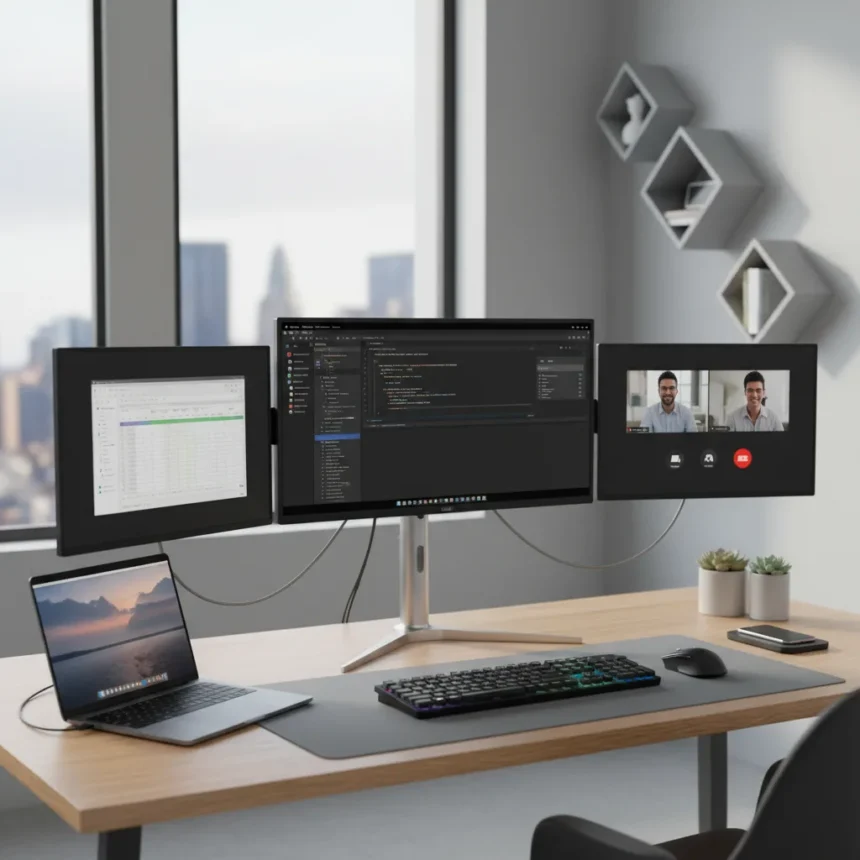
The Lepow TriScreen Pro is a modular triple-monitor system that pairs a 27-inch 4K central display with two detachable 16-inch side screens, designed to deliver expansive workspace without consuming the desk real estate of three separate stands. For knowledge workers, traders, and creative professionals juggling multiple applications, the promise is compelling: productivity gains of a three-monitor setup with the flexibility to collapse everything into a more portable footprint when needed.
Key Takeaways
- 27in 4K central display with dual 16in detachable side monitors in one integrated system
- Designed as a space-saving alternative to traditional three-monitor desk setups
- Side screens detach for portability, making it flexible for different work environments
- Combines fixed central display with portable satellite screens for hybrid workspace use
- Targets professionals seeking multi-monitor productivity without permanent desk sprawl
What Makes the Lepow TriScreen Pro Stand Out
The Lepow TriScreen Pro addresses a real tension in modern work: professionals want the productivity gains of multiple displays, but most desks cannot accommodate three full-sized monitors without looking like a trading floor. The system’s core innovation is architectural simplicity. Instead of three independent stands fighting for space, the TriScreen Pro anchors everything to a single 27-inch 4K panel, with the two 16-inch screens magnetically or mechanically attached to either side. This reduces cable clutter, eliminates redundant stands, and creates a unified visual experience across all three displays.
The detachable 16-inch side screens are the system’s flexibility play. When you need them, they expand your workspace instantly. When desk space matters—during video calls, collaborative work, or when you’re moving between locations—you can remove them and work with just the central 4K display. This modularity makes the Lepow TriScreen Pro more adaptable than competitors offering fixed triple-monitor solutions, which lock you into a permanent three-screen footprint.
Who Should Consider the Lepow TriScreen Pro
This system is built for professionals whose work genuinely demands multiple displays but whose desk space or mobility requirements make three separate monitors impractical. Software developers monitoring code, terminals, and documentation simultaneously benefit from the layout. Financial analysts tracking market data, charts, and communication tools across three screens gain real productivity. Video editors, graphic designers, and content creators managing timelines, asset panels, and preview windows on separate screens work more efficiently with this kind of real estate.


The portability angle matters for a specific segment: professionals who split time between home office, co-working spaces, and client sites. The ability to detach the side screens and carry a more compact setup makes the Lepow TriScreen Pro genuinely useful for people who cannot commit to a single desk configuration. Traditional triple-monitor setups are desk anchors; this one can travel with you.
Practical Considerations Before Buying
The central question is whether the convenience of integrated design and detachable side screens justifies the cost compared to purchasing three independent monitors. Budget-conscious buyers might find better value in three separate 1080p portable monitors or a 27-inch 4K display paired with two budget portable screens. However, the Lepow TriScreen Pro trades raw cost-efficiency for integrated engineering and reduced cable management burden—you get one power input, one USB-C or HDMI backbone, and a cohesive aesthetic rather than a Frankenstein setup of mismatched displays.



Desk depth is another practical constraint. While the Lepow TriScreen Pro saves horizontal space compared to three side-by-side monitors, it still requires adequate depth to accommodate the 16-inch side screens when attached. If your workspace is shallow or you frequently need to reclaim desk depth for other tasks, the modularity becomes a genuine advantage—you can remove the side screens and reduce the footprint significantly.
How Does It Compare to Standalone Portable Monitors
Standalone portable monitors like the Plugable 15.6-inch USB-C option offer maximum flexibility and can be stacked, positioned at any angle, and mixed with other displays. However, they require individual power sources, separate USB-C connections, and manual cable management for each screen. The Lepow TriScreen Pro sacrifices some flexibility for integration—the side screens are designed to work with the central 27-inch display, not with arbitrary third-party monitors. This is a tradeoff: less universal compatibility in exchange for a cleaner, more unified system.
Frequently Asked Questions
Can you remove the 16in side screens from the Lepow TriScreen Pro?
Yes. The side screens are designed to detach from the central 27-inch 4K display, allowing you to use just the main monitor when portability or desk space is a priority. This modularity is one of the system’s defining features.
Is the Lepow TriScreen Pro suitable for laptops?
The system works with laptops via USB-C, HDMI, or DisplayPort depending on your laptop’s connectivity options and the TriScreen Pro’s input specifications. However, it is primarily designed as a desk-based solution rather than a laptop-mounted extender like some competing portable monitor systems.



What size desk do you need for the Lepow TriScreen Pro?
You need a desk with sufficient depth to accommodate the 27-inch central display and the 16-inch side screens when attached. The exact depth requirement depends on the monitor’s stand design, but plan for at least 24 to 30 inches of usable desk depth for the full three-screen configuration.
The Lepow TriScreen Pro represents a pragmatic middle ground for professionals who want multi-monitor productivity without the aesthetic and logistical burden of three independent displays. It is not the cheapest triple-monitor solution, nor is it the most flexible. What it offers instead is thoughtful integration and the rare ability to scale your workspace up or down based on where you are working—a feature that matters increasingly in hybrid work environments.
Where to Buy
Edited by the All Things Geek team.
Source: TechRadar