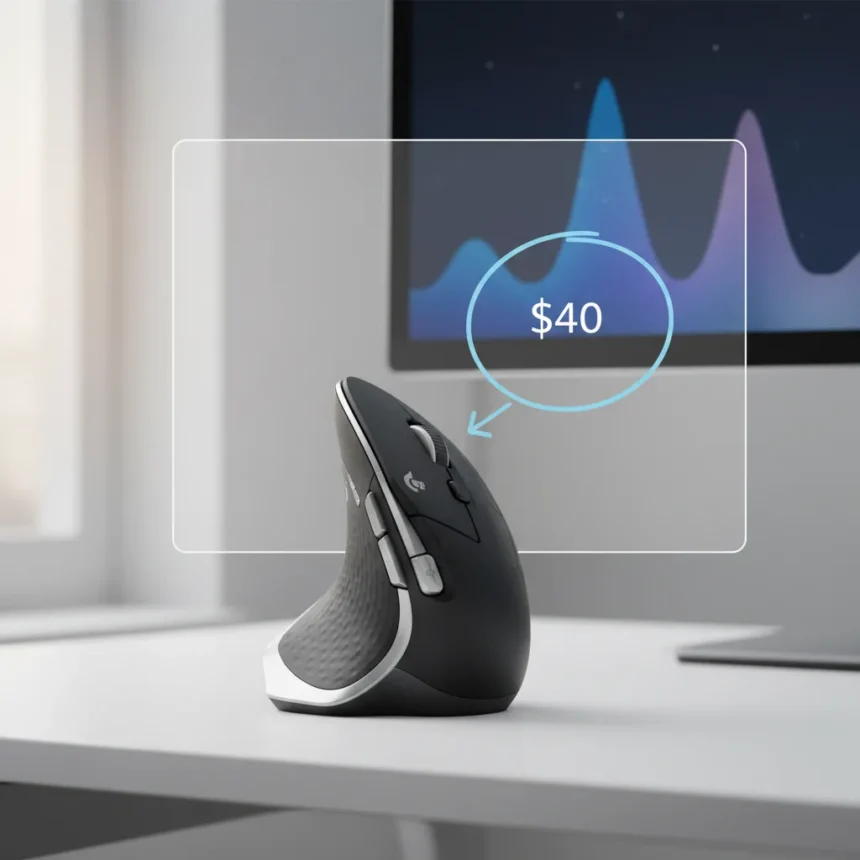
The Logitech MX Vertical ergonomic mouse is finally discounted by $40, making this long-standing comfort champion more accessible for desk workers battling wrist and arm strain. The vertical grip design puts your hand in a natural handshake position, reducing muscular strain by 10% compared to traditional flat mice. If you spend hours at a desk and your arm hurts by day’s end, this deal addresses the root cause: your mouse grip.
Key Takeaways
- Logitech MX Vertical features a 57° vertical angle for natural handshake grip positioning
- Reduces wrist pressure and muscular strain; designed for medium to large hands
- Wireless with Bluetooth multi-device support; battery lasts up to 4 months per charge
- 400 to 4,000 DPI adjustable sensor; excellent for productivity and office work
- Now $40 off, making ergonomic comfort more affordable for remote and hybrid workers
Why vertical grip design matters for desk pain
Traditional mice force your hand into a pronated position—palm down, wrist twisted inward—which strains the forearm muscles and compresses nerves over hours of use. The Logitech MX Vertical flips this geometry entirely. Its 57° vertical angle tilts your hand toward a handshake grip, keeping your forearm neutral and aligned with your wrist. This is not a minor ergonomic tweak. Ergonomist testing confirms the design improves posture and lowers muscle strain significantly.
The mouse weighs 124 grams and features a sculpted body with a dedicated thumb rest, keeping your hand locked in the correct position without effort. The rubberized texture grips naturally, and the width suits medium to large hands perfectly. Austin Palmer, lead tester at TechGearLab, noted: “I love how this mouse puts my arm in a natural ‘handshake’ position. It has just the right width and a nice rubberized texture to help my hand stay in place”. One caveat: smaller hands may struggle. Palmer added, “Smaller hands may not be able to fully hold onto it”. If you wear gloves size small or have narrow palms, consider the Logitech Lift instead, which offers a more compact vertical design.
Connectivity and battery life exceed expectations
The Logitech MX Vertical connects via Bluetooth for multi-device switching or a USB dongle for single-machine use. Rare for Logitech, it also supports wired mode, though you’ll rarely need it. Battery life stretches to 4 months per charge, meaning you’ll swap batteries once or twice a year at most. For a wireless productivity mouse, this is exceptional. The rechargeable battery eliminates the disposable battery waste of competitors.


The 400 to 4,000 DPI sensor adjusts via a dedicated DPI button with two preset speeds, letting you switch between careful detail work and faster navigation without opening software. Logitech Options+ software unlocks button reprogramming and profiles, though the mouse works fine out of the box for standard office tasks.
Performance for work, not gaming
The Logitech MX Vertical excels at productivity. Tracking precision is excellent, and the vertical grip makes long sessions painless. However, this mouse is not built for competitive gaming. The narrow base tips easily during fast flicks, and click latency runs high, making it unstable for FPS titles. If you play MMO games with programmable buttons, the MX Vertical handles that workload. For Valorant or Counter-Strike, pick a gaming-focused mouse instead.



Compared to the Logitech MX Master 3S, the MX Vertical sacrifices premium scrolling features and general-purpose versatility for pure ergonomic focus. The MX Master 3S is more feature-rich but lacks the vertical grip advantage. Choose MX Vertical if arm pain is your priority; choose MX Master 3S if you want an all-rounder that also scrolls faster.
Build quality and portability
Premium materials and professional black-and-silver finish make this mouse feel solid in hand. The rubberized grip resists sweat and maintains tactile feedback even after years of use. Build quality is genuinely excellent, which explains why users keep this mouse for years. One weakness: portability. The bulky vertical shape and lack of onboard USB dongle storage make it a poor travel companion. This is a desk mouse, not a laptop mouse.
Is the $40 discount worth it?
Absolutely, if wrist or arm pain plagues your workday. This mouse addresses the mechanical cause rather than treating symptoms. The discount brings the price down significantly, removing the primary barrier to trying vertical ergonomics. If you work at a desk 8+ hours daily and experience arm fatigue, this is the single most impactful upgrade you can make to your setup.
Who should skip the Logitech MX Vertical?
If you have small hands, the Logitech Lift offers a more compact vertical design with similar ergonomic benefits. If you need a gaming mouse, look elsewhere—this vertical grip and high click latency make competitive play frustrating. If you travel frequently, the bulky shape and poor portability make it unsuitable.



How long does the battery last on a single charge?
The Logitech MX Vertical battery lasts up to 4 months per charge with typical office use. Actual battery life depends on usage frequency and DPI adjustments, but most users charge only a few times per year.
Can you use the Logitech MX Vertical wired?
Yes. The Logitech MX Vertical supports wired mode via USB, though the rechargeable battery and wireless connectivity mean you’ll rarely need it. This flexibility is uncommon for Logitech mice and adds value for users who prefer wired backup.
The Logitech MX Vertical $40 discount arrives at a moment when remote and hybrid work have normalized eight-hour desk days for millions. Arm and wrist pain is no longer a minor annoyance—it is a real productivity drain. This mouse solves that problem with genuine ergonomic engineering, not marketing hype. At the discounted price, it is the most practical investment you can make for desk comfort.
Where to Buy
Edited by the All Things Geek team.
Source: Windows Central