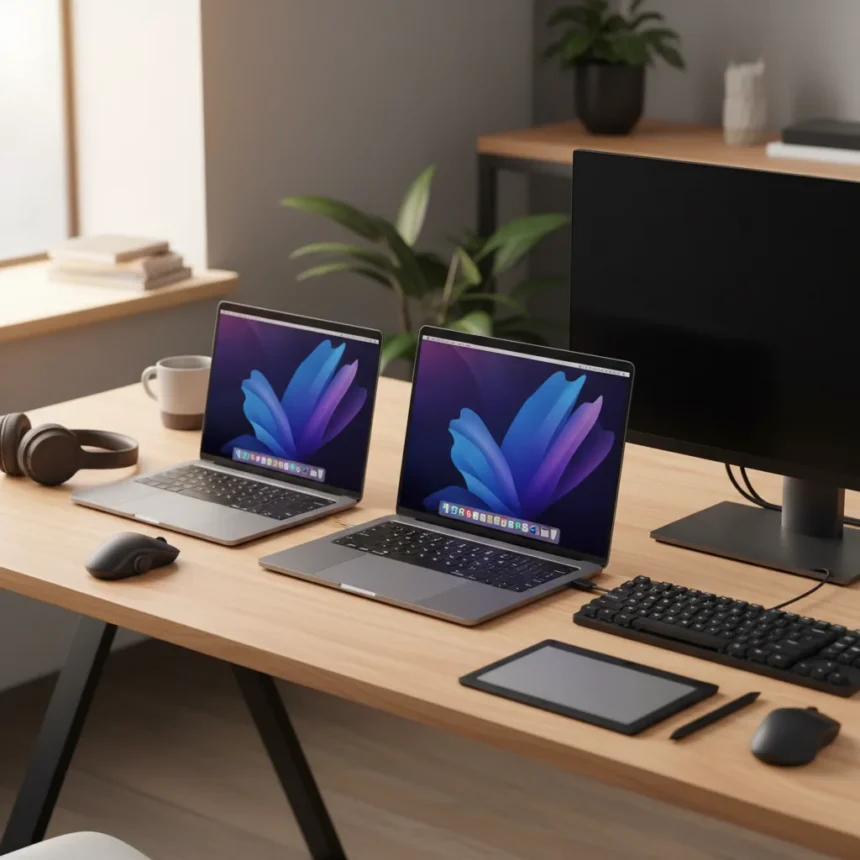
The MacBook Pro M4 comes in two distinct sizes, and the choice between them hinges on portability versus screen real estate. Both the 14-inch and 16-inch models pack M4-series chips, but they diverge in configuration options, display brightness, and the type of work they handle best.
Key Takeaways
- 14-inch MacBook Pro M4 starts with entry-level M4 chip; 16-inch requires M4 Pro or M4 Max
- 16-inch display offers 600 nits peak brightness versus 14-inch; both use Liquid Retina XDR with ProMotion
- Both models now start with 16GB unified memory minimum, up from prior entry-level configurations
- Thunderbolt 5 ports available on both models, a significant upgrade from prior generations
- 14-inch balances price and performance for general professional work; 16-inch targets intensive tasks like video editing
MacBook Pro M4 Display and Design Differences
The MacBook Pro M4 14-inch measures 12.31 by 8.71 inches and weighs less, making it genuinely portable for professionals who move between locations. The 16-inch model is substantially larger, with a 16-inch display that delivers 3456 by 2234 resolution compared to the 14-inch’s 3024 by 1964. Both use Liquid Retina XDR technology with ProMotion, but the 16-inch achieves 600 nits peak brightness, giving it an edge in outdoor visibility and color-critical work. Neither model introduced dramatic design changes from prior generations—they maintain Apple’s professional aesthetic without the visual overhaul some expected.
The 14-inch screen works well for single-window workflows and fits comfortably on airplane tray tables. The 16-inch becomes essential if you’re juggling multiple windows, editing video timelines, or working with detailed design files where screen real estate directly impacts productivity.
MacBook Pro M4 Chip Options and Performance
The MacBook Pro M4 lineup splits at the entry point. The 14-inch accepts the base M4 chip, making it the only model where you can avoid paying for Pro-level silicon. The 16-inch starts with M4 Pro or M4 Max, pushing baseline performance higher but also raising the price floor. An M4 Pro configuration tested on the 16-inch model delivered a 14-core CPU and 20-core GPU with 48GB of unified memory, showing substantial performance leaps for multi-threaded work.


Both sizes support up to 128GB unified memory and 8TB SSD storage, so maxed-out configurations offer identical internal specs. The real distinction is which chip makes sense for your workflow. Video editors, 3D designers, and software developers typically benefit from M4 Pro or M4 Max. General office work, web browsing, and light creative tasks run smoothly on the base M4.
Memory, Storage, and Ports on MacBook Pro M4
Apple raised the baseline memory across both MacBook Pro M4 models to 16GB unified memory, a long-overdue change that eliminates the frustration of underpowered entry-level machines. Storage maxes out at 8TB SSD on both sizes, though most users never approach that ceiling. Thunderbolt 5 support arrives on both models, replacing the prior Thunderbolt 4 standard and offering faster data transfer for external drives and docks. This upgrade benefits anyone working with large video files or external storage regularly.



The 14-inch includes stereo speakers, while the 16-inch gains a six-speaker system for richer audio during video calls and media playback. Both feature a 12MP Center Stage camera—adequate for video conferencing but not a standout feature.
Battery Life and Real-World Usage
The 14-inch MacBook Pro M4 delivers fantastic battery life, stretching through a full workday of coding, writing, and web browsing without needing a charge. The 16-inch, despite its larger display, maintains similar efficiency thanks to the M4-series architecture, though the bigger screen and optional higher-tier chips can impact endurance in intensive workloads. For portable professionals, the 14-inch’s lighter weight and proven battery stamina make it the obvious choice if screen size isn’t a dealbreaker.
MacBook Pro M4 vs Other Options
Comparing the MacBook Pro M4 to the MacBook Air with M3 shows the performance gap clearly. The Pro models deliver superior display resolution and brightness (600 nits on the 16-inch versus 500 nits on Air), faster Thunderbolt 5 ports, and access to M4 Pro and M4 Max chips. The Air remains the better choice for students, writers, and anyone whose workload doesn’t demand pro-level performance. However, if you’re already considering a Pro, the 16GB baseline memory and Thunderbolt 5 upgrade justify the investment over the Air.
For desktop alternatives, the Mac Pro (now discontinued) offered more customization but sacrificed the portability that makes MacBook Pro M4 models attractive to mobile professionals.



Which MacBook Pro M4 Size Should You Choose?
Pick the 14-inch MacBook Pro M4 if you value portability, want the flexibility of choosing an entry-level M4 chip, and work primarily with single applications or documents. It nicely balances price and performance for freelancers, developers, and creative professionals who move between locations. The 16-inch makes sense if your desk is your primary workspace, you regularly multitask across multiple windows, or you work with video, 3D rendering, or complex design files where extra screen space directly boosts productivity.
Budget matters too. The 14-inch M4 starts cheaper than the 16-inch M4 Pro, making it the entry point into the pro lineup. If you’re on a tight budget but need pro-level build quality, the 14-inch with M4 Pro offers similar performance to a base 16-inch in a more portable package.
Is the 14-inch MacBook Pro M4 powerful enough for video editing?
Yes, but with caveats. The base M4 handles light editing and color grading, but professionals working with 4K or high frame rate footage benefit from M4 Pro or M4 Max. The 14-inch screen also becomes cramped for timeline work—many editors prefer the 16-inch’s extra display real estate.
Can you upgrade the MacBook Pro M4 after purchase?
No. Apple’s unified memory architecture means RAM and storage are soldered to the logic board. Choose your configuration carefully at purchase, as upgrades later are impossible.
How much does the MacBook Pro M4 16-inch cost?
Exact pricing varies by region and configuration. A 16-inch M4 Pro configuration has been priced around $3,259.98 in the US, though base models start lower. Check Apple’s website for current regional pricing, as costs fluctuate with currency and promotional offers.
The MacBook Pro M4 represents a meaningful step forward for Apple’s pro laptop line, especially with the Thunderbolt 5 upgrade and 16GB baseline memory. Your choice between 14-inch and 16-inch ultimately comes down to whether you prioritize portability or screen space—both deliver the performance professionals expect.
Where to Buy
Check Amazon | $1,799 at Amazon
Edited by the All Things Geek team.
Source: TechRadar