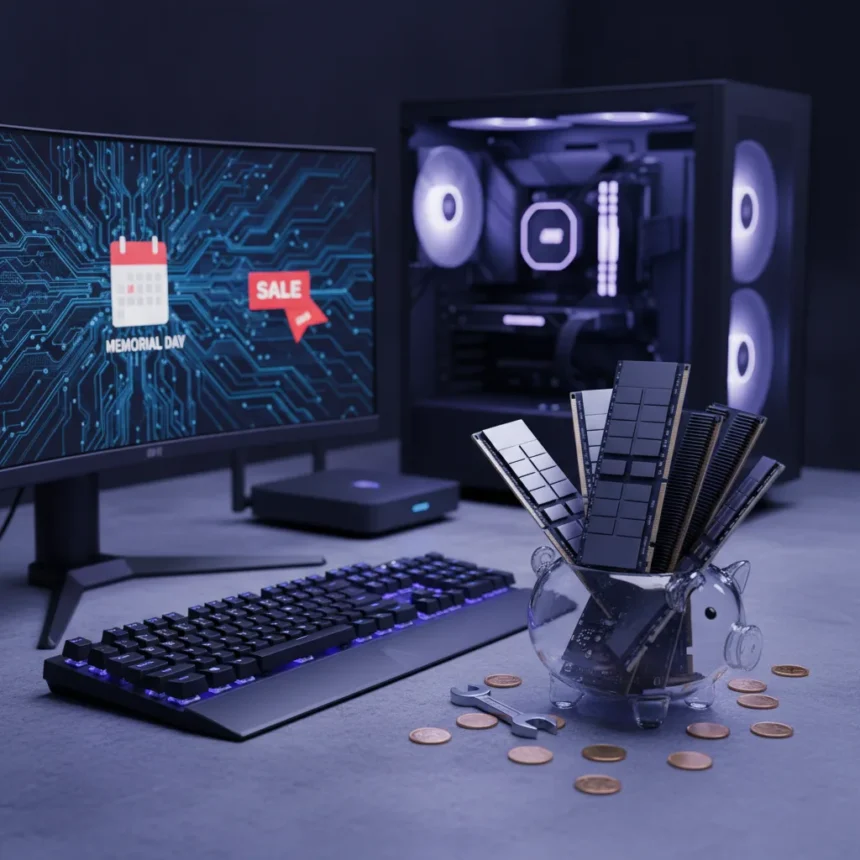
PC upgrade strategy has shifted dramatically as RAM prices remain stubbornly high, forcing builders and enthusiasts to rethink where their upgrade budgets go. Rather than sinking money into expensive memory modules, savvy PC owners are discovering that Memorial Day accessory deals offer a far better return on investment, targeting keyboards, monitors, and Wi-Fi boosters instead.
Key Takeaways
- RAM prices are making traditional memory upgrades expensive and less attractive this season.
- Memorial Day deals shift focus to keyboards, monitors, and networking gear as upgrade alternatives.
- PC peripherals and accessories deliver tangible performance and usability improvements without the price premium.
- A smarter upgrade path prioritizes user experience over raw component specs when component prices spike.
- Accessory upgrades offer immediate, visible improvements to daily PC usage.
Why PC upgrade strategy is changing right now
The so-called RAM apocalypse has forced PC builders to confront an uncomfortable reality: memory costs have climbed to a point where upgrading from 16GB to 32GB no longer feels like a sensible investment. When RAM pricing makes component upgrades feel like poor value, PC upgrade strategy naturally pivots toward accessories that deliver measurable quality-of-life improvements. This shift is not a temporary trend—it reflects a fundamental reassessment of where upgrade dollars create the most noticeable impact.
Keyboards, monitors, and Wi-Fi boosters sit at the intersection of affordability and immediate usability. A better keyboard improves your typing experience every single day. A higher-refresh monitor makes scrolling and gaming smoother. A quality Wi-Fi booster eliminates dead zones and connection drops. These are not incremental performance gains buried in benchmark results—they are changes you feel within minutes of plugging them in. When RAM prices make that upgrade feel wasteful, accessories become the rational choice.
Memorial Day deals reshape PC upgrade priorities
Memorial Day sales have historically focused on high-ticket items like graphics cards and CPUs, but this year the spotlight has shifted to the accessories that actually shape your day-to-day experience. Keyboards, monitors, and networking equipment dominate the deals landscape, reflecting both retailer inventory and buyer demand. The timing is deliberate: as PC builders reassess their upgrade roadmaps in light of component pricing, Memorial Day offers a chance to improve their setup without the sticker shock of memory upgrades.


This reframing of PC upgrade strategy matters because it acknowledges a truth that benchmark-focused discussions often miss: your PC’s performance ceiling is already high enough for nearly every task. What limits your actual experience is often the peripherals you interact with directly. A mechanical keyboard with better switches, a monitor with higher refresh rates, or a Wi-Fi booster that eliminates lag all produce immediate, tangible changes. They are also less likely to become obsolete as rapidly as RAM, which depreciates quickly once new standards emerge.
The case for accessories over components
PC upgrade strategy has traditionally centered on components—the CPU, GPU, and RAM that determine raw performance. But this hierarchy breaks down when component prices become unreasonable. Accessories offer several advantages during periods of inflated memory costs. First, they are less subject to supply-chain volatility. A keyboard or monitor price is relatively stable compared to RAM, which fluctuates based on DRAM spot prices. Second, they directly improve your interaction with the machine, whereas RAM improvements often go unnoticed unless you are running memory-intensive workloads. Third, they hold resale value better; a quality monitor or keyboard remains useful across multiple PC builds.



Consider the practical impact: upgrading from a budget 60Hz monitor to a 144Hz panel transforms gaming and general scrolling smoothness. Switching from a rubber-dome keyboard to a mechanical one improves typing speed and reduces fatigue. Adding a Wi-Fi booster eliminates the frustration of buffering and connection drops. None of these require technical expertise to install, and all are immediately noticeable. When RAM upgrade costs have climbed high enough to make you question the value proposition, accessories represent a smarter allocation of your upgrade budget.
What Memorial Day deals tell us about PC buying behavior
The prominence of keyboard, monitor, and Wi-Fi booster deals during Memorial Day reveals a shift in how PC owners think about upgrades. Rather than chasing the latest specifications, buyers are prioritizing comfort, reliability, and quality of life. This is a mature market behavior—it suggests that PC owners have moved beyond the performance-at-any-cost mentality and are now optimizing for actual usage patterns.
This shift in PC upgrade strategy also reflects broader economic pragmatism. When component prices spike, the cost-benefit analysis changes. A $150 keyboard that improves your typing experience for five years offers better value than a $150 RAM module that you might replace in two years as prices normalize. Retailers and deal aggregators have clearly noticed this change in buyer priorities, which is why Memorial Day promotions increasingly feature peripherals and networking gear alongside traditional components.
Building a balanced PC setup in a high-price environment
Smart PC upgrade strategy during periods of inflated memory costs means diversifying your upgrade portfolio. Instead of dumping your entire budget into a single RAM upgrade, spread it across multiple accessories. A $300 upgrade budget could become a $100 mechanical keyboard, a $150 high-refresh monitor, and a $50 Wi-Fi booster—three tangible improvements that collectively transform your daily experience more than a single RAM upgrade would.



This approach also future-proofs your setup better. Keyboards and monitors are not tied to specific platforms or standards the way RAM is. A quality mechanical keyboard works with any PC, laptop, or tablet. A monitor with good color accuracy and high refresh rates remains relevant across multiple GPU generations. Wi-Fi boosters provide consistent value as long as your router and devices support the standard. By shifting your PC upgrade strategy toward these categories, you are investing in tools that retain utility longer than components that depreciate rapidly.
Is it a bad time to upgrade RAM right now?
If RAM prices are significantly higher than historical averages, waiting for prices to normalize is often the smarter move. Memorial Day deals typically do not offer dramatic discounts on memory because RAM pricing is already set by DRAM spot prices, which fluctuate independently of seasonal sales. By contrast, keyboards, monitors, and Wi-Fi boosters often see genuine 20-40% discounts during major sales events, making them far better targets for your upgrade budget during this period.
What accessories should you prioritize if you are upgrading your PC?
Start with whichever accessory frustrates you most in your current setup. If you spend eight hours a day typing, a mechanical keyboard is a high-impact upgrade. If you game or do design work, a higher-refresh or higher-resolution monitor delivers immediate, visible improvements. If you struggle with Wi-Fi dead zones or buffering, a quality booster solves a real problem. Do not chase specs—chase the accessory that will improve your actual daily experience the most.
The RAM apocalypse has forced PC owners to rethink their upgrade strategy, and the result is a more balanced, pragmatic approach to building and improving a PC setup. Rather than overspending on expensive memory modules, smart buyers are redirecting their budgets toward keyboards, monitors, and networking gear that deliver immediate, tangible improvements. Memorial Day deals make this shift financially sensible, offering discounts on the accessories that actually shape your day-to-day computing experience. In a market where component prices have become unreasonable, upgrading your peripherals and networking setup is not a compromise—it is the smarter strategy.
Where to Buy
33% OFFASUSROG Strix 27” 4K Gaming Monitor (xg27ucg)$299$449shop now | 36% OFFFRESMOLCompressed Air Duster$25.62$39.99shop now | 11% OFFTP-LinkArcher TBE401UH Tri-Band Wi-Fi 7 Wireless USB 3.0 Adapter$79.96$89.99shop now | 38% OFFASUSTUF Gaming 25” 1080p Gaming Monitor (vg259q3a)$99$159shop now | 40% OFFJoyLanternWifi Extender Signal Booster$24.97$41.65shop now
Edited by the All Things Geek team.
Source: TechRadar