





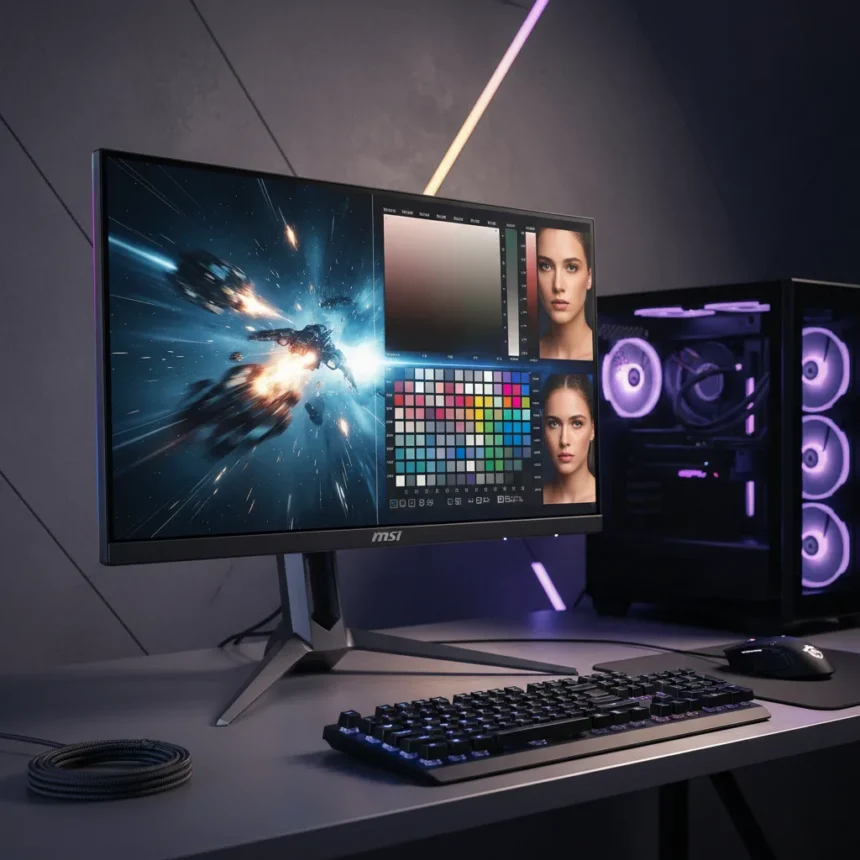
The MSI MPG 322UR QD-OLED X24 is a 32-inch gaming monitor combining 4K resolution, 240 Hz refresh rate, QD-OLED contrast, and professional color accuracy in one premium panel. This isn’t a monitor that picks a lane—it demands you care about both competitive gaming and color-critical work. Whether that dual focus justifies the price tag is the real question.
Key Takeaways
- 32-inch 4K 240 Hz QD-OLED panel targets gamers who also care about color accuracy
- DisplayHDR 400 True Black certification positions it as a pro-level display
- Combines fast refresh rates with professional-grade color performance in one chassis
- Premium positioning puts it in direct competition with other high-end QD-OLED gaming monitors
- Adaptive sync support and HDR certification enable both competitive and creative workflows
Performance That Bridges Gaming and Professional Work
The MSI MPG 322UR QD-OLED X24 arrives at an inflection point in gaming monitor design. Most 32-inch 4K displays prioritize either gaming speed or color accuracy—rarely both at the level this monitor attempts. The 240 Hz refresh rate at 4K resolution is the headline spec, but the QD-OLED panel technology is what makes this monitor genuinely different. QD-OLED delivers the infinite contrast ratios and pixel-level color control that professional monitors rely on, not the compromises typical gaming panels accept.
The DisplayHDR 400 True Black certification is the clearest signal that MSI is positioning this monitor against pro-level displays. That’s not marketing language—it’s a measurable standard that separates this monitor from gaming-focused competitors like the ASUS ROG Swift OLED PG32UCDM or Gigabyte AORUS FO32U2P. Those monitors excel at gaming, but they don’t carry the same HDR and color validation. The Samsung Odyssey OLED G80SD S32DG80 sits in a similar space, but the MSI’s refresh rate advantage gives competitive gamers a reason to look twice.
Where the MSI MPG 322UR QD-OLED X24 Stands Apart
A 32-inch 4K 240 Hz QD-OLED monitor is not a common animal. The panel size alone puts it in a different category than 27-inch gaming displays—you’re buying immersion as much as performance. The 4K resolution at 32 inches hits a sweet spot for both gaming and content creation, where pixel density remains sharp without forcing you into uncomfortable viewing distances. Competitive gamers typically favor smaller, higher-refresh panels, but esports titles running at 4K 240 Hz on a QD-OLED panel represent a genuinely new experience.


The color accuracy story is equally important. Professional monitors cost thousands of dollars because they guarantee color consistency, wide gamut coverage, and predictable calibration. The MSI MPG 322UR QD-OLED X24 brings those standards into a gaming monitor, which means you’re not making a trade-off between fast and accurate—you’re getting both. That’s particularly valuable for streamers, content creators, and esports professionals who need to work and compete on the same display.
The Reality of Premium Positioning
Premium pricing is the catch. This monitor sits at the top of the gaming monitor market, and MSI knows it. The combination of QD-OLED technology, 240 Hz at 4K, and professional color certification doesn’t come cheap. You’re paying for a monitor that can serve as both a competitive gaming display and a professional creative tool—and that versatility comes with a premium attached.



The question worth asking: do you actually need both? If you’re a pure competitive gamer, a faster, smaller, cheaper 1440p 360 Hz monitor might serve you better. If you’re a color-critical creator, you might be better off with a dedicated pro monitor that doesn’t compromise on gaming features you’ll never use. The MSI MPG 322UR QD-OLED X24 is for the rare user who genuinely needs both, or who wants the flexibility to switch between workflows without changing monitors.
Adaptive Sync and HDR Integration
Adaptive sync support keeps frame rates smooth across both gaming and creative applications. The HDR implementation backed by DisplayHDR 400 True Black certification means HDR content—whether you’re gaming or editing video—will display with the contrast and color range these formats demand. That’s a technical advantage over gaming monitors that treat HDR as an afterthought.
Should You Buy the MSI MPG 322UR QD-OLED X24?
Buy this monitor if you’re a professional gamer, streamer, or creator who works and competes on the same system. The 4K 240 Hz QD-OLED combination is genuinely rare, and the color accuracy removes the need for a second display. Skip it if you’re a casual gamer or someone who only creates content occasionally—the premium price won’t justify features you won’t use.
What makes the MSI MPG 322UR QD-OLED X24 different from other 32-inch gaming monitors?
The DisplayHDR 400 True Black certification and professional-grade color accuracy set it apart. Most 32-inch gaming monitors prioritize refresh rate over color performance. This monitor delivers both at a level that rivals professional displays.



Is the MSI MPG 322UR QD-OLED X24 worth the premium price?
That depends on your workflow. If you game competitively and do color-critical work, the dual capability eliminates the need for multiple monitors. If you only game or only create, a more specialized display will likely offer better value.
Does the MSI MPG 322UR QD-OLED X24 support adaptive sync?
Yes, the monitor supports adaptive sync technology, ensuring smooth frame rates across gaming and professional applications without tearing or stuttering.
The MSI MPG 322UR QD-OLED X24 represents a genuine shift in gaming monitor design—one that refuses to choose between speed and accuracy. For the right user, that’s exactly what a premium monitor should do. For everyone else, it’s a reminder that the best display is the one that matches your actual workflow, not the one with the most impressive specs.
Where to Buy
Edited by the All Things Geek team.
Source: Tom's Hardware




