





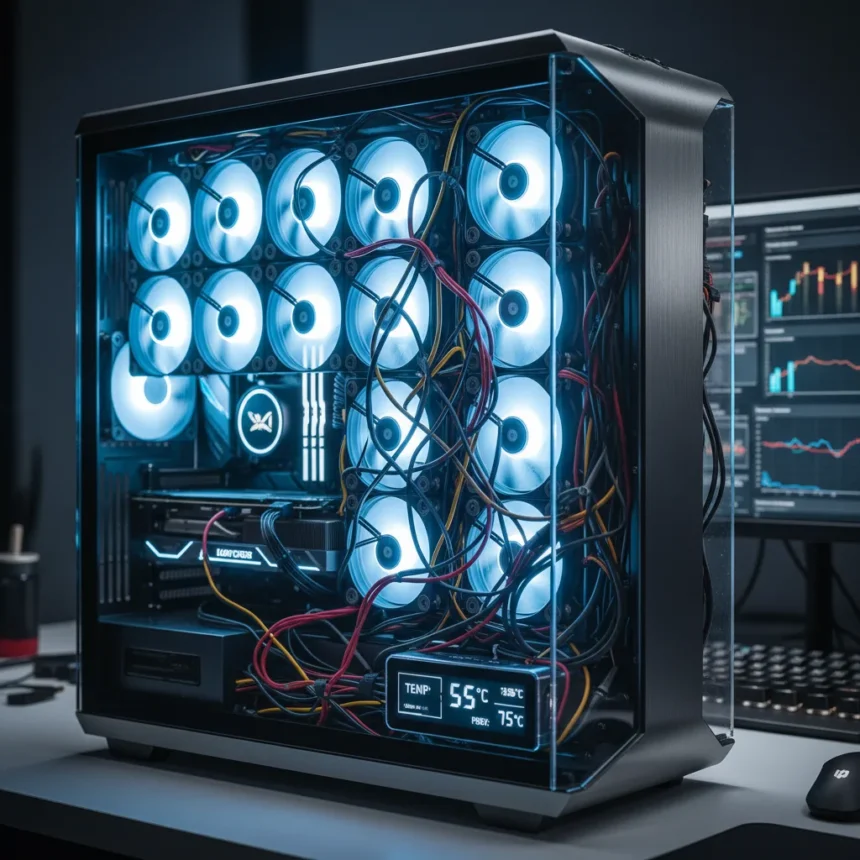
The Superdome PC fan panel is a 15-fan cooling array built by YouTuber Major Hardware, constructed from 15 Noctua A12x25 120mm fans mounted in a 3D-printed bulbous dome structure that lowers PC temperatures by 20°C. Launched as a custom one-off project in early 2025, it represents the extreme end of what enthusiasts can achieve when they abandon conventional cooling wisdom and embrace overkill engineering.
Key Takeaways
- Superdome uses 15 Noctua A12x25 fans (~$600 total) in a 3D-printed dome mounted to PC side panel
- Temperature drop reaches 20°C compared to baseline cooling setup
- All 15 fans configured as intake for positive pressure airflow
- 3D printing on Bambu Labs H2D/H2S printers took multiple days due to large build volume
- Cable management admitted as “a little bit of a disaster” by creator
The project scales up from Major Hardware’s earlier “Destroyer of CPUs” experiment, which packed 15 smaller 30mm fans into a 120mm frame with a dome shape for maximum surface area. The Superdome takes that concept and makes it practical for actual PC cooling—sort of. The dome shape is not arbitrary. By bulging outward, the structure creates more surface area for the 15 fans than a flat panel would allow, multiplying the total airflow potential without requiring a thicker case modification.
How the Superdome Achieves Its Temperature Drop
The 20°C temperature reduction is the headline that sells this project, but the mechanism behind it is straightforward: 15 fans pushing air into a case create massive positive pressure that forces cooler ambient air through every component. The Superdome’s bulbous geometry positions fans strategically—one central fan at the peak, five arranged around the upper dome, and nine clustered near the base where they meet the PC case. This three-tier layout ensures no dead zones. All 15 fans run as intakes, which is critical for the positive pressure strategy.
The design required custom 3D printing because no manufacturer makes a 15-fan panel for consumer cases. Major Hardware used Bambu Labs H2D and H2S printers, which have large enough build volumes to handle the dome pieces. Assembly avoided screws initially—the 3D-printed frame holds fans in place through friction and geometry, though drilling and fastening remains an option for users who want extra security. This is a clever design choice that simplifies assembly but also means the structure relies on tight tolerances.


At full load, Major Hardware reported the system runs “honestly pretty quiet, as long as none of the cables swung into the fan blades”. That caveat matters. Quiet operation at 15-fan scale is not guaranteed, and cable interference becomes a real problem at this density.
The Cable Management Catastrophe
This is where the Superdome’s engineering elegance collides with practical reality. Major Hardware openly admitted that cable management is “a little bit of a disaster”. Wiring 15 fans requires routing power and signal lines somewhere, and the dome structure leaves limited space. The solution involved running cables up through the frame’s center, separating white and black wires for visual organization, then soldering them together at the top. This approach works, but it is not elegant, and any cable touching a spinning blade instantly converts quiet operation into audible noise.



Managing 15 fans on a standard PC motherboard is another headache. Most boards have only 4-6 fan headers, so users would need PWM splitters or hubs to control all 15 fans from a single header. The Superdome project does not address this problem in detail, leaving it to whoever builds one. Daisy-chaining splitters can create voltage drop issues, so proper hub selection matters more at this scale than it does with a conventional 3-4 fan setup.
Superdome vs. Traditional Case Cooling
A standard mid-tower case with three to five 120mm fans typically achieves adequate cooling for most gaming and productivity workloads. The Superdome trades that simplicity for a 20°C advantage, which is substantial. That temperature drop translates to lower fan speeds on GPU and CPU coolers, which means quieter operation overall—assuming the Superdome’s own cable noise does not cancel that benefit. For competitive overclockers or content creators running sustained heavy loads, the investment makes sense. For casual gamers, it is overkill.
The cost is also a factor. Fifteen Noctua A12x25 fans run approximately $40 USD each, totaling around $600 USD just for the fans. Add the cost of 3D printing (which requires access to large-format printers), custom design time, and assembly labor, and the total project cost easily exceeds $800 USD. A high-end all-in-one liquid cooler costs a fraction of that and occupies less physical space.
Design Choices That Work—and Those That Do Not
The bulbous dome geometry is genuinely clever. By deviating from a flat square panel, Major Hardware created more fan surface area within the same side panel footprint. The three-tier fan arrangement (1 center, 5 middle, 9 base) distributes airflow across the entire case side, preventing hot spots that plague uneven cooling schemes. The 3D-printed frame that holds fans without initial fasteners is also elegant, reducing assembly complexity.



Where the project stumbles is integration. A consumer-grade product needs to solve cable routing, motherboard header management, and noise isolation before it ships. The Superdome solves the cooling problem brilliantly and then punts on everything else. For a YouTube showcase, that is acceptable. For a product someone might actually buy and install, it is a significant gap.
Is the Superdome Worth Building?
If you are an enthusiast with access to 3D printers, enjoy custom builds, and want to experiment with extreme cooling, the Superdome is a fascinating project. The temperature results are real, and the engineering is sound. If you are looking for a practical, quiet cooling upgrade for a gaming PC, a conventional case with better airflow or a quality liquid cooler makes more sense. The Superdome is a proof-of-concept that demonstrates what is possible when you abandon conventional constraints. It is not a practical everyday cooling solution.
Can you buy the Superdome?
No. The Superdome is a custom one-off YouTube project, not a commercial product. Major Hardware has not announced plans to sell finished units or licensing kits. The creator may share 3D print files via their YouTube channel, but assembly would require access to large-format 3D printers and significant technical skill.
How does 20°C cooling compare to liquid cooling?
A quality 360mm all-in-one liquid cooler typically delivers 15-25°C temperature drops depending on the specific model and load. The Superdome achieves 20°C, which is competitive with mid-range AIO performance, but it cools the entire case rather than just the CPU. Direct CPU cooler comparisons are not straightforward because the Superdome is a case-level solution, not a CPU-specific one.
What fans does the Superdome use?
The Superdome uses 15 Noctua A12x25 120mm fans, which are among the quietest and most efficient 120mm fans available. At approximately $40 USD each, they represent a significant portion of the project’s total cost. Other fan brands could theoretically fit the frame, but the Superdome’s design was optimized for Noctua’s dimensions and performance characteristics.
The Superdome is a masterclass in cooling ambition that reveals the limits of engineering without practical integration. It proves that 15 fans in a dome can drop temperatures by 20°C and run relatively quietly—but only if you accept cable chaos and custom assembly. For the YouTube audience it targets, that is enough. For anyone seeking a finished cooling solution, it remains a cautionary tale about the gap between impressive engineering and usable products.
Edited by the All Things Geek team.
Source: TechRadar




