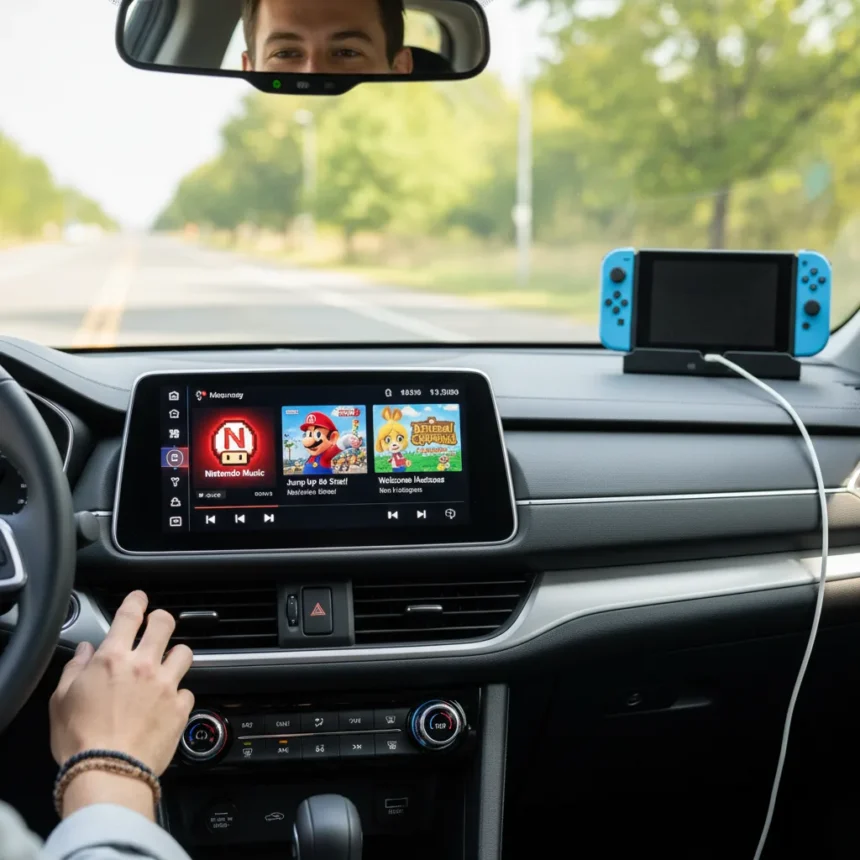
Nintendo Music Apple CarPlay support is now live, letting Nintendo Switch Online subscribers play iconic game soundtracks directly through their car’s infotainment system. The update extends the service beyond phones to tablets, web browsers, and both major in-car platforms, fundamentally changing how players access Nintendo’s growing audio library during daily commutes and road trips.
Key Takeaways
- Nintendo Music now supports Apple CarPlay and Android Auto for in-car listening
- The service remains exclusive to Nintendo Switch Online members at no additional cost
- Web and tablet versions let users browse the full library without a Switch console
- Voice commands enable hands-free playlist control while driving
- My Mix generates personalized playlists based on your play history
Nintendo Music Apple CarPlay: What’s New
The headline feature is straightforward but significant: Nintendo Music Apple CarPlay integration lets you control game soundtracks through your car’s native system. You can listen to tracks from Super Mario, Animal Crossing, and the newly added Mario Kart World catalog using voice commands, keeping your hands on the wheel and eyes on the road. Android Auto receives identical functionality, so the update works across both ecosystems.
What makes this practical is the voice-control layer. Instead of fumbling with a touchscreen—which Nintendo explicitly warns against while driving—you can ask for a specific vibe, and the app generates a playlist accordingly. Engadget reports that users can request music for a rainy day or other moods, with results varying based on current surroundings. This vibe-based generation is handled by the app’s AI, making it more flexible than static genre categories.
Nintendo emphasizes that some playback settings are not available through CarPlay and Android Auto, so the in-car experience is simplified compared to the phone app. This is standard across music services and reflects the limitations of automotive infotainment systems.


Expanded Access Beyond the Car
CarPlay and Android Auto are the marquee additions, but the real shift is how Nintendo is distributing access to its library. The service now includes a web version, letting users listen, browse, and organize music on a larger screen without needing a Switch console. Nintendo even allows non-subscribers to peek at the library online, though full playback requires an active Nintendo Switch Online membership.
iPad support and Siri search for tracks round out the tablet expansion. This multi-device strategy matters because it makes Nintendo Music less dependent on owning a Switch—a significant barrier for casual listeners. A subscriber can now start a playlist on their phone, continue it on the web at work, and smoothly hand off to CarPlay during the commute.



How to Connect Nintendo Music to Apple CarPlay
Setup varies by connection type. For USB, turn on your car, ensure Siri is enabled on your iPhone, plug in via USB, and confirm CarPlay activation on the car’s touchscreen. Wireless setup requires Bluetooth enabled on your phone; navigate to your car’s infotainment menu, select Smartphone Projection, then Connect Device, tap Connect New Device in the Manage Device Connection window, open Settings > Bluetooth on your iPhone, tap your car’s Bluetooth name, and follow the pairing prompts.
Android Auto follows a similar path. USB users simply plug in, and compatible cars will prompt whether to start Android Auto. For wireless Android Auto, turn on Bluetooth, press and hold the steering wheel voice command button to open the pairing menu, then follow on-screen instructions.
The Subscription Reality
Nintendo Music remains tied to Nintendo Switch Online membership, available at no additional cost for active subscribers. The entry price is reported by Engadget as roughly $20 per year for the base plan. Nintendo offers a free 7-day trial, which lets you test the service before committing.
This bundling strategy differs from standalone music services like Spotify or Apple Music, which operate independently. Nintendo’s approach locks the service into its ecosystem, making it most valuable for players already invested in Switch Online. For casual listeners who don’t own a Switch, the subscription barrier is higher than competitors, though the web preview removes some friction for discovery.


My Mix and Personalization
The My Mix feature generates playlists based on your play history across any device—phone, tablet, CarPlay, or Android Auto. This means your listening habits inform what Nintendo Music surfaces next, similar to algorithmic recommendations in mainstream services. The feature works across the entire expanded platform, so a road-trip playlist can pull from games you played months ago on your console.
Availability and Limitations
Nintendo’s YouTube trailer makes clear that Nintendo Music is not available in all countries. This geographic restriction affects both new subscribers and existing Switch Online members in unsupported regions. Additionally, Nintendo Account and an active Nintendo Switch Online membership are required. The service does not work as a standalone app the way Spotify or Apple Music do—it is fundamentally a Switch Online perk.
Does Nintendo Music work with all cars?
Nintendo Music works with any car that supports Apple CarPlay or Android Auto, but vehicle compatibility varies. Newer cars typically support at least one platform; older vehicles may lack both. Check your car’s infotainment manual or the manufacturer’s website to confirm CarPlay or Android Auto support before subscribing.
Can I use Nintendo Music without a Nintendo Switch?
Yes, you can now browse the library on the web without owning a Switch, and you can listen on phone, tablet, and in-car systems with a Nintendo Switch Online membership. However, you still need an active subscription to play music beyond the web preview—the service is not available as a standalone app.
How does Nintendo Music compare to Spotify or Apple Music in the car?
Nintendo Music lacks the massive catalog of mainstream services, focusing exclusively on game soundtracks from Nintendo franchises. Voice control and vibe-based playlist generation are competitive features, but the real advantage is convenience for Switch players already paying for Online. For listeners who want broader music selection, Spotify and Apple Music remain the default choice.
Nintendo Music’s CarPlay and Android Auto rollout transforms the service from a niche Switch extra into something genuinely useful during daily driving. If you already subscribe to Switch Online, the in-car access costs nothing and opens a new use case for Nintendo’s audio library. For non-subscribers, the $20 annual price is competitive, but the lack of non-Nintendo music makes it a supplement to, not a replacement for, mainstream streaming services. The real win here is choice—players can now decide whether Mario Kart’s soundtrack beats their usual road-trip playlist.
Where to Buy
Nintendo Switch 2: | Nintendo Switch 2 Choose Your Game Bundle:
Edited by the All Things Geek team.
Source: Tom's Guide