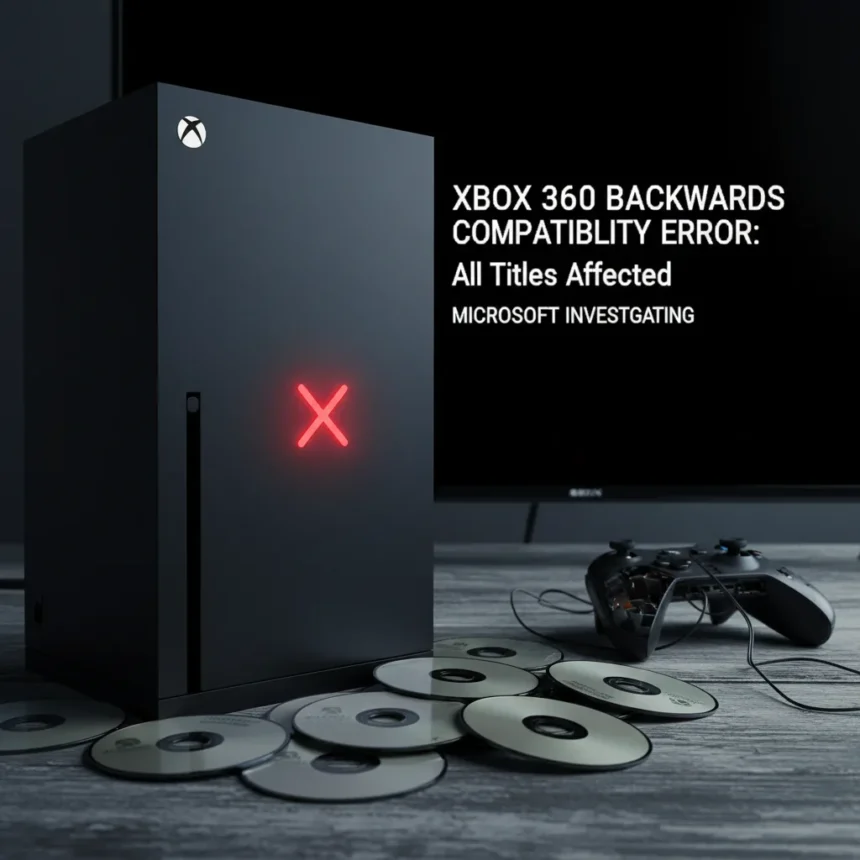
Xbox 360 backwards compatibility on Series X is currently broken across the entire library, blocking access to hundreds of classic games for owners relying on the feature. Microsoft has confirmed the issue is widespread and rampant, affecting not just select titles but all backwards compatible Xbox 360 games on newer hardware.
Key Takeaways
- All backwards compatible Xbox 360 games on Series X are currently unplayable due to a connection error.
- Microsoft states the problem impacts the entire 360 library, not individual titles.
- The company is actively investigating but has provided no timeline for a fix.
- Backwards compatibility remains supported on Xbox One and Series X|S despite the Xbox 360 Marketplace shutdown.
- Affected players cannot access their 360 game libraries until resolution.
What’s Broken Right Now
The outage is comprehensive. According to Microsoft, the “can’t connect” error is not limited to a handful of games or a specific region—it’s a systemic issue blocking access to all backwards compatible Xbox 360 titles on Series X. Players attempting to launch any 360 game encounter connection failures, rendering their entire backwards-compatible library temporarily unavailable. This is not a partial degradation or a performance hiccup. It is a complete loss of functionality for an entire ecosystem of games.
The timing is particularly frustrating for Series X owners who purchased extensive 360 collections specifically to replay them on modern hardware. Backwards compatibility has been a cornerstone of Xbox’s value proposition for years, allowing players to carry their libraries forward without repurchasing. Now that feature is completely offline.
Microsoft’s Response and Investigation Status
Microsoft has publicly acknowledged the issue and confirmed it is actively investigating the problem. However, the company has not disclosed a timeline for resolution or provided interim workarounds specific to this outage. The scope of the investigation suggests the root cause may be infrastructure-level rather than a simple software patch.


This differs from previous Xbox 360 connectivity issues, which sometimes involved account restrictions or marketplace access problems. The current outage appears to be a broader service disruption affecting all players equally, regardless of account status or regional location. Microsoft’s statement that “it’s all of them” underscores the severity—this is not a selective failure but a complete system breakdown.
Backwards Compatibility Status Beyond This Outage
Despite the Xbox 360 Marketplace shutdown, Microsoft has maintained backwards compatibility support for Xbox 360 games on Xbox One and Xbox Series X|S consoles. Players who own physical discs or previously purchased digital copies can still play them on newer hardware—when the service is functioning. The current outage is temporary, but it highlights how dependent this feature is on Microsoft’s infrastructure remaining stable.



For players troubleshooting other Xbox 360 issues unrelated to this outage, clearing local Xbox 360 storage and restarting the console can sometimes resolve connectivity problems. However, this workaround does not address the current widespread issue affecting all players simultaneously.
What Players Should Do Now
Until Microsoft resolves the issue, Series X owners cannot access their backwards-compatible 360 games. There is no known workaround for the current outage. The best course of action is to wait for Microsoft’s official update or check Xbox Support channels for any interim solutions or timeline announcements.
Players experiencing account-specific marketplace access issues should verify their Microsoft account is not restricted from accessing marketplace.xbox.com, as this can block game purchases and access separately from the current outage. However, the current widespread connection failure is distinct from account-level restrictions.
Why This Matters for the Xbox Ecosystem
Backwards compatibility is one of the few advantages Xbox maintains over PlayStation in terms of player choice and library longevity. When it fails completely, it undermines that value proposition. Owners of large Xbox 360 collections suddenly cannot access the games they bought, even if they own them digitally or physically. This outage is a stark reminder of how reliant modern gaming is on online services, even for single-player titles.


The fact that all backwards compatible 360 games are affected simultaneously suggests the issue is not with individual game emulation but with a central authentication or connection service that all 360 games depend on to launch. Fixing this will require Microsoft to address the infrastructure layer, not individual game patches.
Is backwards compatibility still supported on Xbox One?
Yes, backwards compatibility for Xbox 360 games remains supported on Xbox One and Xbox Series X|S consoles despite the Xbox 360 Marketplace shutdown. The current outage affects Series X, but Xbox One backwards compatibility status should be verified separately. Check Xbox Support for region-specific details.
What should I do if I can’t connect to my Xbox 360 games?
If you are experiencing the widespread “can’t connect” error, wait for Microsoft’s official resolution—there is no known workaround for the current outage. If you are experiencing other Xbox 360 issues, try clearing local Xbox 360 storage, selecting Yes to confirm, and restarting your console.
Will my digital Xbox 360 games come back when this is fixed?
Yes, once Microsoft resolves the connection issue, your backwards-compatible Xbox 360 games should be playable again on Series X. The outage is a service disruption, not a loss of your game licenses. Your digital library will remain tied to your Microsoft account.
This outage is a significant disruption for Xbox 360 fans, but it is temporary. Microsoft’s active investigation suggests a fix is in progress. Until then, Series X owners are locked out of an entire generation of games—a painful reminder that even offline single-player experiences now depend on online infrastructure to function.
Where to Buy
Edited by the All Things Geek team.
Source: Windows Central