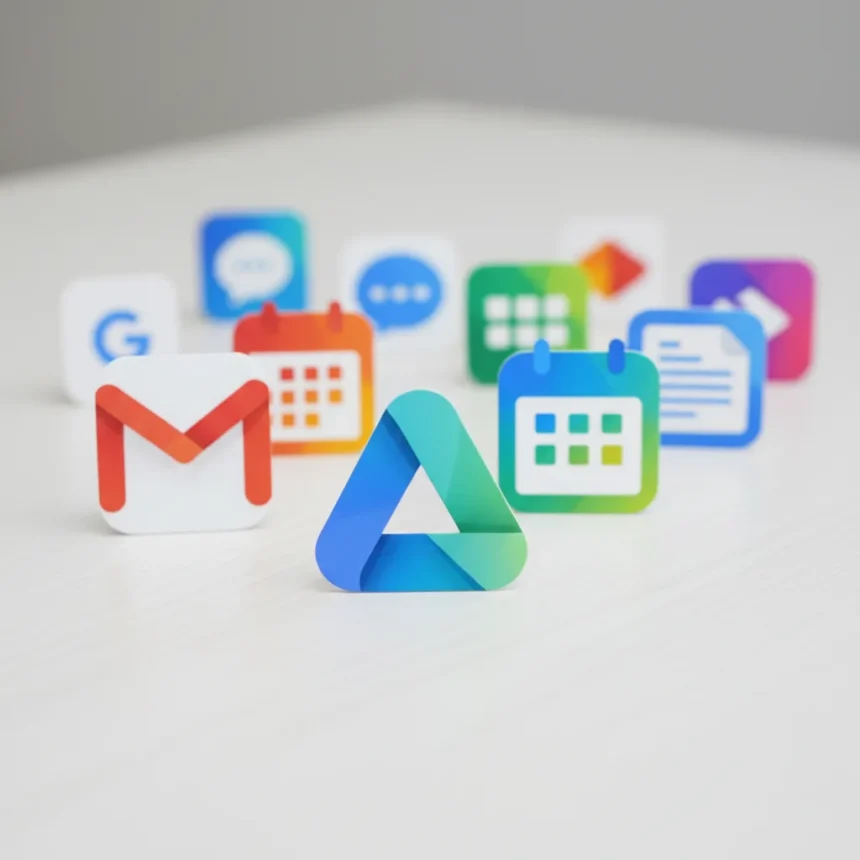
Google Workspace icons are finally transitioning to a new gradient design language, marking a significant visual refresh for some of the web’s most widely used productivity apps. The rollout affects Gmail, Google Drive, Calendar, Docs, Sheets, Slides, Meet, and other Workspace applications, moving away from the flat, multi-colored icon style that has defined Google’s brand for years.
Key Takeaways
- Google Workspace icons now use gradient designs instead of flat solid colors across Gmail, Drive, Calendar, and more
- New icons feature app-specific color themes rather than using all four Google brand colors uniformly
- Google Drive’s updated icon drops red entirely, focusing on green, yellow, and blue
- Google Calendar’s redesigned icon is more blue-dominant, echoing earlier visual directions
- The gradient style aligns Workspace apps with Google’s recent redesigns for Maps and Photos
What Changed in Google Workspace Icons
The redesigned Google Workspace icons abandon the old approach of cramming all four Google brand colors (red, yellow, blue, green) into every single app icon. Instead, each application now gets its own focused color identity. Google Drive’s new icon, for example, strips away the red entirely and leans into green, yellow, and blue combinations. Google Calendar’s updated icon takes on a more blue-dominant appearance, creating visual distinction across the suite.
This shift represents a deliberate move toward visual coherence within Google’s broader design language. Rather than treating every icon as a miniature representation of the full Google color palette, the company is now letting individual apps establish their own visual personality while maintaining the gradient aesthetic. The result feels less cluttered and more purposeful—each icon communicates its function more clearly through color association.
How This Fits Google’s Larger Design Direction
The Workspace icon refresh doesn’t exist in isolation. Google has been systematically updating its app icons across the board, with Maps and Photos already receiving similar gradient-style makeovers. By extending this visual language to Workspace apps, Google is creating a more unified ecosystem where users encounter consistent design principles whether they’re navigating maps, managing emails, or collaborating on documents.

This consistency matters more than it might initially appear. When users see a gradient aesthetic across multiple Google applications, they begin to perceive the company’s entire product portfolio as a cohesive system rather than a collection of disparate tools. It’s a subtle but powerful branding move that reinforces Google’s identity as a modern, design-conscious company.
Rollout Status and What to Expect
At the time of reporting, Google had begun rolling out the new Workspace icons to users, though the company has not announced a specific completion timeline. Gradual rollouts like this typically mean some users will see the new icons immediately while others may wait weeks or even longer. The staggered approach allows Google to monitor for any issues and gather user feedback without forcing a sudden visual change across its entire user base.



If you haven’t seen the new icons yet on your Gmail, Drive, or Calendar apps, don’t be alarmed. The rollout is ongoing, and your turn will come. In the meantime, you can expect to see the gradient style appearing on your devices as the deployment continues across different regions and platforms.
Why This Matters for Productivity Users
For the hundreds of millions of people who rely on Google Workspace daily, these icon changes represent more than just aesthetic polish. Visual design influences how quickly users can navigate an interface and how intuitively they understand what each tool does. By giving each app a distinct visual identity through color and gradient, Google is making it easier to scan and recognize individual applications at a glance.
The move also signals that Google is committed to keeping its core productivity tools feeling fresh and modern. In a market where Microsoft’s Office suite and other competitors are constantly iterating on their own designs, visual updates remind users that Google is actively investing in the tools they depend on.
Comparing Old and New Icon Philosophies
The old icon system treated Google’s four brand colors as mandatory ingredients for every app. This approach created visual unity but at the cost of clarity—when every icon contains red, yellow, blue, and green, it becomes harder to distinguish one from another. The new gradient system reverses this priority. It sacrifices uniform color distribution in favor of app-specific recognition, a trade-off that most users will likely appreciate when they’re trying to find the right tool quickly.



Will These Icons Roll Out to All Platforms?
The rollout details provided focus on the general availability of the new icons, but Google has not specified whether all platforms—web, Android, iOS, and desktop applications—will receive the updates simultaneously or on different timelines. Historically, Google tends to roll out visual updates across its ecosystem gradually, which means you might see new icons on the web version of Gmail before they appear on your Android phone, or vice versa.
Are These Icons Customizable?
The research available does not indicate whether users will have the option to customize or revert to the old icon style. Google typically does not offer customization for system-level app icons, so it’s likely that once the gradient icons reach your account, that’s the design you’ll see going forward.
How Do the New Icons Compare to Competitors?
Microsoft’s Office suite icons use a more minimalist approach with solid colors and subtle shading, while Google’s new gradient style is bolder and more visually dynamic. Apple’s productivity apps lean toward a flatter, more understated aesthetic. Google’s choice to embrace gradients positions it as the more visually expressive option in the productivity software space, appealing to users who appreciate modern, contemporary design language.
The shift to gradient icons across Google Workspace represents a clear statement: Google is modernizing its visual identity and ensuring that even the most familiar, everyday tools feel current and intentional. Whether you love the new look or miss the old multi-color approach, these icons are now rolling out to your account. The gradient aesthetic is here to stay, and it’s part of a broader effort to make Google’s entire app ecosystem feel like a unified, thoughtfully designed whole.
Edited by the All Things Geek team.
Source: Android Central