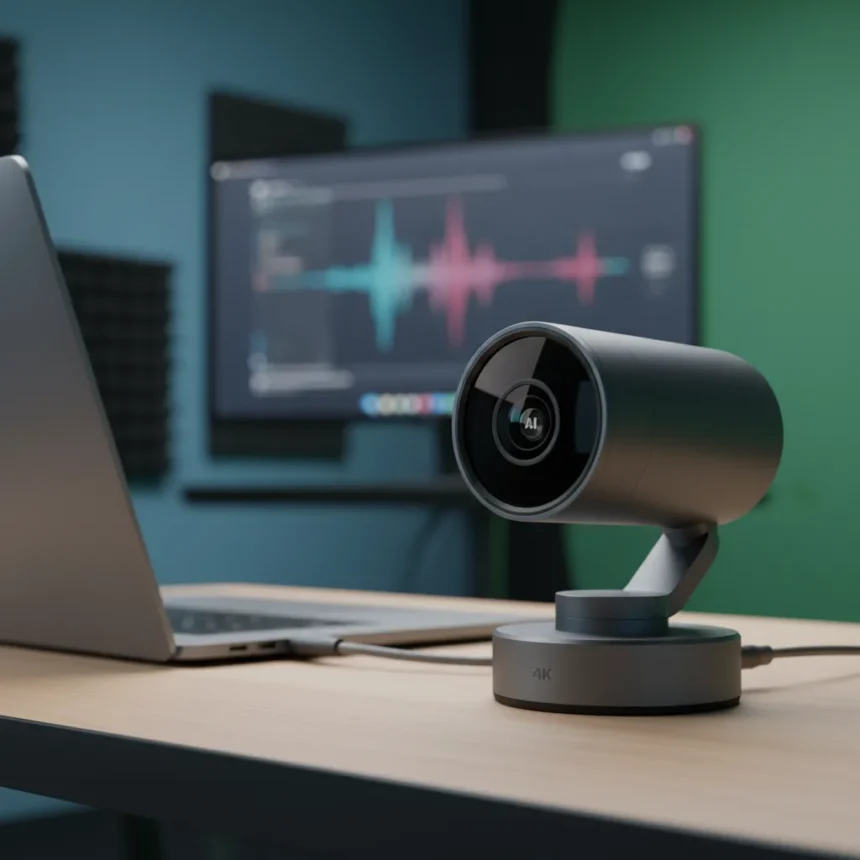
The Insta360 Link 2 is a 4K webcam with AI auto-tracking, a 2-axis gimbal, and gesture controls, designed for creators and business professionals who need broadcast-quality video without the setup complexity of mirrorless cameras or standalone rigs. Launched as a second-generation update with a larger 1/2-inch sensor for improved low-light performance and dynamic range, the Insta360 Link 2 captures 4K video at 30fps or 1080p at 60fps, weighs just 3.6 ounces, and connects via USB-C.
Key Takeaways
- Insta360 Link 2 records 4K at 30fps with a 1/2-inch sensor, delivering DSLR-like image quality with excellent low-light performance
- AI auto-tracking activated by palm gesture keeps you centered in frame without lag, responding to head, upper-body, or full-body movements
- 2-axis gimbal enables 360° pan/tilt rotation and 4x digital zoom, eliminating the need for external mounting rigs or tripod adjustments
- Requires Insta360 Link Controller software to unlock tracking modes, HDR, 60fps capture, and bokeh filters beyond basic webcam function
- Compact design (2.8 x 2.3 x 1.5 inches) integrates smoothly into desk setups, outperforming laptop built-in cameras and most competitors in video quality and tracking responsiveness
AI Tracking That Actually Works Without Lag
The standout feature of the Insta360 Link 2 is its AI-powered auto-tracking, which keeps you centered in the frame as you move. Raise your palm, and the camera activates tracking mode, following your movements with crisp, responsive motion that feels like you have a dedicated camera operator managing framing. The gimbal pans and tilts dynamically, maintaining your position whether you shift left, right, or step closer to the desk. Unlike laggy competitors, the Insta360 Link 2 responds instantly, with no noticeable delay between your movement and the camera’s adjustment.
You control framing options through gesture commands: select head-only shots for interviews, upper-body framing for presentations, or full-body capture for workout demos. Specialized modes like Whiteboard and Overhead adapt the tracking to specific use cases, and a Pause Track feature lets you set exclusion zones—useful when you need to point at a monitor or whiteboard without the camera zooming in on that area. Once configured in the Insta360 Link Controller software, these settings persist, so you activate tracking with a simple hand gesture rather than fumbling with menus during a live stream or meeting.
4K Video Quality Rivals Dedicated Cameras
The Insta360 Link 2 captures surprisingly clean 4K footage with natural color reproduction and accurate skin tones, a significant leap over built-in laptop webcams, which typically deliver blurry, washed-out video. The 1/2-inch sensor pulls in more light than smaller webcam sensors, enabling strong low-light performance—your face remains clear and detailed even in dimly lit home offices or studios. Shutter speed ranges from 1/8000 to 1/30 seconds, with autofocus working at distances as close as 4 inches, and manual focus available via software if needed.

In bright conditions, the Insta360 Link 2 produces DSLR-like clarity with minimal noise. In poor lighting, some grain persists despite AI noise-cancelling and software sharpness adjustments, though the Natural Bokeh filter can mask minor imperfections. For professional streaming, video calls, or content creation, the image quality justifies the upgrade from your laptop camera or basic webcam—you will notice sharper detail, richer colors, and more flattering lighting.
Setup and Software Requirements
The Insta360 Link 2 works as a plug-and-play USB-C webcam on Windows and Mac, recognized instantly by video conferencing apps like Zoom or OBS without drivers. However, unlocking the camera’s full potential requires downloading the Insta360 Link Controller software, which provides access to tracking modes, resolution and frame rate settings, HDR, bokeh filters, and picture profiles. This software-first design means casual users get basic 4K webcam functionality, while creators and pros can dive deeper into customization.



The microphones built into the Insta360 Link 2 use AI noise-cancelling and are pinhole-style to minimize echo, performing adequately for video calls and streaming. They are not exceptional—if you are recording voiceovers or podcast content, a dedicated USB microphone will still outperform them, but for conference calls and casual streaming, they suffice.
How the Insta360 Link 2 Compares to Alternatives
The Insta360 Link 2C is a static-camera variant priced around $150, eliminating the gimbal and AI tracking but retaining the 4K sensor and offering slightly sharper image processing. If you are stationary during calls or streams, the Link 2C saves money; if you move frequently or want dynamic framing, the gimbal and tracking justify the Link 2’s higher cost. Compared to mirrorless cameras or Osmo Pocket 3 setups, the Insta360 Link 2 avoids the complexity of HDMI routing, external power supplies, and tripod adjustments—it is a single USB device that works immediately. Most competing webcams with tracking lag behind in responsiveness and image quality, making the Insta360 Link 2 the faster, cleaner choice for professional video.
Is the Insta360 Link 2 Worth the Amazon Sale Price?
For creators, streamers, and business professionals who video call or stream regularly, the Insta360 Link 2 eliminates the friction of manual camera positioning and delivers broadcast-quality video from a compact, desk-friendly device. The AI tracking alone saves hours of setup and re-framing compared to fixed webcams, and the image quality is a dramatic step up from laptop built-ins. If your current webcam feels blurry, your tracking feels laggy, or you are juggling multiple rigs, the Insta360 Link 2 consolidates those needs into one tool.
Can I use the Insta360 Link 2 without the software?
Yes, it works as a standard USB webcam in Zoom, Teams, or OBS without any software installed. However, you will only get basic 4K capture at 30fps without access to AI tracking, HDR, 60fps mode, or specialized framing options. The software is where the magic happens, so skipping it defeats the primary advantage of choosing this camera over cheaper alternatives.



What is the difference between the Insta360 Link 2 and the Link 2C?
The Link 2C is a stationary camera without the gimbal or AI tracking, priced around $150. It retains the 4K sensor and delivers slightly sharper color accuracy, but you cannot pan, tilt, or use auto-tracking. Choose the Link 2C if you sit still during calls; choose the Link 2 if you move around or want dynamic framing.
Does the Insta360 Link 2 work with all video conferencing apps?
The Insta360 Link 2 appears as a standard USB camera to Windows and Mac, so it works with Zoom, Teams, Google Meet, OBS, and any app that accepts a webcam input. The AI tracking and software features work best in OBS and the Insta360 software itself; some conferencing platforms may not expose all tracking options, but the camera will still deliver high-quality 4K video.
The Insta360 Link 2 represents a genuine leap forward for anyone tired of blurry webcam feeds and manual framing adjustments. Its AI tracking is responsive, its video quality rivals cameras costing far more, and its compact design fits any desk. For creators and professionals, it is the webcam worth buying—especially during sales that make premium 4K capture more accessible than ever.
Where to Buy
Insta360 Link 2 4K webcam, now £159 (was £200) at Amazon | Shop the whole Tech Week sale at Amazon | Insta360 Link 2 4k Webcam: | Logitech C920 HD Pro Webcam: | Obsbot Meet 2 4K Webcam:
Edited by the All Things Geek team.
Source: TechRadar