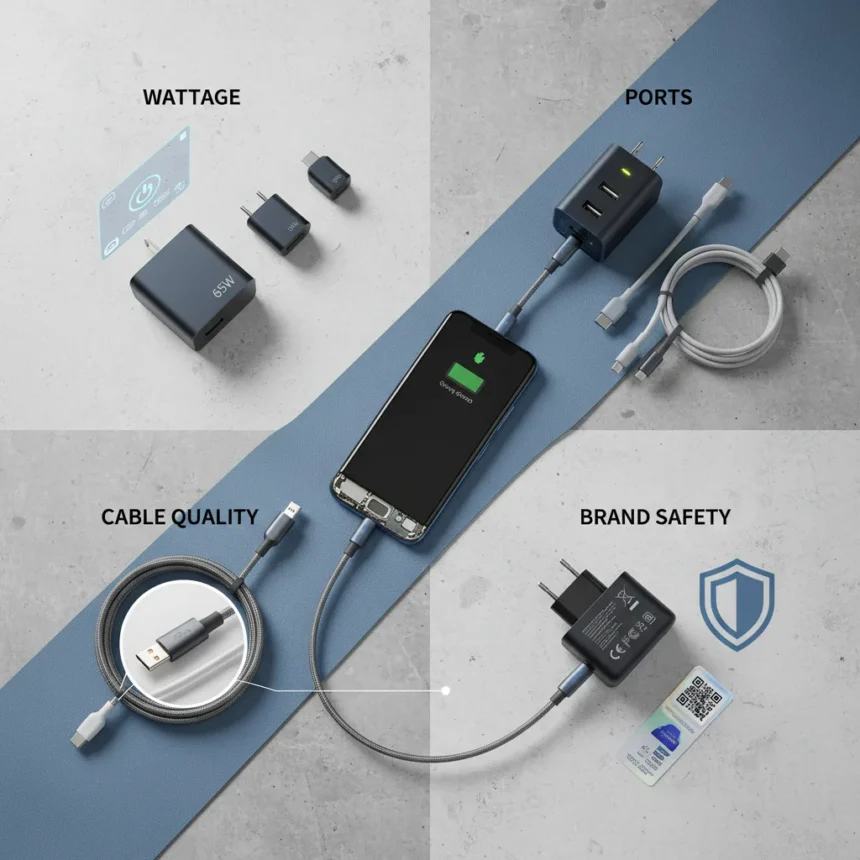
Choosing the right phone charger for your Android phone is not as simple as grabbing whatever is cheapest at the checkout. With dozens of wattages, port types, and brands competing for shelf space, most people end up with the wrong charger—one that is either too slow, incompatible, or worse, unsafe. The good news: four simple checks eliminate the guesswork and ensure you buy a charger that actually works.
Key Takeaways
- Check your phone’s maximum charging speed in Settings or the manufacturer’s specs before buying a charger.
- USB-C with Power Delivery (PD) and Programmable Power Supply (PPS) is the Android standard; avoid micro-USB or USB-A only.
- Invest in high-quality 60W+ rated USB-C cables rated for at least 3A; cheap cables limit speed or pose fire risks.
- Buy from trusted brands like Anker, Belkin, or Google with UL, ETL, or TÜV certifications.
- Wired charging is 90%+ efficient versus 70-80% for wireless alternatives.
Check Your Phone’s Maximum Charging Speed First
The first and most important thing is to check what charging speed your phone supports. Every Android phone has a maximum wattage it can accept—go above that and you waste money on a charger your device will not use. Look up your phone model’s specs in Settings under Battery, or visit the manufacturer’s website. The Samsung Galaxy S24 supports 45W, the Google Pixel 8 tops out at 27W, and OnePlus flagships reach 100W or beyond. Match or slightly exceed your phone’s maximum wattage, and verify that the charger supports Power Delivery (PD) 3.0 and Programmable Power Supply (PPS) for optimal Android performance. PPS adjusts voltage dynamically during charging, reducing heat on high-wattage devices and extending battery lifespan.
Do not assume all chargers at the same wattage are equivalent. A 45W charger from an unknown brand might deliver inconsistent power, while an official Samsung 45W charger guarantees PPS compatibility. Third-party options like Spigen match official performance at lower cost, but verification matters. Buying a 65W charger for a phone that maxes out at 30W is overkill and gains you nothing except a heavier bag.
Prioritize USB-C with Power Delivery Over Outdated Ports
USB-C with Power Delivery is now the Android standard, and chargers without it are becoming obsolete. Micro-USB and basic Quick Charge 3.0 (capped at roughly 18W) cannot deliver the speeds modern flagships demand. When shopping, confirm the charger has a USB-C output port with PD 3.0 or higher support. If you are buying a multi-port charger, check that the primary USB-C port delivers at least 45W when a single device is connected—shared output across ports limits individual charging speed.


PD and PPS together create a universal standard across Android brands, unlike Quick Charge which works best on older Qualcomm phones. A 65W PD/PPS charger will work reliably with Samsung, Google, OnePlus, and most other Android manufacturers. Wireless charging pads offer convenience but sacrifice efficiency; wired USB-C charging delivers 90% or higher efficiency, while wireless drops to 70-80%.
Do Not Skimp on Cable Quality
Not all USB-C cables are created equal—a cheap one might only handle 20W even if your charger is 65W. The cable is where most charging disasters happen. Buy USB-C to USB-C cables rated for at least 3A and 60W output; if you own a 100W+ charger, look for 5A/100W rated cables. Check the cable’s packaging for the amperage rating and wattage specification. Frayed, discolored, or no-name cables are red flags—replace them immediately. One user reported melting more than one cable by using junk alternatives, a hazard that can damage your phone or create fire risk.



Test your actual charging speed with free apps like Ampere to verify the cable and charger are working together. If Ampere shows dramatically lower wattage than expected (e.g., 15W from a 65W setup), the cable is the bottleneck. Trusted cable brands like Anker’s PowerLine III series are widely available and cost only $10-20 for a 3-foot 100W-rated cable. Investing $15 in a quality cable now prevents a $800 phone replacement later.
Buy From Reputable Brands With Safety Certifications
Unbranded chargers claiming superhuman speeds from unknown sellers are a liability. Stick to established brands like Anker, Ugreen, Belkin, Google, OnePlus, RavPower, Spigen, and Samsung. These companies invest in safety testing and stand behind their products. Look for certifications like UL, ETL, or TÜV marks on the charger packaging—these indicate third-party verification of electrical safety. MFi certification exists for Apple products, so it is less relevant for Android, but its presence signals quality control.
Read recent customer reviews before buying, paying special attention to reports of overheating, cable melting, or premature failure. A charger that runs hot during normal use is a warning sign. Entry-level 25W USB-C chargers from trusted brands cost $15-25 (like the Anker 511 Nano), while 65W multi-port options from Ugreen run $30-50. The 100W+ tier (Anker 715) sits around $50-80. All are globally available via Amazon and official brand websites. Paying a little more upfront for a certified charger saves headaches and safety risks down the line.
Should I buy the official charger from my phone’s manufacturer?
Official chargers guarantee PPS compatibility and optimal performance but cost more than third-party alternatives. A Samsung 45W charger will work flawlessly with a Galaxy S24, but a Spigen 45W charger delivers the same speed at lower cost if it carries proper certifications. For budget-conscious buyers, trusted third-party brands are sufficient; for peace of mind, official chargers are worth the premium.



What is the difference between Power Delivery and Quick Charge?
Power Delivery is a universal standard supported across Android brands and works with any PD-compatible device. Quick Charge is Qualcomm-specific and maxes out around 18W with basic versions. PD with PPS is more reliable for modern Android phones because it adjusts voltage dynamically and prevents overheating.
Can I use a 100W charger with a phone that only supports 30W charging?
Yes, it is safe. Your phone will only draw the wattage it needs, so a 100W charger will deliver 30W to a 30W-max phone. You are not gaining speed, but you are not damaging anything either. The extra capacity becomes useful if you upgrade to a faster phone later or charge multiple devices simultaneously.
The right phone charger for your Android phone does not have to be complicated. Check your phone’s specs, buy USB-C with PD and PPS support, invest in a quality cable, and choose a trusted brand with safety certifications. Skip the hype around unverified wattages and unknown sellers. A $30 charger from Anker or Ugreen will outperform a $10 knockoff every single time—and it will not melt your cable or damage your battery in the process.
Where to Buy
Ugreen Nexode 65W GaN Travel Charger | Anker Nano Charger 70W 3 Ports
Edited by the All Things Geek team.
Source: Android Central