





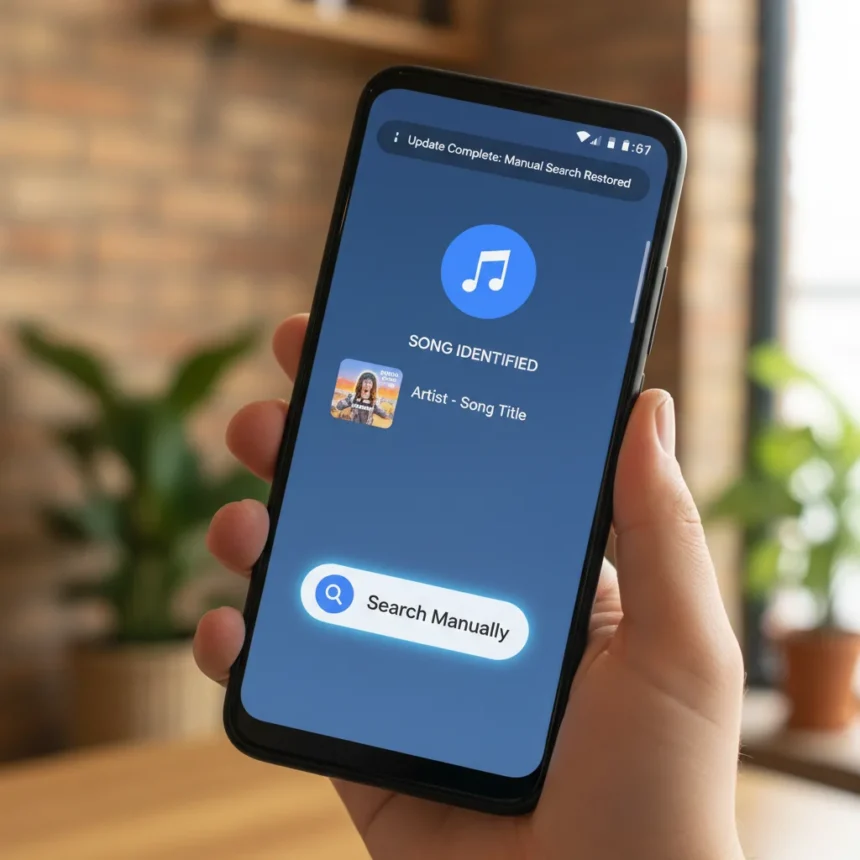
The Pixel Now Playing app is a song identification tool built into Google Pixel lock screens, made by Google, that automatically detects music playing nearby and displays the song title and artist. After the March Pixel Drop removed the manual search button—the “Tap to see what’s playing” option—from many users’ lock screens, Google has now restored it in a fresh update rolling out via the Google Play Store.
Key Takeaways
- Google restored the manual “Tap to see what’s playing” button to Pixel Now Playing app after March update removed it
- Update version 2026.03.24.x now rolling out via Play Store; users should check for pending updates
- Automatic on-device song detection still worked for some users even when manual button disappeared
- Workarounds exist: add Now Playing as lock screen shortcut or use Quick Settings tile
- Third-party history tools like Pano Scrubber broke due to notification changes in the new app
What Happened to the Manual Search Button
Several Pixel owners reported the familiar manual search button vanishing from their lock screens after the March update, even though automatic song detection continued working for some of them. The Pixel Now Playing app became a standalone application with the March Pixel Drop, gaining a Material 3 Expressive redesign and improved history support, but the manual search feature—which lets users tap to identify music on demand—disappeared for many. This was a step backward: users who wanted to manually identify a song had no easy way to do so from the lock screen, forcing them to open the app separately or use workarounds.
The removal caught many off guard because automatic detection relies on on-device technology that runs constantly, while manual search uses cloud-based snippet analysis sent to Google servers. The button’s absence meant users lost a quick way to identify music they wanted to know about, a core function that made the lock screen widget genuinely useful.
Google’s Quick Response and Update Rollout
Google responded to user complaints by releasing an update from version 2026.03.02.x to 2026.03.24.x in late March, restoring the button for some users. The update rolled out via the Google Play Store, with some users receiving it server-side while others needed to manually check for updates. Google was praised by some Pixel users for listening to feedback and reversing course so quickly—just weeks after the March Pixel Drop introduced the change.


The rollout is not instantaneous for everyone. Some users may see a “Preparing update” message or be told to “Check back in a few hours” for up to 24 hours after the monthly software update, which is typical for staged Play Store deployments. If the button is still missing on your lock screen, opening the Play Store, searching for “Now Playing,” and tapping “Update” should bring it back.
Workarounds While Waiting for the Update
Before the update rolled out, Pixel users had two practical workarounds to access Now Playing from the lock screen. The first involved opening lock screen settings and adding Now Playing as a shortcut in either the left or right corner—tapping this shortcut would launch the app directly. The second used a 2×1 Quick Settings tile displaying the current song title and artist; long-pressing the lock screen shortcut revealed a transparent lozenge view beneath the fingerprint icon, making it easier to see what was playing without fully opening the app.



These workarounds remain useful even after the update, giving users multiple ways to interact with Now Playing depending on their preference. Some may prefer the Quick Settings tile for always-visible song info, while others favor the lock screen shortcut for quick access when they want to manually search.
Impact on Third-Party Tools and Ecosystem
The shift to a standalone Now Playing app broke compatibility with third-party history tools that relied on the old notification system. Developer Kieron Quinn noted that Pano Scrubber, a popular tool that integrated Pixel Now Playing history with Last.fm for music tracking, no longer functions after the March update due to changed notifications. This collateral damage highlights how app redesigns can ripple through the broader Android ecosystem, affecting tools users depend on.
Unlike competing music identification services that operate independently, Pixel Now Playing’s tight integration with the lock screen and reliance on Google’s notification architecture means changes to the app directly affect downstream tools. Users who relied on Pano Scrubber or similar integrations lost functionality they valued, a reminder that rebuilding an app—even to improve its design—carries hidden costs for power users.
Why This Matters for Pixel Users
The Pixel Now Playing app is unique to Google’s phones and represents one of the most useful lock screen features available on any Android device. The ability to tap and identify music instantly, without opening an app or speaking a command, makes it genuinely practical. Removing the manual button undermined this utility, even if automatic detection still worked. Google’s decision to restore it signals that the company is listening to user feedback, but it also raises questions about why the button was removed in the first place if it was so valued.


For Pixel owners, the lesson is straightforward: if you lost the manual search button, check for the latest Now Playing app update on the Play Store. The feature should return within 24 hours of the March monthly update, though some users may need to manually refresh. If you’re still waiting, the lock screen shortcut and Quick Settings tile workarounds provide temporary access without requiring a full app redesign.
Is the manual search button back for all Pixel users?
Not universally. While Google released the update to restore the button, some Pixel users still report it missing after updating. This suggests a staged rollout or a lingering issue affecting certain devices or regions. Checking the Play Store for the latest version and waiting up to 24 hours post-update should resolve it for most users.
What’s the difference between automatic and manual song detection in Now Playing?
Automatic detection uses on-device technology that runs constantly in the background, analyzing audio without sending data to Google servers. Manual detection, triggered by tapping “Tap to see what’s playing,” sends a brief audio snippet to Google’s cloud servers for identification, which is why it requires an internet connection but can identify songs the on-device model might miss.
Can I use Now Playing without the lock screen shortcut?
Yes. The standalone Now Playing app works independently, and you can also use the 2×1 Quick Settings tile to see current song info. The lock screen shortcut is convenient but not required to access the app’s full functionality.
The Pixel Now Playing app’s restoration of its manual search button shows Google can move quickly when users push back on changes that remove useful features. For anyone frustrated by the March update’s removal, the latest version should bring back the quick, on-demand music identification that made the lock screen widget genuinely handy in the first place. Check your Play Store today—the update is rolling out now.
This article was written with AI assistance and editorially reviewed.
Source: Android Central