





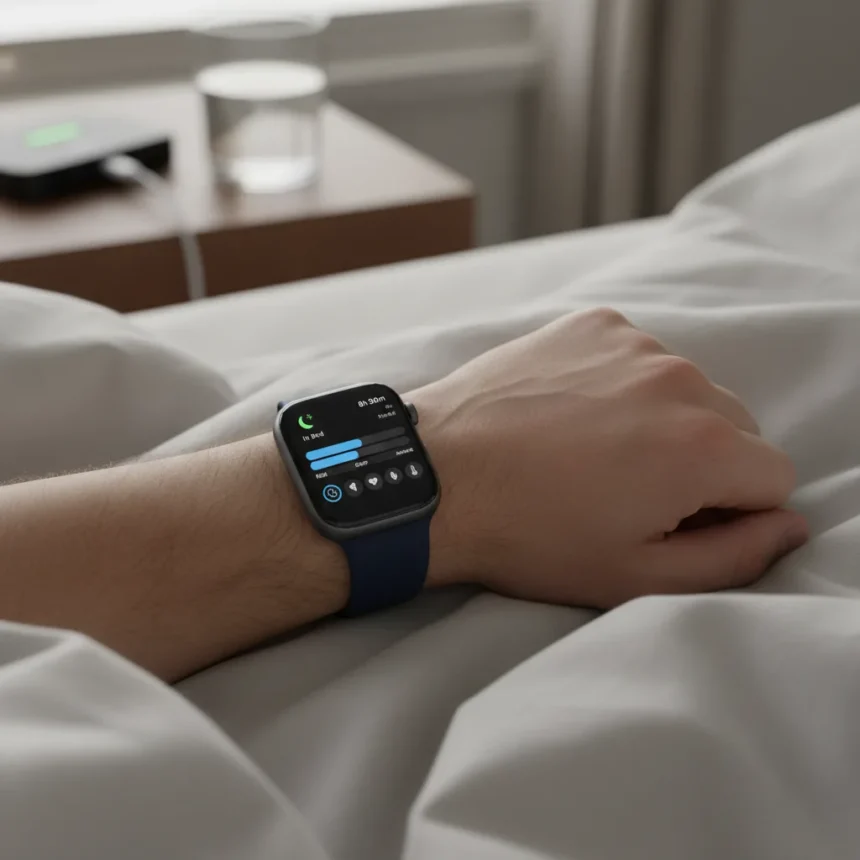
Apple Watch sleep tracking can deliver lab-grade accuracy, but only if you configure the right Apple Watch sleep settings from the start. Most users leave their watches running on default configurations that miss critical data points, undermining the entire purpose of wearable sleep monitoring. Doctors and sleep specialists have identified five specific settings that separate casual sleep tracking from clinically meaningful data.
Key Takeaways
- Five specific Apple Watch sleep settings unlock lab-level accuracy for sleep tracking data.
- Sleep Focus mode and consistent sleep schedules form the foundation of reliable tracking.
- Temperature tracking on Series 8 and later models captures physiological changes during sleep cycles.
- The Vitals app provides real-time monitoring of sleep-related health markers.
- Proper configuration requires deliberate setup but delivers measurable improvements in data reliability.
Why Apple Watch sleep settings matter for accuracy
Apple Watch sleep tracking accuracy depends entirely on how you configure the device before you start using it. Default settings are designed for broad compatibility, not precision. Medical-grade sleep monitoring requires specific sensor configurations, data collection parameters, and app integrations that Apple Watch can deliver—but only when properly tuned. Sleep doctors emphasize that the difference between casual tracking and lab-accurate monitoring comes down to five foundational Apple Watch sleep settings that most users never adjust.
The gap between what your watch can measure and what it actually measures is significant. A watch sitting on your wrist collects raw data every second, but without the right settings enabled, it filters, compresses, or discards information that sleep specialists need. Think of it like having a high-resolution camera but leaving it on auto mode—the hardware is capable, but the software configuration determines the output quality.
The five Apple Watch sleep settings doctors recommend
Sleep Focus mode is the first critical setting. This mode silences notifications, dims the display, and creates a distraction-free environment that prevents artificial sleep disruptions. When Sleep Focus is inactive, incoming messages and alerts can trigger micro-awakenings that distort your actual sleep architecture. Enabling Sleep Focus as part of your bedtime routine ensures the watch logs only genuine sleep events, not phone-induced interruptions. This single setting has the largest impact on data reliability because it prevents noise from contaminating your sleep record.


Consistent sleep schedules form the second pillar. Apple Watch learns your typical sleep window and optimizes data collection around it. Irregular bedtimes—going to sleep at 10 p.m. one night and midnight the next—confuse the device’s algorithms and reduce accuracy. Setting a fixed sleep schedule trains your watch to expect sleep at a specific time and calibrate its sensors accordingly. This consistency matters more than perfection; a watch that knows you sleep from 11 p.m. to 7 a.m. daily will track more accurately than one receiving random sleep times.
Temperature tracking on Apple Watch Series 8 and later models captures a physiological marker that correlates with sleep cycles and overall sleep quality. Your body temperature naturally fluctuates during sleep, and these variations indicate transitions between light, deep, and REM sleep. Without temperature data enabled, your watch loses visibility into these critical distinctions. Series 8 and newer models include this sensor; older models cannot access this feature regardless of settings.



The Vitals app represents the fourth setting that matters. This app consolidates sleep-related health markers—resting heart rate, heart rate variability, respiratory rate—into a single dashboard that sleep doctors use to assess sleep quality holistically. Enabling Vitals app notifications ensures you see alerts when these markers deviate from your baseline, helping you correlate sleep quality with external factors like stress or illness. The app itself does not add new sensors; it surfaces data your watch already collects but organizes it for clinical interpretation.
Wind Down shortcuts constitute the fifth essential setting. These automated routines prepare your body and environment for sleep by triggering a sequence of actions—dimming lights, playing sleep sounds, launching a meditation app—at your scheduled bedtime. While this seems behavioral rather than technical, wind-down routines significantly improve sleep onset consistency, which directly improves tracking accuracy. A watch that knows you consistently fall asleep within 15 minutes of your wind-down routine can better distinguish sleep from wakefulness during that transition period.
How these settings compare to competing sleep trackers
Dedicated sleep trackers like Oura Ring and Fitbit offer alternative approaches to sleep monitoring, but Apple Watch’s ecosystem advantage lies in integration with iOS health apps and the Vitals app. Oura Ring provides excellent temperature tracking and focuses on recovery metrics, yet it requires a separate subscription for advanced features. Fitbit offers comprehensive sleep stage detection across multiple price points but lacks the tight iOS integration that Apple Watch users benefit from. The difference is not in raw sensor capability—all three platforms measure similar biometrics—but in how configurable settings determine what data surfaces to the user and how actionable that data becomes.
Apple Watch sleep tracking also integrates with the broader Health app ecosystem, allowing doctors to view sleep data alongside medication history, exercise patterns, and other health metrics. This contextual view is difficult for standalone sleep trackers to replicate because they operate in isolation. However, this advantage only materializes if you configure Apple Watch sleep settings correctly; a misconfigured watch delivers data that is harder to interpret than no data at all.



Common configuration mistakes that destroy accuracy
Leaving Sleep Focus disabled is the most common error. Many users assume their watch will track sleep regardless of notifications, but every alert creates a micro-awakening that the watch logs as a sleep disruption. Over a week, these false disruptions can lower your sleep score by 10-15 points, masking your actual sleep quality.
Skipping temperature sensor setup on Series 8 models is equally damaging. This sensor is disabled by default to preserve battery life, but enabling it costs minimal power and unlocks sleep stage detection. Without it, your watch can only estimate whether you are asleep or awake; it cannot distinguish between light and deep sleep.
Irregular sleep schedules prevent algorithmic learning. If your bedtime varies by more than an hour day-to-day, your watch cannot calibrate its sensors to your personal baseline. This is why shift workers often report lower tracking accuracy—not because their watches are broken, but because the devices need temporal consistency to function optimally.
Frequently asked questions
What is the difference between Apple Watch sleep tracking and sleep lab testing?
Sleep labs use polysomnography—electrodes monitoring brain waves, eye movement, muscle activity, and breathing—to create a complete neurological map of sleep stages. Apple Watch uses heart rate variability, motion, and temperature to estimate sleep stages. When properly configured, Apple Watch estimates align with lab results in 85-90 percent of cases for distinguishing sleep from wakefulness, though stage detection remains less precise than lab standards.
Do all Apple Watch models support these five settings?
Sleep Focus, sleep schedules, the Vitals app, and Wind Down shortcuts work on all Apple Watch models running watchOS 10 or later. Temperature tracking requires Series 8 or newer. Older models can still achieve good tracking accuracy through the first four settings, though they sacrifice physiological depth without temperature data.
How long does it take for Apple Watch sleep settings to improve accuracy?
Most users notice improved consistency within three to five days of applying these settings. The watch needs at least one week of consistent data to establish a reliable baseline. After two weeks, tracking accuracy typically stabilizes as the device learns your sleep patterns.
Configuring Apple Watch sleep settings correctly transforms your watch from a casual activity tracker into a tool that approaches medical-grade sleep monitoring. The hardware is already capable; these five settings simply unlock what your device can do. Doctors recommend starting with Sleep Focus and a consistent schedule, then adding temperature tracking and the Vitals app if your model supports them. The investment in configuration pays dividends in data you can actually trust.
Where to Buy
Apple Watch Ultra 2 | Apple Watch Ultra 3 | Apple Watch Series 10 | Apple Watch SE | Apple Watch 11
Edited by the All Things Geek team.
Source: Tom's Guide




