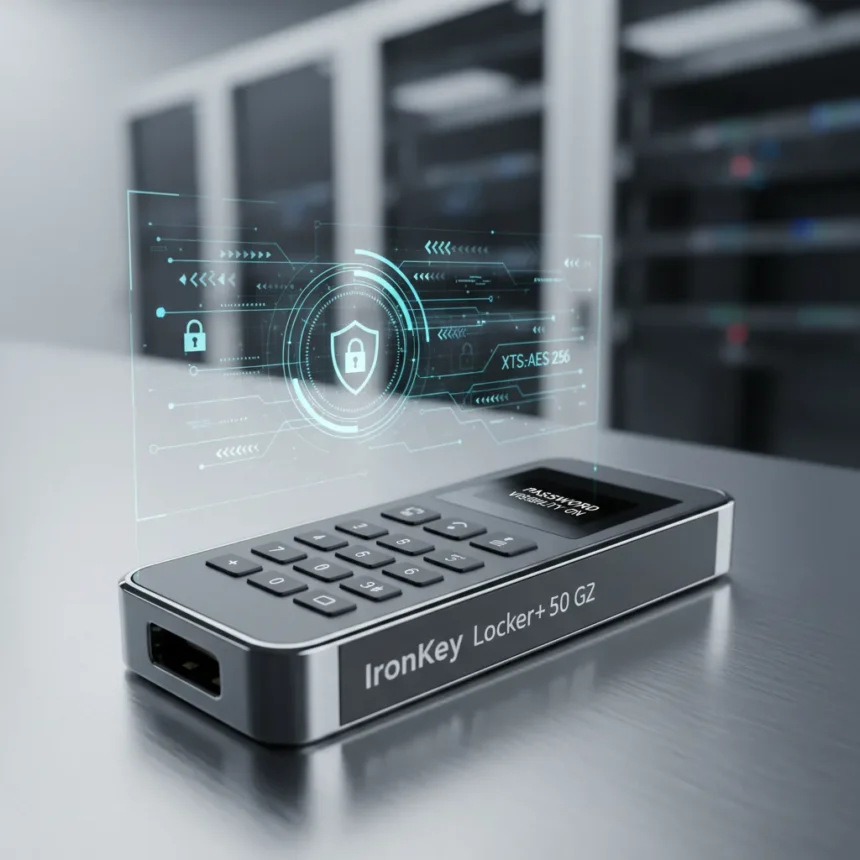
The Kingston IronKey Locker+ 50 G2 is a hardware-encrypted USB drive made by Kingston, launched in March 2026, featuring FIPS 197-certified XTS-AES 256-bit encryption and optional password visibility to prevent login typos. This refresh completes Kingston’s transition to full XTS-AES-256 encryption across its IronKey lineup while introducing design refinements aimed at enterprise users who need portable security without friction.
Key Takeaways
- Kingston IronKey Locker+ 50 G2 uses FIPS 197-certified XTS-AES 256-bit hardware encryption with digitally signed firmware against BadUSB attacks
- Password visibility toggle and virtual keyboard reduce typos and defend against keyloggers and screenloggers
- Brute force protection locks User accounts after 10 failed attempts and triggers crypto-erase after 10 failed Admin attempts
- Available in 32GB, 64GB, 128GB, and 256GB capacities with up to 145MB/s read and 115MB/s write speeds
- Premium space grey metal casing with anti-fingerprint coating and 5-year limited warranty with free technical support
Kingston IronKey Locker+ 50 G2 Encryption and Security Architecture
The Kingston IronKey Locker+ 50 G2 implements FIPS 197-certified XTS-AES 256-bit hardware encryption, meaning the encryption engine sits on the drive itself rather than relying on software. This matters because hardware encryption protects data even if the drive connects to a compromised computer. The firmware is digitally signed to prevent BadUSB attacks—malware that disguises itself as a USB controller—a genuine threat in corporate environments where drives move between untrusted machines.
The drive enforces two separate password layers: Admin and User. Users can choose between Complex mode (6-16 characters requiring at least three of four character types: uppercase, lowercase, numbers, symbols) or Passphrase mode (10-64 characters, supporting sentences or word lists). This flexibility matters. Complex passwords feel arbitrary to humans and generate typos; passphrases feel natural but can be tedious. Offering both acknowledges that security and usability are not opposites—they are interdependent.
Brute force protection works in two stages. Ten failed User password attempts lock the account. Ten failed Admin attempts trigger cryptographic erasure, permanently destroying the encryption key and rendering all data inaccessible. This design prevents attackers from running dictionary attacks offline. If someone steals a drive, they cannot sit in a lab and try a million passwords—they get ten tries before the drive self-destructs.


Usability Features That Actually Reduce Risk
Password visibility—the ability to toggle between hidden and visible characters while typing—sounds trivial until you realize typos are one of the leading causes of lockouts in enterprise environments. A user mistyped password triggers a failed attempt. Ten mistyped attempts and the account locks. The Kingston IronKey Locker+ 50 G2 lets users see what they are typing, reducing this friction without weakening security.
The virtual keyboard defends against keyloggers and screenloggers—malware that records everything typed or displayed. Instead of typing a password into a physical keyboard (where a keylogger intercepts every keystroke), users click characters on an on-screen keyboard. A screenlogger might capture the screen, but it cannot determine which character was clicked without analyzing pixel-level mouse movements, a much harder attack. This is not paranoia. Financial institutions, government agencies, and healthcare organizations face these threats daily.



The anti-fingerprint coating on the premium space grey metal casing addresses a less obvious risk: physical identification. If a drive is lost or stolen, a fingerprint can identify the owner or the last person to handle it. The coating makes fingerprint collection harder, preserving plausible deniability in certain scenarios. Combined with the metal construction, the drive feels durable enough to survive a pocket drop or a backpack throw—important for mobile workers who cannot afford to lose a drive containing sensitive data.
Performance and Practical Specifications
The Kingston IronKey Locker+ 50 G2 achieves up to 145MB/s read and 115MB/s write speeds across all capacities via USB 3.2 Gen 1. These are rated maxima, not guaranteed minimums, but they suggest the drive can transfer a 4GB file in roughly 30-40 seconds—fast enough that users will not abandon the drive on a desk and forget it. The drive measures 60.56mm x 18.6mm x 9.6mm and weighs 22.94g, small enough to fit on a keychain but substantial enough to feel like a real product rather than a toy.
Compatibility spans Windows 11 and macOS 13.x through 26.x with no software installation required. The drive presents itself as a virtual encrypted volume and needs two consecutive free drive letters to function properly. This is a minor technical requirement but worth noting for IT administrators managing large deployments—it means a Windows machine with drives C through Z already assigned cannot use the IronKey without reorganizing the drive letter scheme.
Operating temperature ranges from 0°C to 50°C, and storage temperature from -20°C to 85°C. These ranges are typical for enterprise hardware and reflect Kingston’s assumption that the drive will live in office environments, vehicles, and travel bags rather than Arctic research stations or desert bunkers. The 5-year limited warranty with free technical support is standard for Kingston’s IronKey line and suggests the company expects the drive to last longer than most consumer hardware.



Where Kingston IronKey Locker+ 50 G2 Fits in the Security Landscape
Kingston offers higher-security FIPS 140-3 Level 3-validated IronKey models for organizations with stricter compliance requirements. Level 3 validation is more rigorous than FIPS 197 certification and is required by some government contracts and regulated industries. If your organization mandates Level 3, the IronKey Locker+ 50 G2 is not the right choice—but Kingston makes alternatives. For everyone else—consultants, finance professionals, healthcare workers, lawyers—the Locker+ 50 G2 offers enterprise-grade encryption without the cost and complexity of higher-level validation.
The redesigned casing and password visibility features represent Kingston’s acknowledgment that security is not just about cryptography. It is about reducing friction that makes people circumvent security rules. A user locked out of their encrypted drive after typos might resort to storing passwords in a plaintext file or writing them on a sticky note. The password visibility toggle eliminates that incentive. This is security thinking that goes beyond the spec sheet.
Should You Buy the Kingston IronKey Locker+ 50 G2?
Yes, if you need to move sensitive files between computers regularly and cannot rely on cloud storage due to compliance rules or network restrictions. The combination of hardware encryption, brute force protection, and usability features makes this drive suitable for professionals in regulated industries. The anti-typo features are not gimmicks—they address real friction points that plague other encrypted drives.
No, if you are storing data that must survive government-level forensic attacks or if your organization mandates FIPS 140-3 Level 3 validation. Kingston makes higher-security models for those scenarios. Also no if you prefer cloud-based storage with granular access controls and audit logs—an encrypted USB drive is a single point of failure with no recovery option if the drive fails or is lost.
What capacities does the Kingston IronKey Locker+ 50 G2 come in?
The drive is available in 32GB, 64GB, 128GB, and 256GB capacities. Choose based on your typical file transfer volume. A 32GB drive handles most document and spreadsheet work; 128GB or 256GB suits video editors, researchers, and anyone moving large datasets between machines.
Does password visibility compromise security on the Kingston IronKey Locker+ 50 G2?
No. The password is still encrypted in transit and at rest on the drive. Password visibility only affects what you see on your screen while typing—it does not change how the drive processes or stores the password. The security model remains unchanged; usability improves.
Is the Kingston IronKey Locker+ 50 G2 compatible with Linux?
The research brief specifies compatibility with Windows 11 and macOS only. Linux support is not documented in available specifications, so verify with Kingston support before purchasing if Linux compatibility is essential for your workflow.
The Kingston IronKey Locker+ 50 G2 represents a pragmatic approach to portable security. It does not chase the highest possible security certification or the fastest possible speeds. Instead, it solves the actual problems that plague encrypted USB drives: typos that trigger lockouts, keyloggers that steal passwords, and poor durability that leads to lost drives. For professionals who need portable encryption without theater, this drive delivers.
Edited by the All Things Geek team.
Source: TechRadar