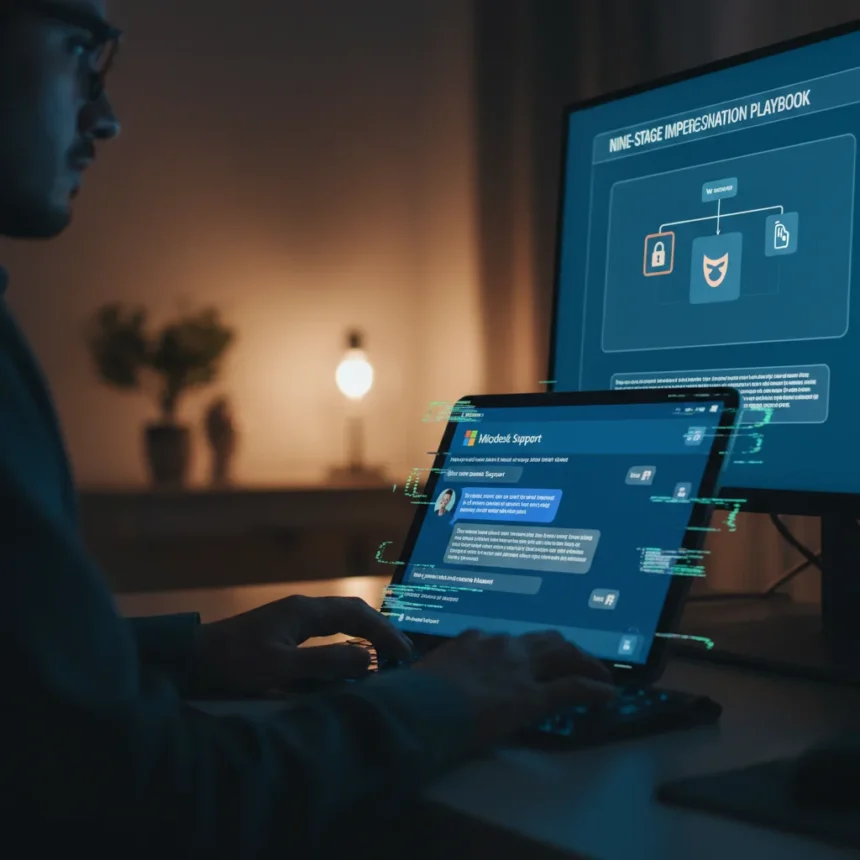
Microsoft Teams helpdesk impersonation attacks represent a shift in how threat actors exploit trusted platforms to infiltrate enterprises. On April 18, 2026, Microsoft published a security advisory detailing a sophisticated nine-stage human-operated intrusion playbook that weaponizes cross-tenant Teams communications to impersonate IT support personnel and trick users into granting remote access.
Key Takeaways
- Microsoft Teams helpdesk impersonation attacks use a documented nine-stage playbook combining social engineering with legitimate remote tools.
- Attackers create fake IT personas using .onmicrosoft.com domains or compromised accounts with keywords like “helpdesk” or “support” in usernames.
- Users are tricked into granting remote access via Quick Assist despite Teams’ external contact warnings and security alerts.
- Post-access, attackers use native protocols like WinRM and tools such as Rclone to move laterally and exfiltrate targeted data.
- Microsoft Defender for Office 365 and Sentinel provide detection for suspicious external chats and IT support voice phishing attempts.
How Microsoft Teams helpdesk impersonation attacks work
The attack begins with an attacker from a separate, often newly created Entra ID tenant initiating a cross-tenant chat or call through Teams. The impersonator claims to be IT or helpdesk staff and references account issues, security updates, or system maintenance. Despite Teams displaying warnings that the contact is external, users override these safeguards and grant remote access through Quick Assist or similar tools. This initial foothold is deceptively simple—it relies entirely on social pressure and the legitimacy borrowed from Teams itself.
Once remote access is granted, the attack escalates rapidly. Attackers deploy remote management software (RMM) tools, execute trusted applications with malicious modules embedded, and use native Windows protocols like WinRM for lateral movement across the enterprise. The stealth is deliberate: by mimicking routine IT support activity, the intrusion blends into normal operations and avoids triggering security alerts. Attackers then stage sensitive data using tools like Rclone, filtering for high-value information before exfiltrating it to cloud storage. “From this initial foothold, attackers can leverage trusted tools and native administrative protocols to move laterally across the enterprise and stage sensitive data for exfiltration—often blending into routine IT support activity throughout the intrusion lifecycle,” according to Microsoft’s security advisory.
Why Microsoft Teams became a target for social engineering
Teams is not vulnerable because of a technical flaw. Microsoft explicitly states that this activity does not stem from a weakness in Teams or its built-in security protections. Instead, attackers abuse legitimate collaboration features by persuading users to override multiple, clearly presented security warnings. The platform’s ubiquity in enterprise environments makes it an ideal vector: employees expect to receive support requests through familiar channels, and the presence of a .onmicrosoft.com domain or IT-themed username creates false confidence.


Attackers sometimes enhance their deception by using non-ASCII characters—such as emoji like ✅ or space-like characters—in display names to obscure the “(External)” warning that Teams shows for contacts outside the organization. In some cases, attackers precede Teams contact with spam flooding or mail bombing to simulate legitimate infrastructure issues, further selling the narrative that IT support is reaching out to fix problems.
Detection and defense strategies
Microsoft Defender for Office 365 and Microsoft Defender for Endpoint provide detection capabilities for suspicious external chats, IT support voice phishing, malicious URL clicks, and initial access from emerging threats. Microsoft Sentinel can be configured with queries to flag User Name, Chat Name, or Domain fields containing IT and helpdesk keywords, helping identify fake IT personas before they establish remote access.



Organizations should restrict and monitor all remote assistance applications—not just Quick Assist—and limit WinRM access to controlled systems where administrative remote management is genuinely necessary. Training users to treat external contact warnings as non-negotiable, rather than obstacles to bypass, is critical. The distinction matters: this is not a platform vulnerability that patches can fix. It is a human-centered attack that requires awareness and procedural controls.
What makes this attack chain different from traditional phishing
Traditional email phishing attempts to lure users to malicious links or credential-harvesting pages. Microsoft Teams helpdesk impersonation attacks skip that middle step entirely. By operating within a trusted platform and establishing real-time voice or video contact, attackers build rapport and urgency simultaneously. The attacker is not asking for credentials—they are asking for remote access, which grants them everything at once. This is why the attack succeeds despite Teams’ external warnings: users perceive the request as legitimate IT support overriding a false-positive security alert, when in fact they are granting an attacker direct control of their machine.
Is Microsoft Teams itself insecure?
No. Microsoft Teams helpdesk impersonation attacks exploit human psychology, not platform architecture. The warnings exist and function as designed. The problem is that users, under social pressure and trusting the platform’s legitimacy, choose to ignore them. This is why technical defenses alone—even strong ones—cannot fully prevent the attack. Detection, monitoring, and user training must work in concert.
How can enterprises protect against these attacks?
Organizations should audit and restrict remote assistance tools to only those necessary for legitimate IT operations. Implement Sentinel rules to alert on chats containing IT support keywords from external tenants. Disable or restrict WinRM on non-administrative systems. Most importantly, establish a verification protocol: if IT support reaches out unexpectedly via Teams, users should hang up, look up the support number independently, and call back through a known channel.



FAQ
What is the nine-stage playbook Microsoft described?
Microsoft’s advisory details a nine-stage human-operated intrusion chain beginning with cross-tenant Teams impersonation, followed by remote access, RMM deployment, trusted application abuse, lateral movement via native protocols, data staging with tools like Rclone, and targeted exfiltration to cloud storage. The exact stage names follow Microsoft’s official taxonomy.
Can Quick Assist be disabled to prevent these attacks?
Quick Assist can be restricted or monitored, but the broader issue is that attackers can use any remote assistance tool—Quick Assist is just one vector. The core defense is user awareness and verification protocols rather than disabling specific tools, which may block legitimate IT support.
Does this vulnerability affect Teams on Mac or Linux?
The research brief does not specify operating system scope. The attack chain relies on social engineering and remote access tools, which can target Windows systems. Consult Microsoft’s official advisory for platform-specific details.
Microsoft Teams helpdesk impersonation attacks succeed because they exploit trust in a platform users interact with daily. The solution is not a patch—it is a combination of technical controls, detection logic, and a cultural shift in how organizations treat unexpected support requests. When IT support reaches out via Teams, verify before granting access. That single habit breaks the entire attack chain.
Edited by the All Things Geek team.
Source: TechRadar