


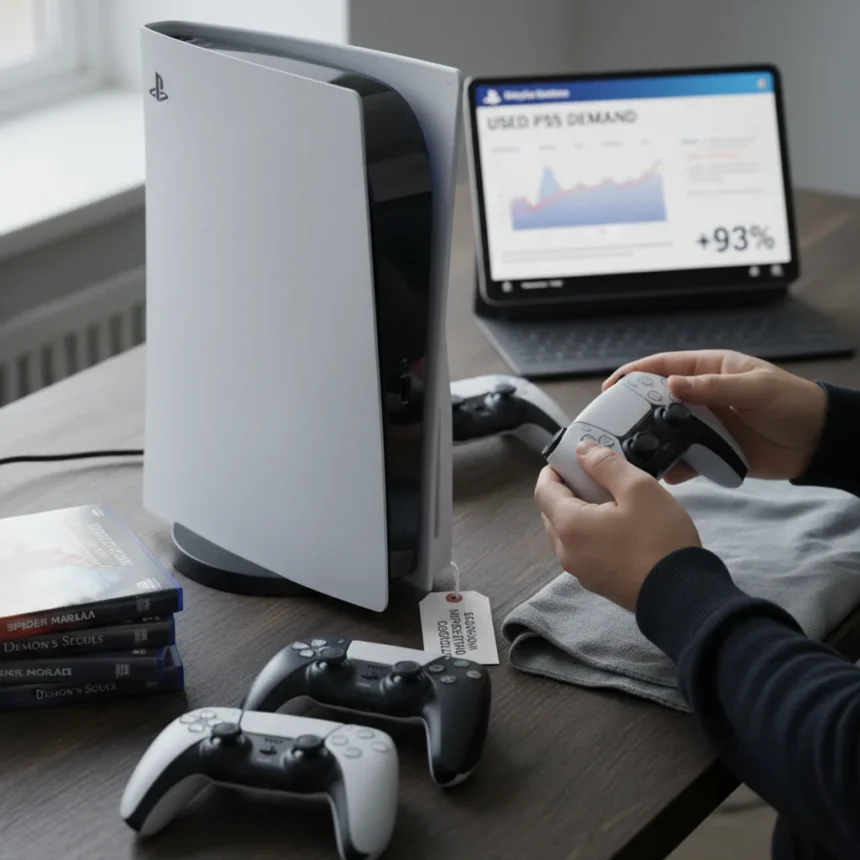
Buying a used PS5 has become the smarter financial move for budget-conscious gamers as demand for second-hand consoles surged more than 93% following Sony’s recent price increases. With new PS5 models now commanding premium prices, the used market offers genuine savings—but only if you know what to look for. A poorly maintained console can cost you hundreds in repairs or replacement, so inspection before purchase isn’t optional.
Key Takeaways
- Used PS5 demand jumped over 93% after Sony’s price hikes on new consoles.
- Sony’s price increases reached up to 20% in non-US markets, making second-hand units increasingly attractive.
- Always inspect the console exterior, ports, disc drive, and controllers before committing to a purchase.
- Test the console in person and verify account logout to protect your data and privacy.
- Check seller ratings on platforms like eBay and Facebook Marketplace for buyer protection.
Why Used PS5 Prices Are Dropping
Sony’s decision to raise PS5 prices up to 20% in markets outside the US, driven by global economic pressures and supply chain costs, created an immediate opening for the second-hand market. New console prices climbed significantly, while used units remained relatively stable—widening the gap between new and refurbished options. This price differential alone explains the 93% surge in used PS5 demand; gamers are doing the math and realizing that a well-maintained used console offers substantially better value than a new one at inflated prices.
The PS5 Pro, launched in 2024, positioned itself as one of the most expensive consoles ever adjusted for inflation, second only to the original PS3. This pricing tier pushed mainstream buyers toward the standard PS5 Digital Edition or disc-based model, both of which are now flooding the used market as owners upgrade or sell off their original units.
What to Inspect When Buying a Used PS5
Before handing over cash, you need to physically verify the console’s condition across five critical areas: the exterior, ports, disc drive, controllers, and software state. A thorough inspection takes 15 minutes and can save you from purchasing a hidden lemon.
Start by examining the console’s exterior for physical damage, dents, or signs of heavy wear. Look for discoloration, cracks in the plastic, or evidence that the unit has been dropped. Run your fingers along seams and edges—rough spots indicate potential internal damage. Next, test all ports: USB connectors, HDMI input, and the power socket must function smoothly without loose connections or bent pins. Bring the appropriate cables with you and plug them in to verify they seat properly and make secure contact.
For standard edition consoles with a disc drive, insert a game or disc you know works and watch it load completely. Listen for grinding noises or stuttering—these indicate mechanical failure. The drive should spin smoothly and eject without hesitation. If the seller claims the disc drive has never been used, be skeptical; unused components often develop problems faster than regularly exercised ones.


Testing the DualSense Controller and Connectivity
The DualSense controller is a common failure point on used PS5s. Check for stick drift by moving the analog sticks through their full range—they should return to center smoothly without drifting in any direction. Press every button and trigger repeatedly; they should respond instantly with no lag or missed inputs. Test the haptic feedback by running a game or demo that uses vibration effects; weak or absent feedback suggests internal wear.
Boot up the console and run a game to verify online connectivity works properly. Download speeds and network stability matter, especially if the seller claims the unit has been regularly used for online play. A console that cannot maintain a stable connection is essentially half-broken for modern gaming.
Account Security and Data Verification
Before finalizing the purchase, confirm that the seller has logged out of all accounts and wiped the console’s data. Ask them to demonstrate a factory reset or full data deletion. This protects you from inherited profiles, payment methods, or saved games that could create security issues. A responsible seller will have no problem doing this in front of you.
Check the console’s storage capacity and verify that it matches what was advertised. The standard PS5 includes 825 GB of usable storage after formatting; the Digital Edition has the same capacity. If the seller has installed an M.2 SSD expansion, confirm it works and calculate remaining storage accurately.



Evaluating Seller Reputation and Purchase Protection
Buy from established platforms with buyer protection policies. eBay and Facebook Marketplace both offer dispute resolution and refund options if the console arrives damaged or fails to match the listing. Check the seller’s feedback rating—aim for 95% or higher with dozens of reviews. Read recent feedback comments specifically; look for patterns of complaints about console condition or functionality.
Ask the seller directly about the console’s history: how long they owned it, whether it was used regularly or stored, and why they’re selling. Honest sellers provide detailed answers. Red flags include vague histories, refusal to test the console on video call, or pressure to buy immediately without inspection.
Comparing Used PS5 Options: Standard vs. Digital Edition
The standard PS5 with a disc drive costs more on the used market but offers backward compatibility with physical PS4 games and used game purchases. The Digital Edition is cheaper but locks you into digital purchases, which typically cost more than physical copies over time. If you own a library of PS4 discs or prefer buying used games, the standard edition justifies its premium. If you’re purely digital, the cheaper Digital Edition used console makes financial sense.
Neither used model should cost significantly less than the other—any dramatic price gap suggests hidden damage or missing components. Expect to pay 40-60% of the new console’s launch price for a well-maintained used unit, depending on condition and included accessories.
Does a used PS5 come with a warranty?
Most used PS5 consoles sold privately carry no manufacturer warranty. Sony’s warranty transfers only if the original buyer registers and sells the console through official channels, which is rare in the second-hand market. Your protection comes from the platform (eBay’s buyer guarantee, for example) and your own inspection. Always ask if the seller offers any return period—reputable sellers often provide 7-14 days to test the console.
Can you repair a used PS5 if something breaks?
Yes, but it’s expensive. Common repairs like disc drive replacement or thermal paste reapplication cost $100-300 depending on the issue and your location. If a used console fails within days of purchase, negotiate a refund with the seller rather than attempting repairs yourself, which voids any remaining support options.
What’s the difference between used and refurbished PS5 consoles?
Refurbished consoles have been professionally serviced, tested, and certified to meet manufacturer standards—they typically come with limited warranties and cost more than private used sales. Used consoles are sold as-is by individual owners with no professional testing. For peace of mind, refurbished units are safer, though they cost more. Used units offer better value if you’re confident in your inspection skills.
The 93% surge in used PS5 demand reflects smart shopping, not desperation. Sony’s price hikes created an opportunity for budget-conscious gamers to access the console without overpaying for new hardware. Inspect carefully, buy from reputable sellers, and verify the console works before completing the transaction. A used PS5 in good condition delivers the same gaming experience as a new one at a fraction of the cost.
Edited by the All Things Geek team.
Source: TechRadar