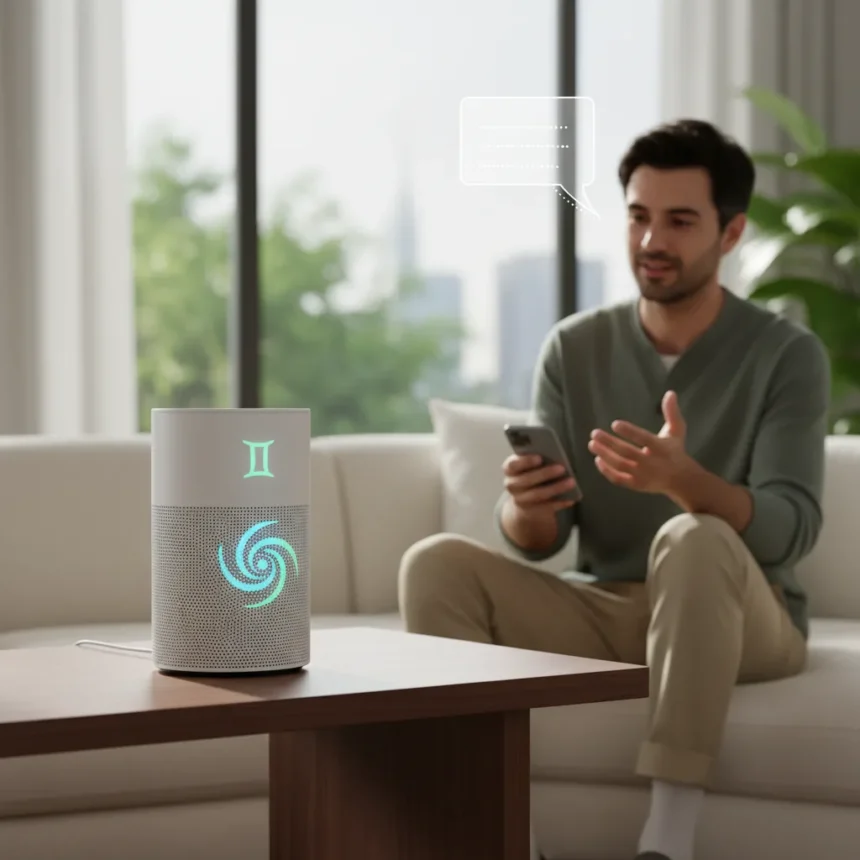
Gemini for Home is Google’s replacement for Google Assistant on smart speakers and displays, now rolling out with Continued Conversation—a feature that keeps the microphone active for a few seconds after your initial request, letting you ask follow-ups without saying “Hey Google” again. This solves a frustration that plagued Google Assistant for years: the need to repeat context or restart conversations entirely.
Key Takeaways
- Continued Conversation keeps the microphone active after requests, allowing follow-ups without repeating the hotword
- Pulsing lights on your device indicate it’s listening and waiting for your next question
- Gemini remembers conversation context better than Assistant, reducing repetition and ignoring background chatter
- Feature rolls out now to all early access users globally in supported languages
- Advanced features like Gemini Live require Google Home Premium at $10/month
How Continued Conversation Changes Gemini for Home
The core appeal is simple: natural conversation without friction. Say “Hey Google, my dishwasher isn’t draining, what should I check first?” Then immediately follow up with “The filter looks good, what should I check next?” without repeating the hotword. Gemini retains the context of your dishwasher problem across both questions, so you’re not starting from zero each time. This is how people expect to talk to AI—like talking to a person, not issuing commands to a device.
Pulsing lights on your speaker or display signal that the device is actively listening and waiting for your follow-up. This visual feedback removes ambiguity about whether you need to say the hotword again. The feature works across Google smart speakers and displays for all household members, including guests.
Compared to the rigid command structure of the original Google Assistant, Gemini for Home represents a fundamental shift. Assistant required you to restart each interaction; Gemini builds conversations. The improved context retention means you spend less time repeating yourself and more time getting actual answers.


Setting Up Continued Conversation on Gemini for Home
Enabling Continued Conversation takes two steps. First, open the Google Home app and navigate to Home Settings, then select Gemini for Home voice assistant, and toggle on Continued Conversation. If you haven’t already upgraded to Gemini for Home, you’ll see an “Introducing Gemini for Home” notification in the app—tap it, then “Get started,” and follow the prompts.
The rollout is happening now for all early access users globally, across supported languages and regions. No extra cost applies to Continued Conversation itself, though some advanced Gemini features do require a Google Home Premium subscription.


Gemini for Home vs. Google Assistant: What’s Actually Different
Google Assistant treated every query as isolated. You’d ask about the weather, then ask about your calendar, and the device wouldn’t remember you’d already mentioned your morning meeting. Gemini for Home changes this. It maintains conversational context, so follow-ups feel natural rather than robotic. The system also ignores background chatter better, reducing false activations when someone in the room mentions a hotword casually.
Gemini Live—accessed by saying “Hey Google, let’s chat” or “Ok Google, let’s chat”—removes the hotword requirement entirely for freeform conversations. You can pause, interrupt, pivot, and follow up without any hotword, just like talking to a person. This mode works on speakers and displays and is included with Google Home Premium.
What Requires Google Home Premium
The Continued Conversation feature is free. However, advanced capabilities like Gemini Live, AI-powered smart home automations, the Home Brief, and video search on Nest Cams require Google Home Premium, which costs $10 per month. The subscription is also included with Google’s AI Pro and Ultra plans.
Gemini for Home itself replaces Assistant on all supported devices at no additional cost. The premium tier is purely for expanded features beyond basic conversation and smart home control.



Better Voices and Real-Time Information
Beyond Continued Conversation, Gemini for Home includes 10 new natural-sounding voices with realistic pacing and intonation. The system uses real-time information to answer contextual questions—not just pulling from outdated indexes. This matters for queries about weather, traffic, or current events where accuracy depends on up-to-the-minute data.
What About the New Google Home Speaker?
Google announced a new Google Home Speaker coming in spring 2026 with next-generation voice recognition and improved natural responses. This device will feature the latest iteration of Gemini technology, though specifics beyond the launch window remain limited. For now, Continued Conversation is available on existing speakers and displays.
FAQ
How do I enable Continued Conversation on Gemini for Home?
Open the Google Home app, go to Home Settings, select Gemini for Home voice assistant, and toggle on Continued Conversation. The feature is rolling out now to all early access users globally.
Does Continued Conversation cost extra?
No. Continued Conversation is included free with Gemini for Home. Some advanced features like Gemini Live and video search require Google Home Premium at $10/month, but basic Continued Conversation has no additional cost.
Can I use Continued Conversation on any Google smart speaker?
Continued Conversation works on Google smart speakers and displays globally in supported languages and regions. If your device supports Gemini for Home, it supports Continued Conversation.
The real win here is that Google finally listened. Years of Google Assistant frustration—the constant need to repeat “Hey Google,” the lack of context, the feeling of talking to a device rather than a conversational partner—get addressed by Continued Conversation. It’s not revolutionary technology, but it’s the kind of fundamental improvement that makes everyday interactions feel less like commanding a robot and more like having a helpful presence in your home. If you’ve been waiting for Google’s smart speakers to feel actually smart about conversation, this feature is worth enabling immediately.
Where to Buy
Edited by the All Things Geek team.
Source: T3