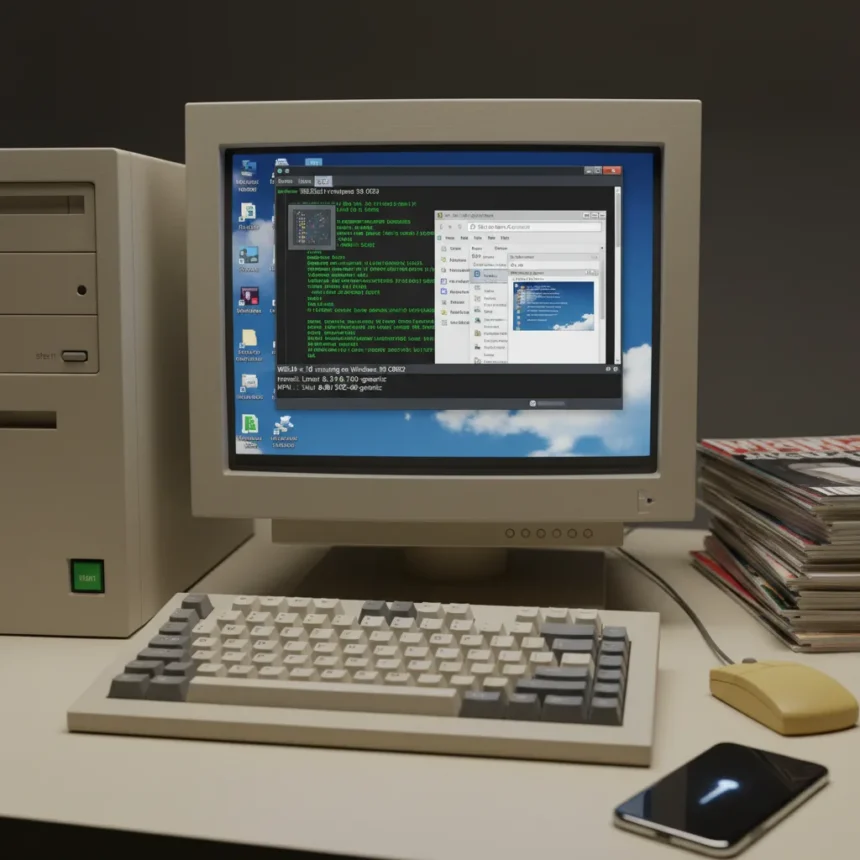
WSL9x is a new tool that enables running modern Linux kernels cooperatively on ancient Windows 95, 98, and ME systems, including those powered by Intel 486 processors, without requiring virtual machines or dual-boot setups. Developed by Hailey and hosted on Codeberg, the project brings WSL-like functionality to hardware that Microsoft abandoned decades ago, letting enthusiasts and preservationists breathe new life into irreplaceable retro machines.
Key Takeaways
- WSL9x runs Linux kernel 6.19 cooperatively on Windows 9x systems back to Intel 486 processors
- Free and open-source; no emulation or virtual machine overhead required
- Terminal-only interface; no GUI support available
- Cooperative execution means if either Windows or Linux crashes, the entire system fails
- Installation instructions available on Hailey’s Codeberg repository for users unable to upgrade ancient hardware
How WSL9x Works on Ancient Hardware
WSL9x achieves modern Linux on Windows 95 through three core technical components working in concert. A patched Linux kernel calls Windows 9x APIs instead of POSIX ones, allowing the kernel to cooperate with the host OS rather than replace it. A virtual device driver (VxD) initializes the environment and handles userspace events like page faults and system calls. A WSL client provides the user interface for interaction. The architecture leverages Win9x memory protection APIs for Linux process mappings, which Hailey describes as solid, enabling reliable process isolation even on 30-year-old hardware.
The cooperative execution model is both the project’s strength and its critical weakness. Windows 9x and the Linux kernel are designed to work together rather than compete for resources, reducing overhead compared to traditional virtualization. However, this tight coupling creates a stability risk: if either the Windows 9x kernel or the Linux kernel crashes, both systems go down together. This is fundamentally different from modern WSL2, where a Linux VM failure does not crash Windows, or traditional virtual machines, where host stability is protected by hardware isolation.
WSL9x vs. Existing Linux-on-Windows Solutions
Several older projects attempted similar goals with different architectural approaches. flinux uses an architecture similar to WSL1, while CoLinux operates more like WSL2 by side-loading a separate Linux kernel. Cygwin provides native POSIX binaries on Windows through lightweight DLLs, avoiding ring 0 modifications entirely but sacrificing kernel-level Linux compatibility. For users unwilling to abandon the Windows 95 desktop entirely, WSL9x offers direct Linux kernel access without the compatibility layers of Cygwin or the resource demands of CoLinux on ancient hardware.


The practical advantage of WSL9x over these alternatives is simplicity and resource efficiency on constrained 486-era systems. A machine with 16 or 32 MB of RAM cannot comfortably run a full virtual machine; WSL9x’s cooperative model requires far less overhead. Cygwin works on Windows 95 but provides only POSIX emulation, not a true Linux kernel. Wine, designed to run Windows software on Linux, is irrelevant to users trying to keep their Windows 95 systems alive. For preservationists and retro computing enthusiasts, WSL9x fills a genuine gap.
Terminal-Only Interface and Real-World Limitations
WSL9x offers no graphical user interface—users must work entirely from the command line. This is not a limitation of the current implementation but an inherent constraint of running modern Linux on Windows 95 hardware. Porting X11 or Wayland to Windows 9x would require solving compatibility problems that simply do not exist in the WSL9x brief. For developers, system administrators, and enthusiasts who spent the 1990s comfortable in DOS and early Windows shells, terminal-only access is not a hardship. For users accustomed to modern Linux desktops, it is a significant step backward.



The practical use cases for WSL9x are narrow but real. A 486 running Windows 95 with WSL9x can run modern command-line tools, compile code, run scripts, and access modern development environments without abandoning the original hardware. Someone maintaining legacy embedded systems or preserving a museum-quality retro setup can now use a period-correct machine as an actual development tool rather than a display piece. This is genuinely useful for a small but dedicated community.
Installation and Availability
WSL9x is free and open-source, hosted on Codeberg for anyone to download and install. Hailey provides detailed installation instructions on the project repository, though the brief does not specify the exact steps. Users unwilling or unable to upgrade ancient Windows 9x machines can follow those instructions to enable Linux on their hardware. The project was newly released around April 2026, making it a recent addition to the retro computing toolkit.
Is WSL9x stable enough for daily use?
WSL9x’s cooperative crash model means stability is a genuine concern. If either Windows 95 or the Linux kernel encounters a fatal error, the entire system crashes. This makes WSL9x suitable for experimentation and preservation but risky for critical work. Users should treat it as a proof-of-concept rather than a production tool on irreplaceable hardware.
Can I run GUI applications on WSL9x?
No. WSL9x is terminal-only with no graphical interface support. Users must work entirely from the command line, similar to using Linux over SSH or in a headless server environment.



What hardware does WSL9x support?
WSL9x supports Windows 95, 98, and ME systems back to Intel 486 processors. This covers most consumer hardware from the mid-1990s. Newer systems running these operating systems will also work, though there is no compelling reason to run Windows 95 on modern hardware when better options exist.
WSL9x is a remarkable achievement in reverse engineering and retro computing, proving that modern Linux kernels can cooperate with ancient operating systems. For the niche community of preservationists, collectors, and developers maintaining legacy systems, it opens new possibilities. For everyone else, it is a technical curiosity that highlights how far computing has come in three decades. If you have a 486 gathering dust in a closet and want to explore what modern Linux can do on period-correct hardware, WSL9x is worth trying. Just remember that you are working with experimental software on fragile systems—backup your data and manage expectations accordingly.
Edited by the All Things Geek team.
Source: Tom's Hardware