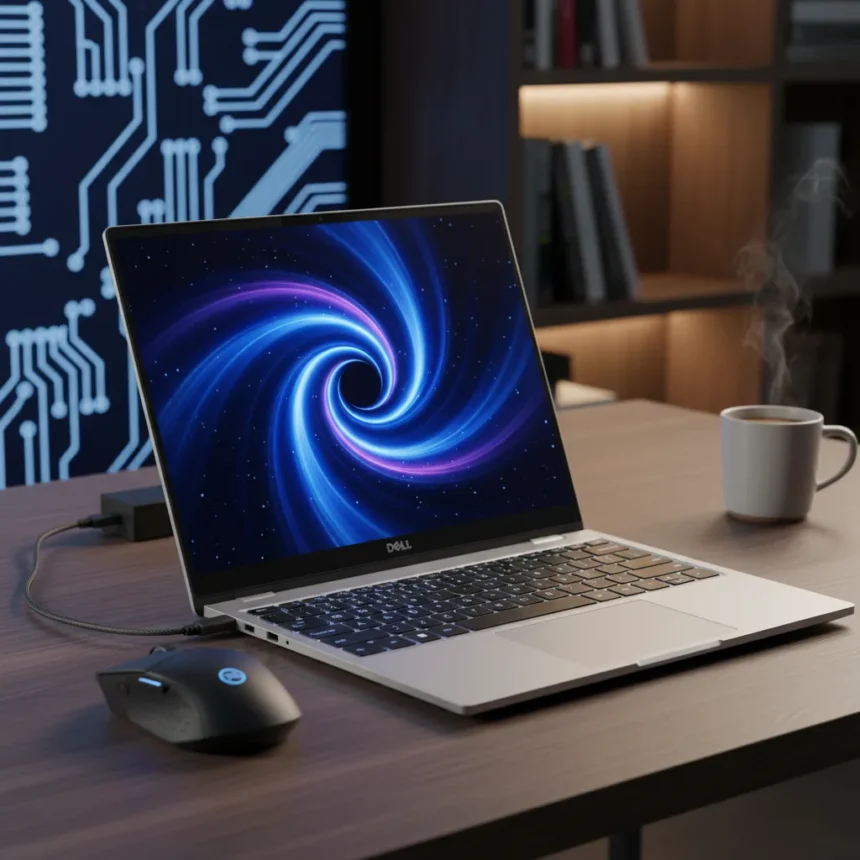
The Dell XPS 14 (2026) is a 14.6mm-thin ultrabook made by Dell, launched in 2026, starting at $1,799 for the base configuration with Intel Core Ultra 7 processor, 32GB LDDDR5x RAM, and 1TB SSD. After years of chasing MacBook Air, Dell has finally stopped copying and started leading. This laptop does not just match Apple’s standard—it sets a new one.
Key Takeaways
- Dell XPS 14 (2026) weighs 3lbs (1.36kg) with up to 27 hours of Netflix streaming battery life
- 16-core Intel Core Ultra 7 processor with new quieter cooling system
- Tandem OLED and 2K display options with variable refresh rates up to 120Hz
- Physical function keys and redesigned haptic touchpad return after years of criticism
- Starting price $1,799, down from $2,049 launch price
Battery Life That Actually Beats MacBook Air
The Dell XPS 14 (2026) claims up to 27 hours of Netflix streaming or over 40 hours of local movie playback. This is not theoretical—it is the kind of endurance that lets you work through a full day, skip a charging session, and still have juice left. For context, this performance gap matters because MacBook Air users have spent years treating their chargers as permanent desk fixtures. The XPS 14 (2026) makes that ritual unnecessary.
Dell’s new cooling system runs quieter than previous generations, which means you get performance without the fan noise that has plagued Windows ultrabooks. Silence and battery life together solve the two biggest complaints about premium Windows laptops. You can attend back-to-back meetings without your laptop sounding like a hairdryer, and you can do it without hunting for an outlet.
Display Technology That Justifies the Price
The Dell XPS 14 (2026) offers two display paths: tandem OLED or 2K with variable refresh rates that range from 1Hz to 120Hz. The OLED option is the one that matters. Tandem OLED delivers the color accuracy and contrast that creative professionals demand, while the variable refresh rate on the 2K option keeps power consumption low during everyday tasks. Neither option is a compromise—they are different solutions for different workflows.


The 14.6mm thickness means Dell did not sacrifice screen real estate for portability. You get a full-size display in a laptop that fits in any backpack. The return of physical function keys, which had been replaced by touch-sensitive strips in previous generations, signals that Dell is finally listening to what professionals actually want. The redesigned haptic touchpad adds tactile feedback without mechanical moving parts, reducing the wear that has plagued previous XPS models.
Processor and Real-World Performance
The 16-core Intel Core Ultra 7 processor handles multithreaded workloads that would throttle older generation chips. This is not a marginal upgrade—it is the kind of leap that lets you keep more browser tabs open, run video calls without dropping frames, and compile code without watching the spinning wheel. The LDDDR5x memory standard means faster data transfer than previous LPDDR5 implementations, which translates to snappier application launches and smoother multitasking.



For Windows ultrabook users, the Dell XPS 14 (2026) represents a genuine inflection point. It is not trying to be a MacBook Air anymore. It is trying to be better, and in battery life and display quality, it succeeds. The $1,799 starting price, down from the $2,049 launch MSRP, makes this laptop competitive with MacBook Air M3 configurations while offering superior battery endurance and a more flexible display ecosystem.
Why This Matters Right Now
The laptop market has stagnated. For three years, the conversation has been MacBook Air versus everything else. The Dell XPS 14 (2026) breaks that binary. It proves that Windows can deliver the polish, reliability, and performance that drove MacBook Air adoption in the first place. The physical keys, the haptic touchpad, the tandem OLED option—these are not gimmicks. They are signals that Dell understands what made MacBook Air dominant and has built something better.
The elephant in the room is software. Windows still ships with bloatware, still requires more maintenance, still crashes in ways that macOS has trained users to forget about. The Dell XPS 14 (2026) cannot fix Windows. But it proves that hardware excellence is no longer the barrier to switching. If you have been waiting for a Windows laptop that does not feel like a compromise, this is it.
Should You Buy the Dell XPS 14 (2026)?
Yes, if you need a Windows laptop that can outlast a full workday without charging and you value display quality enough to justify the price. The tandem OLED option is worth the premium if you do any color-critical work. If you are a MacBook Air user considering the switch, this is the first Windows ultrabook that makes the move feel like an upgrade rather than a sacrifice.



How does the Dell XPS 14 (2026) compare to MacBook Air M5?
The Dell XPS 14 (2026) delivers superior battery life—up to 27 hours versus the MacBook Air’s typical 15-18 hours—and offers display flexibility with tandem OLED and variable refresh rate options. The MacBook Air still has the software advantage and tighter integration between hardware and OS, but the XPS 14 (2026) closes the hardware gap significantly.
What is the weight and thickness of the Dell XPS 14 (2026)?
The Dell XPS 14 (2026) weighs 3lbs (1.36kg) and measures 14.6mm thick. This makes it one of the thinnest and lightest 14-inch laptops available, rivaling MacBook Air in portability while offering superior battery endurance.
The Dell XPS 14 (2026) is the Windows laptop that finally stops apologizing for being Windows. It is thin, light, fast, and it lasts longer than the competition. For anyone tired of MacBook Air’s premium pricing and closed ecosystem, this is the laptop that makes the switch feel right.
Where to Buy
No price information | Apple MacBook Air M5 (2026)
Edited by the All Things Geek team.
Source: T3