





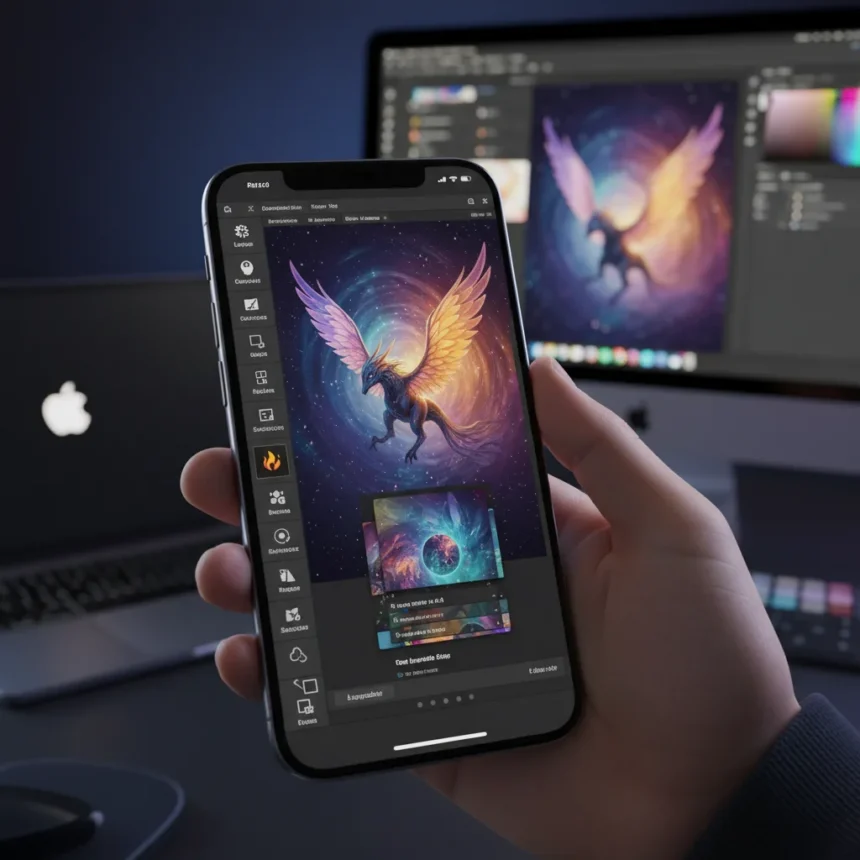
Adobe Photoshop iPhone is no longer just a companion app—it is now a legitimate desktop alternative for serious mobile photographers, complete with generative AI, advanced object selection, and layering capabilities that until recently required a laptop. The upgrade arrives as Apple’s native Intelligence tools gain ground, forcing Adobe to bring its full creative arsenal to the iPhone to remain competitive in the AI-powered editing space.
Key Takeaways
- Adobe Photoshop iPhone now integrates Firefly Image Model 3 for generative fill, background generation, and detail enhancement directly in the app.
- New desktop-class features include robust object selection, advanced layering, and vector art creation—previously iPad-only or desktop-exclusive.
- The free upgrade is available now for Creative Cloud subscribers; Android version coming soon.
- Apple Intelligence already offers basic photo editing like object removal, but Adobe’s approach provides deeper control and more sophisticated AI manipulation.
- Adobe Project Indigo, a free experimental camera app, offers manual controls (ISO, shutter speed, focus, white balance) and advanced noise reduction via 32-frame stacking.
What Adobe Photoshop iPhone Actually Delivers
The redesigned Photoshop for iPhone is not a stripped-down mobile version anymore. It now ships with Firefly Image Model 3, Adobe’s generative AI engine, enabling users to generate backgrounds, fill missing areas, enhance fine details, and create vector art—all within the same interface. The app supports reference images for Generative Fill, meaning you can show the AI what style or composition you want and it will adapt the output accordingly. This level of control has historically been locked behind desktop subscriptions.
Adobe emphasizes delivering more quality, more control, and more consistency in its generative AI tools, and the company marks all AI-edited files for transparency and ethics compliance. Object selection, once a tedious task on mobile, now works with the precision you would expect from desktop Photoshop. Layering support means complex edits no longer collapse into a flat file, preserving your non-destructive workflow even on a 6-inch screen. For photographers who edit exclusively on mobile or travel frequently, this is a material shift in what is possible without a laptop.
How This Threatens Apple’s Native Photo Tools
Apple Intelligence already includes photo editing features in iOS, such as erasing unwanted objects and adjusting composition. However, these tools operate at a surface level compared to what Adobe Photoshop iPhone now offers. Apple’s approach prioritizes simplicity and speed; Adobe’s approach prioritizes depth and creative control. The two philosophies appeal to different users, but the gap between them has narrowed significantly.


The real competitive pressure comes from the ecosystem. Apple bundles photo editing into iOS for free, while Adobe requires a Creative Cloud subscription. However, Adobe Creator Studio—a new bundle combining Final Cut Pro, Logic Pro, Pixelmator Pro, and other apps into a single subscription for Mac, iPad, and iPhone—positions Adobe as a full creative alternative rather than just a photo editor. This bundling strategy directly targets professionals and serious hobbyists who view Apple’s tools as insufficient and would otherwise buy multiple subscriptions. Google’s Magic Editor and Samsung’s AI tools occupy the middle ground, but neither matches Photoshop’s sophistication or Adobe’s ecosystem reach.
Project Indigo: The Camera App That Changes the Game
Alongside Photoshop’s upgrade, Adobe released Project Indigo, a free experimental camera app built by former Google Pixel engineers. Indigo offers manual controls for focus, ISO, shutter speed, white balance, and exposure—features absent from Apple’s native Camera app. The standout feature is 32-frame underexposure stacking, which captures multiple frames at lower exposure and combines them to reduce noise while preserving detail. This technique, borrowed from computational photography, is typically hidden behind the scenes; Indigo exposes it as a user-controlled option.



Adobe targets Indigo at two audiences: casual mobile photographers who want natural SLR-like aesthetics, and advanced photographers who demand manual control and the highest possible image quality. The app is free and requires no Adobe account, lowering the barrier to entry. For users who shoot on iPhone but edit on desktop, Indigo’s manual controls and advanced stacking deliver images that are less dependent on post-processing, reducing the gap between capture and final output.
The Broader AI Photo Editing Race Heats Up
Adobe’s moves reflect a broader industry shift toward AI-powered mobile editing. Apple, Google, Samsung, and Adobe are all competing for the same user: someone who wants sophisticated edits without leaving their phone. Apple’s advantage is integration—photo tools live in iOS and sync smoothly across devices. Adobe’s advantage is depth—Photoshop iPhone now offers capabilities that rival desktop software from just a few years ago. Google Pixel’s computational photography legacy, channeled through Indigo’s engineering team, suggests Google will eventually bring similar manual controls to its own camera app.
The wildcard is whether users will pay for Creative Cloud subscriptions when Apple offers free, native tools. Adobe is betting that professionals and serious enthusiasts will—and that the bundling strategy with Creator Studio makes the subscription feel less like a cost and more like an investment in a complete creative platform. Early adoption will determine whether this gamble pays off.
Should You Download Adobe Photoshop iPhone?
If you are a Creative Cloud subscriber, the answer is yes. The upgrade is free, and the new features are immediately useful for anyone who edits photos regularly on mobile. If you are not a subscriber, the decision hinges on whether you value Photoshop’s advanced tools over Apple’s native options. For casual users, Apple Intelligence is sufficient. For photographers, designers, and content creators, Adobe Photoshop iPhone now justifies a Creative Cloud subscription in ways it did not six months ago.



Is Adobe Photoshop iPhone free?
The app itself is free to download, but full features and updates require a Creative Cloud subscription. Project Indigo, the companion camera app, is completely free and requires no account.
Can I use Adobe Photoshop iPhone without a Creative Cloud subscription?
You can download the app, but advanced features like Firefly generative AI, Generative Fill, and the latest editing tools are restricted to Creative Cloud members. Basic editing capabilities may be available, but the most powerful features require a paid subscription.
When will Adobe Photoshop come to Android?
An Android version is planned but no specific launch date has been announced. The iPhone version is available now.
Adobe Photoshop iPhone represents a turning point in mobile photo editing. For years, mobile apps were simplified versions of desktop software, designed for quick touch-ups rather than serious work. That era is ending. With Firefly AI, advanced object selection, and layering now standard on iPhone, Adobe has created a tool that professionals can rely on without compromise. The question is no longer whether mobile editing can match desktop capabilities—it is whether users will pay for the privilege when free alternatives exist. For Adobe, that bet is worth making.
Where to Buy
This article was written with AI assistance and editorially reviewed.
Source: T3