





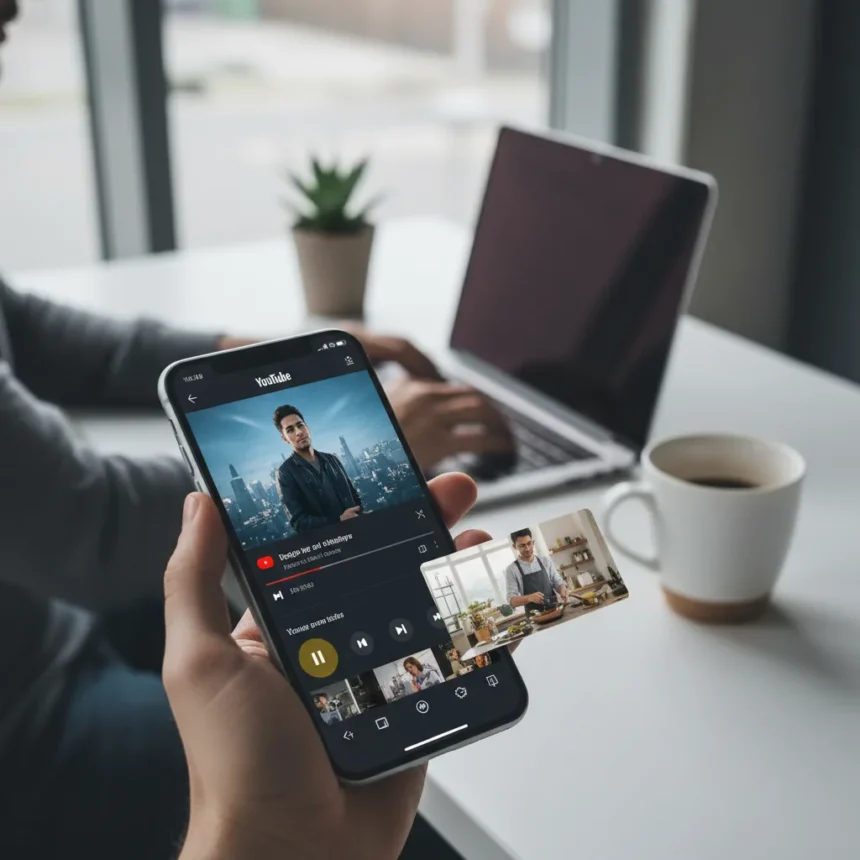
YouTube picture-in-picture mode is rolling out to all users for free, stripping away one of the most compelling reasons to pay for YouTube Premium. The feature, which keeps videos playing in a small resizable window while you use other apps, previously required a Premium subscription costing $14 monthly for individuals or was limited to ad-supported users in the U.S. on Android. Now it’s becoming a universal feature across mobile, browsers, and TV devices globally.
Key Takeaways
- YouTube picture-in-picture mode is now free for all users worldwide, eliminating a Premium-exclusive feature.
- Android 8.0 (Oreo) or later required; PiP activates automatically when pressing the home button during playback.
- iPhone support is coming but remains experimental; browser access available at youtube.com/new.
- YouTube Premium costs $14/month individual, $23/month family, or $8/month for students.
- Free rollout is gradual across 2.5 billion users on mobile, browser, and TV platforms.
How YouTube picture-in-picture mode works
YouTube picture-in-picture mode lets you shrink any video into a floating window, so you can browse other apps without interrupting playback. Start a video, press your device’s home button, and the video automatically resizes to a small window in the lower-right corner. You can drag it around, resize it, or tap to expand it back to full screen. The feature works across YouTube, third-party apps like VLC and Chrome, and is standard on Android 8.0 and later.
On Android, the feature is enabled by default if your device meets the requirements. Go to Settings, tap Apps and notifications, find YouTube, and confirm PiP is active. For iPhone users, YouTube’s browser version at youtube.com/new offers experimental PiP support, though full app integration is still rolling out. Desktop browsers like Chrome also support PiP natively, making it accessible wherever you watch.
Why YouTube is making this free
YouTube Premium has always justified its price tag with exclusive features: ad-free viewing, offline downloads, background play, and picture-in-picture mode. By making PiP free, YouTube is betting that removing one barrier to entry will expand its user base while still keeping Premium subscribers locked into the full feature bundle. The move comes as YouTube rolls out other major upgrades like sleep timers, collaborative playlists, AI video jump tools, and Shorts picture-in-picture for Premium users. The company is essentially saying: you can get PiP for free, but if you want the complete premium experience, the subscription still offers more.


This strategy mirrors how other streaming platforms handle feature tiers. YouTube isn’t abandoning Premium—it’s repositioning PiP as a gateway feature rather than a flagship differentiator. For casual users who just want to multitask with YouTube, the free version is now sufficient. For power users who want ad-free viewing, offline content, and priority feature access, Premium remains the draw.
YouTube picture-in-picture mode versus Premium alternatives
Before this rollout, non-Premium users on Android had limited options. The U.S. ad-supported free tier offered PiP, but most global users had no access. Third-party YouTube clients offered similar multitasking features, including AI-powered video skipping, but they lacked official support and reliability. Now the official YouTube app brings PiP to everyone, eliminating the need to hunt for workarounds or pay the subscription fee.


YouTube Premium still offers advantages: no ads, background play on iOS (which free users lack), offline downloads, and early access to experimental features like Shorts PiP on Android. But for the specific use case of watching videos while doing something else on your phone, the free PiP rollout closes the gap significantly. If you only care about multitasking, Premium becomes a harder sell.
How to enable YouTube picture-in-picture mode on your device
On Android: Open the Settings app, navigate to Apps and notifications, find YouTube in your recently opened apps or under See all apps, and confirm PiP is enabled. The next time you play a video, press your home button to shrink it. On iPhone: Visit youtube.com/new in your browser (logged into your Google account) and use PiP from there; native app support is coming but not yet live. On desktop: Play a video in Chrome or other PiP-supporting browsers, and the feature should work automatically or via a right-click menu option.
The rollout is gradual, so if you don’t see PiP available immediately, it’s likely coming to your account soon. YouTube is rolling this out to its 2.5 billion users over time across mobile, browsers, and TV platforms.
Is YouTube picture-in-picture mode worth canceling Premium over?
If you subscribed to Premium primarily for PiP, yes—cancel and save $14 monthly. If you value ad-free viewing, offline downloads, and background play on iOS, Premium still makes sense. The free PiP rollout solves one problem but doesn’t eliminate the others. For light users who only multitask occasionally, the free tier is now complete enough. For heavy YouTube watchers, Premium remains the better value despite losing this exclusive feature.



When will iPhone users get YouTube picture-in-picture mode?
iPhone support is currently experimental and available only through the browser at youtube.com/new. Full native app integration is coming but no specific date has been announced. YouTube is prioritizing Android first, which has native OS-level PiP support, while iOS integration takes longer to develop and test.
Can you use picture-in-picture mode with YouTube Shorts?
YouTube Premium users on Android in the U.S. can already use PiP with Shorts, and iOS support is coming soon. Free users will eventually get this feature as the rollout expands, though the timeline is unclear.
The free rollout of YouTube picture-in-picture mode is a genuine win for casual users and a calculated move by YouTube to make its platform stickier without sacrificing Premium’s overall value proposition. If you’ve been paying for Premium solely to multitask with videos, you can finally cut that cost. If you’re a Premium subscriber for other reasons, this change doesn’t diminish the subscription’s appeal—it just removes one excuse to avoid YouTube’s ads and limitations.
Edited by the All Things Geek team.
Source: Tom's Guide




