





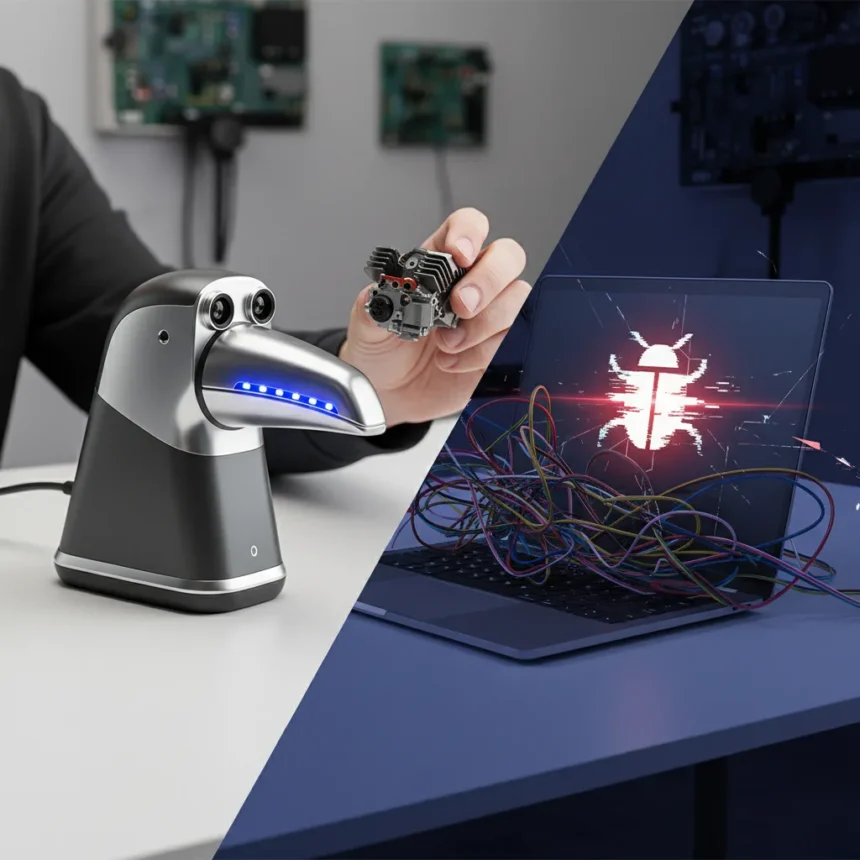
The 3DMakerPro Toucan 3D Scanner is a standalone structured light scanner designed to capture objects ranging from desktop figurines to life-size sculptures without requiring a connected computer. Priced at €1,999, it combines onboard processing, a Class 3R blue laser, and phase-shifting technology to generate detailed point clouds and 3D models directly on the device. The hardware feels premium and the standalone workflow is genuinely useful—but the software tells a different story.
Key Takeaways
- Standalone processing with 32 GB RAM and 256 GB storage eliminates PC tethering entirely.
- Precision reaches 0.03 mm for small objects and 0.10 mm for larger scans.
- Scan area up to 1000×750 mm covers most practical objects and small sculptures.
- Software lacks polish; tracking is distance-sensitive and export reliability is inconsistent.
- Overall score: 7.6/10—strong hardware undermined by software trade-offs.
Hardware Build and Scanning Precision
The 3DMakerPro Toucan feels like a professional tool. Its structured light source uses a blue laser and phase-shifting technology to build high-resolution point clouds quickly. The working distance spans 200 to 1000 mm, giving you flexibility for both close-up detail work and wider object capture. For precision, the scanner delivers 0.03 mm accuracy on small items and 0.10 mm on larger objects—solid performance for most hobbyist and semi-professional applications.
The scan area maxes out at 1000×750 mm, which covers everything from action figures to busts and small sculptures. Onboard hardware includes 32 GB of RAM and 256 GB of storage, meaning you process scans directly on the device rather than uploading to a cloud service or tethering to a laptop. That’s a genuine advantage for field work or studio environments where you want immediate results. The bundle includes tripods and turntables to stabilize objects during scanning.
Color capture is supported on select models, and the device includes AI visual tracking for markerless scanning—no fiducial markers required. This sounds impressive until you actually use it. The tracking is sensitive to distance variation, and during testing, the system lost tracking during scans, forcing restarts and wasting time.


Where the 3DMakerPro Toucan Falls Apart
Software is where the 3DMakerPro Toucan reveals its compromises. The interface lacks polish and the editing tools are sparse compared to what semi-professional users expect. Tracking loss during scanning is frustrating; the AI visual tracking works only when the object stays within a narrow distance band, and slight movements trigger re-scanning. Exporting files over Wi-Fi was inconsistent during testing—sometimes it worked smoothly, other times the connection dropped mid-transfer.
The device requires scanning spray for reflective or shiny surfaces, which adds friction to the workflow and cost over time. Depth of field is limited, meaning you cannot capture complex geometry in a single pass. Color textures come out blurry, so if you need photorealistic color mapping, this is not the tool. The software does receive lifetime OTA updates, which is a nice gesture, but the persistent issues suggest the updates are incremental fixes rather than fundamental improvements.



These are not minor niggles. A 3D scanner that loses tracking mid-scan or fails to export files reliably frustrates users who bought it for professional work. The gap between the hardware’s capability and the software’s execution is the core weakness here.
3DMakerPro Toucan vs. Computer-Dependent Alternatives
The key differentiator is autonomy. Most 3D scanners in this price range require a tethered PC or constant cloud uploads. The Toucan’s onboard processing means you can scan on location, in a studio, or in the field without infrastructure. That workflow advantage is real and matters for professionals who move around or work offline. However, computer-dependent scanners often have more mature software ecosystems and better export reliability because they offload processing to more powerful machines. The Toucan trades some software maturity for hardware portability—a reasonable trade if the software were more stable, but the tracking and export issues undermine that promise.
Should You Buy the 3DMakerPro Toucan?h2>
The 3DMakerPro Toucan scores 7.6/10 overall—respectable but not exceptional. Buy it if you prioritize hardware precision and standalone capability over software polish. The device works best for scanning small to medium objects in controlled environments where you can manage distance and reflectivity. If you need color-accurate textures, complex geometry in a single pass, or rock-solid export reliability, look elsewhere. For field work, event scanning, or studio use where you cannot rely on a PC connection, the Toucan’s autonomy justifies the compromise. For users who can work tethered to a computer, spending €1,999 on a scanner with software this rough is difficult to recommend without reservation.
Does the 3DMakerPro Toucan require a computer?
No. The Toucan is fully standalone. It has 32 GB RAM and 256 GB storage onboard, so it processes scans and generates 3D models without a connected PC. You can export files via Wi-Fi, though export reliability was inconsistent during testing.



What objects can the 3DMakerPro Toucan scan?
The scanner handles objects from desktop figurines to life-size sculptures, with a maximum scan area of 1000×750 mm and working distance of 200 to 1000 mm. Reflective surfaces require scanning spray to avoid tracking loss.
How accurate is the 3DMakerPro Toucan?
Precision reaches 0.03 mm for small items and 0.10 mm for larger objects. These are solid tolerances for most hobbyist and semi-professional scanning work, though the AI tracking’s distance sensitivity can compromise accuracy if the object moves during a scan.
The 3DMakerPro Toucan is a device caught between two worlds. Its hardware is genuinely premium and the standalone workflow removes real friction from the scanning process. But software immaturity—tracking loss, export inconsistency, blurry color output—prevents it from being a clear recommendation at this price point. If you need portability and can tolerate software quirks, it delivers. If you expect professional-grade reliability across the entire pipeline, the gaps are too wide.
Where to Buy
Edited by the All Things Geek team.
Source: Tom's Hardware




