







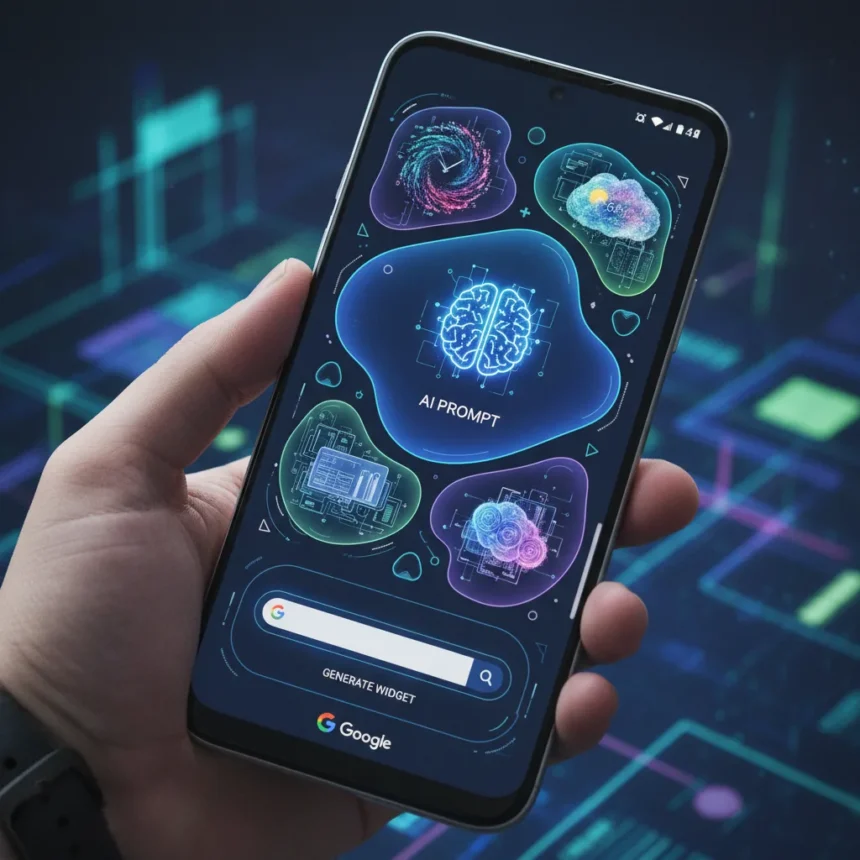
Google’s Create My Widget tool is an AI-powered widget builder arriving with Android 17, letting users generate custom home screen widgets by typing natural language prompts instead of hunting through preset templates. Announced as part of Android 17’s feature set and powered by Gemini AI, the tool represents what Google calls “the first step in generative UI”—a fundamental shift in how users personalize their phones. The feature is currently available in beta through the Android 17 Developer Preview on Pixel 9 series and newer devices, with a stable rollout expected in Q3 2026 for broader OEM adoption across Samsung, OnePlus, and other manufacturers.
Key Takeaways
- Create My Widget generates custom Android widgets using natural language prompts powered by Gemini Nano AI.
- Users can edit generated widgets in real-time, requesting variants or tweaks without rebuilding from scratch.
- Widgets are adaptive and update dynamically based on calendar events, fitness data, and app notifications.
- Android 17 significantly outpaces iOS 27 in widget customization and AI integration capabilities.
- Beta access is live now; stable launch expected October 2026 with global rollout to follow.
How Create My Widget Actually Works
The Create My Widget tool eliminates the friction of traditional widget selection. Instead of scrolling through a gallery of pre-made options, you simply long-press on an empty section of your home screen, tap the new “Create” button (marked with an AI icon), and describe what you want. Say “Weather widget with 5-day forecast and UV index” or “Podcast widget showing my queue and play controls,” and Gemini generates a preview in seconds. Google VP of Product Hiroshi Lockheimer framed it this way: “Create My Widget is the first step in generative UI—imagine telling your phone exactly what you want on your screen, and AI makes it real.” The process is iterative. If the first preview doesn’t match your vision, edit your prompt. Add “in dark mode” or “compact size,” and the tool regenerates without starting over. Once you tap “Add to Home,” the widget integrates with system permissions to pull live data—your calendar, fitness stats, unread emails, or shopping lists synced to Google Keep.
What separates this from simple customization is the adaptive layer. Widgets generated through Create My Widget don’t sit static on your screen. They update in real-time as your data changes. A fitness widget refreshes with new step counts and heart rate readings throughout the day. An email widget refreshes as new messages arrive. This is where the “generative UI” label becomes meaningful—the interface itself is dynamic, not just the data within it.
Why iOS 27 Looks Prehistoric by Comparison
Apple’s approach to widgets has evolved incrementally. iOS 18 and iOS 19 introduced interactive widgets and some AI-powered Siri suggestions, but they remain template-based—you choose from Apple’s pre-designed layouts and fill in your apps. iOS 27, expected to debut at WWDC 2026, is rumored to include a Siri overhaul with enhanced AI capabilities, but no confirmed natural language widget generation has been announced. The gap is architectural. Android 17’s Create My Widget lets you describe an interface and have AI build it. iOS 27 is expected to let you pick a template and customize it within preset parameters. One approach is generative; the other is customizable. The difference matters to power users who want truly personalized home screens, not slightly tweaked versions of what everyone else sees.



Samsung’s Good Lock and One UI 7 offer custom widget modules, but they require manual downloads of individual modules—no AI generation. Nothing OS 3.0 includes adaptive widgets with some AI theming, but lacks the full generative creation pipeline. Microsoft’s Bing Chat widget, recently updated for iOS and Android, adds AI chat to your home screen but focuses on conversational interaction rather than building custom UI elements. None of these alternatives match Create My Widget’s scope.
Availability and What Comes Next
The Create My Widget tool is free with Android 17 and requires compatible hardware with at least 8GB of RAM for full Gemini Nano performance. Beta access is live now for developers and early adopters running Android 17 Developer Preview. The stable release arrives with Android 17 in October 2026, initially on Pixel devices before expanding to Samsung, OnePlus, and other OEMs by Q1 2027. Language support launches with English, Spanish, and French, expanding to 20+ languages at stable release. This timing matters. Android 17 beta is active now, in May 2026. Apple’s WWDC 2026 is expected in June, where iOS 27 details will emerge. Google is establishing a clear lead in AI-powered home screen personalization before Apple has a chance to respond. Whether Apple can catch up depends on how aggressively it pushes generative UI in iOS 27—and whether it can match the speed and flexibility of what Google is already shipping.



Can You Actually Use This Today?
Yes, but with caveats. If you have a Pixel 9 or newer device and you’re willing to enroll in the Android 17 Developer Preview, Create My Widget is available now. The feature is functional and generates usable widgets, though beta software always carries the risk of bugs, crashes, or feature changes before stable release. For mainstream users, waiting for October 2026 is the safer path—that’s when the stable Android 17 launch will bring Create My Widget to a broader audience. If you’re an iPhone user, you’re waiting for WWDC 2026 to see what Apple announces for iOS 27, and even then, generative widget creation is not confirmed.
Is Create My Widget limited to Pixel devices?
Currently, yes—beta access is exclusive to Pixel 9 series and newer. However, the stable Android 17 release in October 2026 will expand availability to Samsung, OnePlus, and other manufacturers running Android 17. By Q1 2027, most flagship and mid-range Android devices should support the feature.
What if the generated widget doesn’t look right?
You can edit your prompt and regenerate. Long-press the widget after placing it, select “Edit Prompt,” refine your description, and tap regenerate. You can also request variants—ask for “dark mode” or “larger text”—without deleting and recreating the widget from scratch.
Does Create My Widget work offline?
Gemini Nano runs on-device where possible, enabling some functionality without internet. However, generating new widgets and accessing live data sources (calendar, email, fitness apps) requires an active connection. Offline performance will depend on your device’s RAM and Gemini Nano implementation.

Google’s Create My Widget tool is the clearest sign yet that Android is winning the home screen personalization war. It’s not just a feature—it’s a philosophical shift from “pick what we built” to “tell us what you want, and we’ll build it.” iOS 27 has a lot to prove when Apple finally shows its hand at WWDC. For now, Android users get to experience the future first.
Where to Buy
Samsung Galaxy S26 | Samsung Galaxy S26 Plus | Samsung Galaxy S26 Ultra
Edited by the All Things Geek team.
Source: TechRadar


