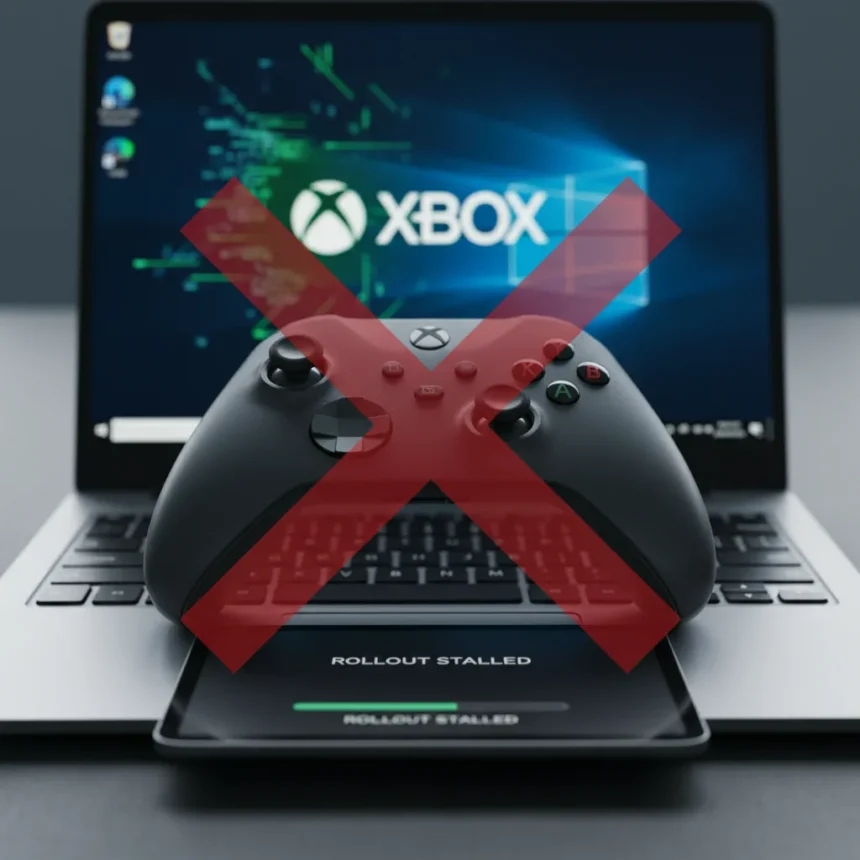
Windows 11 Xbox mode is a dedicated gaming interface that Microsoft has promised for months, but it’s vanishing for users who expected it to arrive with the latest updates. The feature, which offers a console-like experience with Game Bar enhancements, Xbox Cloud Gaming access, and deeper console integration, began rolling out to Windows Insiders in late April 2026. Yet even after installing the newest preview builds and checking for updates multiple times, many users find Xbox mode still absent from their systems.
Key Takeaways
- Windows 11 Xbox mode is rolling out to Insiders in Beta and Dev channels but remains unavailable for 20-30% of eligible users.
- The feature requires build 22631.5360 or later for 24H2, or equivalent 25H2 preview builds to appear.
- Microsoft confirmed the rollout is phased and server-side controlled, meaning availability depends on A/B testing, not just updates.
- Manual enabling via feature flags or Xbox app settings may be necessary even after updating.
- Stable release is expected in Windows 11 25H2, arriving October 2026 as Windows 10 support ends.
Why Windows 11 Xbox mode is stuck in limited rollout
The core reason Xbox mode remains missing for many Insiders comes down to Microsoft’s phased, server-side rollout strategy. Even if you’ve installed the latest preview build and run Windows Update multiple times, Microsoft is deliberately holding back the feature for segments of users as part of its A/B testing process. This means your PC might meet all the technical requirements—the right build number, the updated Xbox app, the latest Gaming Services—yet still not qualify for activation on Microsoft’s backend.
Approximately 20-30% of Windows Insiders report installation failures or incomplete feature enablement, according to aggregated complaints on Reddit’s r/WindowsInsiders and Microsoft’s Feedback Hub as of May 2026. Microsoft acknowledged this in their Windows 11 Insider blog on May 10, 2026, stating that phased rollout and server-side activation controls are intentional. The company is testing the feature’s stability and performance across different hardware configurations before pushing it wider. This cautious approach makes sense given Windows 11’s history of update problems, but it also means patience is mandatory—no amount of troubleshooting will unlock the feature if your account hasn’t been selected for the current wave.
How to check if Windows 11 Xbox mode is available to you
Start by verifying you’re running the right build and that all components are current. Open Settings, navigate to Windows Update, and check for updates; install any optional or preview updates, particularly KB5086672 or later for 25H2 builds. Next, open the Microsoft Store, go to Library, and ensure both the Xbox app and Gaming Services are updated to version 2404.1001.0.0 or newer. Restart your PC, then press Windows + G to open Game Bar and look for an Xbox Home tile or option to pin it to your taskbar.


If Game Bar shows no Xbox option, open the Xbox app directly. Tap your profile icon, navigate to Settings, and scroll to Features. If Xbox Mode appears as a toggle, enable it. If it doesn’t appear at all, your account hasn’t been selected for the rollout yet—waiting is your only option. Some users report that signing out of their Xbox account, restarting the app, and signing back in triggered availability, so that’s worth trying before you assume you’re blocked.
Troubleshooting steps for missing Windows 11 Xbox mode
If you’re certain you’re in the Beta or Dev channel and your build number is correct, but Xbox mode still refuses to appear, try these targeted fixes. Run the Windows Update Troubleshooter by going to Settings, System, Troubleshoot, Other troubleshooters, Windows Update, and selecting Run. This can resolve hidden update failures that prevent optional features from activating.



Next, reset the Xbox app itself. Go to Settings, Apps, Installed apps, find Xbox, click the three-dot menu, select Advanced options, and choose Reset. This clears cached settings that might block feature detection. If that doesn’t work, open PowerShell as Administrator and run: Get-AppxPackage xbox | Remove-AppxPackage. Then reinstall the Xbox app from the Microsoft Store. Sign out of your Xbox account in the app, restart your PC, and sign back in—sometimes the account state needs to refresh for server-side features to activate.
For advanced users willing to experiment, ViveTool can manually enable feature flags. Download ViveTool from GitHub, extract it, open PowerShell as Administrator in that folder, and run: vivetool /enable /id:4531271107253952. Restart your PC and check Game Bar again. This bypasses some of Microsoft’s controls, though it’s not guaranteed to work if your account genuinely hasn’t been selected for rollout yet.
When will Windows 11 Xbox mode reach everyone?
Microsoft has not announced a specific date for the stable release, but the feature is expected to arrive in Windows 11 25H2, which is scheduled for October 2026. That timing is significant because Windows 10 support ends in October 2026 as well, so Microsoft is likely coordinating the full Xbox mode launch with the final push to migrate users away from the aging OS. Until then, only Windows Insiders in the Beta and Dev channels will see it, and even they’ll experience the phased rollout delays.
The feature itself is free for all Windows 11 users—there’s no additional cost beyond an Xbox Game Pass subscription if you want to use Xbox Cloud Gaming. Cloud Gaming is available as part of Xbox Game Pass Ultimate, priced at $16.99 per month in the US. Regionally, Xbox Live accounts are free to create worldwide, so availability should be global once the stable rollout begins.


How does Windows 11 Xbox mode compare to existing gaming interfaces?
Steam’s Big Picture Mode offers a similar console-like interface for PC gaming, but it’s entirely Steam-focused and lacks native Xbox integration or cloud gaming. NVIDIA’s GeForce Experience provides Game Bar-like overlay features, but they’re tied to NVIDIA GPUs and don’t offer universal taskbar integration the way Xbox mode does. PlayStation’s app on Windows includes remote play and trophy tracking, but it has no direct Windows taskbar presence and no equivalent to Game Bar. Xbox mode’s advantage is its tight integration with Windows itself—it lives in the taskbar and Start menu, making Xbox services feel native to the OS rather than bolted on as a third-party app.
Why is Windows 11 Xbox mode taking so long to roll out?
Microsoft’s caution likely stems from Windows 11’s troubled update history. The OS has seen multiple emergency patches, broken updates, and compatibility issues since launch. By testing Xbox mode gradually across different hardware and user configurations, Microsoft is trying to avoid a repeat of those problems. The feature touches core Windows components—Game Bar, cloud services, account integration—so a botched rollout could affect millions of users. Phased deployment is slower, but it’s safer.
Can I force Windows 11 Xbox mode to appear on my PC?
Not reliably. While ViveTool can enable the feature flag, that doesn’t guarantee the feature will function if Microsoft’s servers haven’t activated it for your account. The backend controls are separate from the local feature flags, so you might enable the flag, see Xbox Mode appear in settings, but find that it doesn’t actually work because your account lacks server-side authorization. Forcing it can sometimes cause crashes or incomplete functionality. Your best bet is to confirm you’re on the right build, update everything, try the troubleshooting steps above, and then wait for Microsoft’s next rollout wave.
Will Windows 11 Xbox mode work without an Xbox account?
No. Windows 11 Xbox mode requires an Xbox Live account login to function. Creating one is free and takes minutes, but you cannot use the feature without signing in. If you don’t have an Xbox account, you’ll need to create one before Xbox mode becomes available to you.
Windows 11 Xbox mode is coming, but the phased rollout means frustration is part of the experience for now. Check your build number, update everything, and if Xbox mode still doesn’t appear, your account simply hasn’t been selected yet. Microsoft will expand availability over the coming months, with full stable release expected alongside Windows 11 25H2 in October 2026. Until then, patience and periodic troubleshooting are your only weapons.
Edited by the All Things Geek team.
Source: TechRadar