





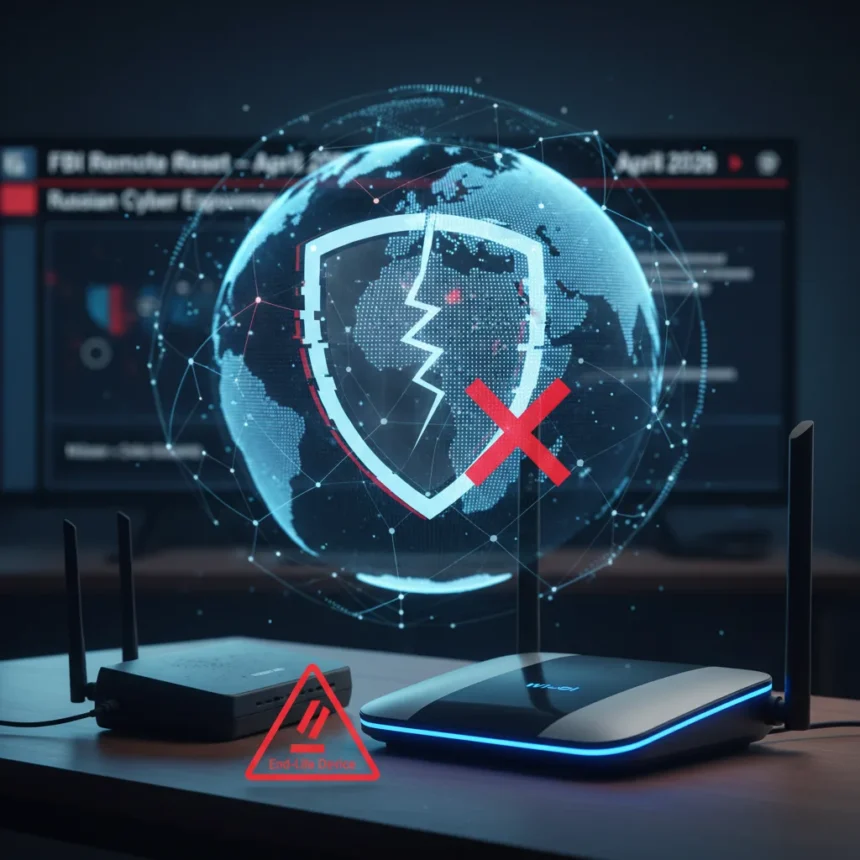
The FBI router reset in April 2026 marked an unprecedented federal intervention into home network security, but it also exposed a fundamental weakness in how Americans protect their digital infrastructure. On April 7, the FBI Boston field office, working with the NSA, disclosed that they had remotely reset approximately 5,000 compromised home and small office routers across more than 23 US states. The operation, called Operation Masquerade, was authorized by court order to sever access by Russia’s GRU Unit 29155—also known as APT28, Fancy Bear, or the 85th Main Special Service Center—which had been systematically exploiting router vulnerabilities since at least 2024.
Key Takeaways
- The FBI remotely reset ~5,000 US home and small office routers compromised by Russian GRU Unit 29155 in April 2026.
- Russian hackers targeted routers to intercept credentials, authentication tokens, and sensitive communications since 2024.
- TP-Link routers were explicitly identified as targets, with multiple models flagged by the UK’s NCSC.
- Routers reset to factory defaults remain vulnerable because they no longer receive security updates from manufacturers.
- Users must immediately replace end-of-life routers and enable automatic firmware updates on new devices.
What Operation Masquerade Actually Accomplished
The FBI router reset was a temporary measure, not a permanent fix. Federal agencies obtained a court order to remotely reset thousands of infected devices to factory defaults, severing the Russian GRU’s immediate access. However, this action addressed only the symptom, not the disease. Because the affected routers—particularly older TP-Link models and similar devices from vendors no longer providing updates—no longer receive security patches, they remain vulnerable to reinfection. The Russians can simply exploit the same vulnerabilities again, turning the reset into a temporary reprieve rather than a lasting solution.
The scale of the operation underscores the severity of the threat. More than 200 organizations across the US were affected alongside the 5,000 home devices, meaning the campaign targeted both individual consumers and small businesses. The routers had been silently compromised for months, allowing the GRU to intercept credentials, authentication tokens, and sensitive communications. This was not a ransomware attack or a data theft—it was espionage infrastructure, quietly sitting inside American networks and harvesting intelligence.
Why Your Router Matters More Than You Think
Most people treat their router like a utility—plug it in, forget it exists, replace it only when it stops working. The FBI router reset reveals why this approach is dangerous. Your router sits at the boundary between your home network and the internet, meaning a compromised device gives attackers access to everything: your laptop, phone, smart home devices, and any credentials you enter while connected. A hacked router can intercept banking logins, steal two-factor authentication codes, and eavesdrop on encrypted traffic by manipulating DNS responses or performing man-in-the-middle attacks.


The Russian campaign specifically targeted SOHO (small office, home office) routers because they are often overlooked. Consumers rarely update firmware, default credentials remain unchanged, and remote management features are frequently left enabled. TP-Link routers were singled out in the FBI operation, with the UK’s National Cyber Security Centre explicitly flagging multiple models as compromised. This does not mean TP-Link routers are uniquely insecure—rather, they were the preferred target because of their market share and the specific vulnerabilities the GRU had already weaponized.
The Uncomfortable Truth: End-of-Life Routers Cannot Be Saved
The FBI router reset forced a hard truth into the open: if your router no longer receives security updates from the manufacturer, it is not a router anymore—it is a liability. Routers that have reached end-of-life status will never receive patches for new vulnerabilities, meaning they are permanently vulnerable to any attack that exploits unpatched flaws. The Russians can exploit the same vulnerabilities again because the underlying security gaps remain unfixed.

This creates a cruel calculus for consumers. The FBI reset your router to factory defaults as a courtesy, but without ongoing firmware updates, you are back where you started. Replacing the device immediately is not optional—it is essential. If you own a TP-Link router that no longer receives updates, or any SOHO router from a vendor that has discontinued support, you need a replacement now. Entry-level routers from vendors actively supporting their products with regular firmware updates are widely available and cost between $50 and $150, but the cost of inaction—exposure to Russian espionage—is far higher.
Immediate Steps to Secure Your Router
If your router was not affected by the FBI reset, or if you have already replaced it, follow these steps to prevent future compromise. First, reboot your router by unplugging it from power, waiting 30 to 60 seconds, and plugging it back in. This clears any temporary malware from memory, though it will not remove persistent compromises. Log into your router’s admin panel through the manufacturer’s app, web interface, or settings portal.
Second, check for and install any available firmware updates immediately. Most modern routers allow you to enable automatic firmware updates, which should be your default setting. This ensures you receive security patches as soon as the manufacturer releases them, closing vulnerabilities before attackers can exploit them. Third, change your default admin username and password to something strong—at least 16 characters, with a random mix of letters, numbers, and symbols, and never reused across other accounts.
Fourth, disable remote management and remote access features. These settings allow you to manage your router from outside your home network, which sounds convenient but creates a direct pathway for attackers. Disable them unless you have a specific, documented reason to enable them. If your router is end-of-life and no longer receives updates, skip these steps and replace it immediately. You cannot patch a device that the manufacturer has abandoned.



Why This Happened: The SOHO Router Weakness
The FBI router reset targets a known weakness in home network security: SOHO routers are the forgotten devices of the internet. Unlike smartphones, laptops, or tablets, which users update regularly, routers sit in a closet or on a shelf, silently running outdated firmware for years. Manufacturers discontinue support after a few years, leaving millions of devices permanently vulnerable. The Russian GRU recognized this gap and weaponized it, knowing that thousands of routers would never be patched and could be exploited indefinitely.
The campaign also exploited a behavioral weakness: default credentials. Many users never change the factory-default admin username and password, making routers trivial to compromise once an attacker gains network access. Remote management features, left enabled by default on some models, provide direct attack vectors. These are not sophisticated zero-day exploits—they are basic hygiene failures at scale, affecting thousands of devices simultaneously.
What Happens Next?
The FBI router reset is a temporary disruption, not a permanent solution. The Russians will continue targeting SOHO routers because the underlying vulnerabilities remain unfixed and millions of end-of-life devices are still in use. The real change must come from manufacturers, who need to extend security update support beyond a few years, and from consumers, who need to treat router replacement as seriously as they treat smartphone upgrades.
For now, the FBI and NSA are asking everyone to secure their routers, update firmware, and replace end-of-life devices immediately. If you received a router reset notification, or if you simply have not updated your router in years, treat this as a wake-up call. Your router is not a set-and-forget device—it is a critical piece of infrastructure that requires active maintenance. The FBI router reset proved that federal agencies will intervene when home networks become espionage infrastructure, but you should not wait for a court order to protect your own network. Act now.
Did the FBI router reset remove all Russian malware from my device?
The reset removed the GRU’s immediate access by returning routers to factory defaults, but it did not patch the underlying vulnerabilities. If your router no longer receives security updates, the Russians can reinfect it using the same exploits. Replacement is the only permanent solution for end-of-life devices.
How do I know if my router was affected by Operation Masquerade?
The FBI reset routers silently without notifying most users. If your router was reset to factory defaults unexpectedly in early April 2026, it was likely affected. Check your router’s admin panel for a recent reset timestamp, or contact your router’s manufacturer to confirm whether your model was targeted.
Should I replace my router even if it was not mentioned in the FBI operation?
If your router no longer receives firmware updates from the manufacturer, yes. End-of-life routers are vulnerable to any unpatched exploit, not just the ones the Russians used. Replacement ensures you receive ongoing security patches and protection against future threats.
The FBI router reset was a rare moment of federal visibility into home network security, but it should not have required a court order to prompt action. Your router is the gateway to your digital life—treat it with the same security discipline you apply to your phone and computer. Update firmware regularly, replace end-of-life devices, and change default credentials. The Russians proved that home networks matter. Now prove that you do too.
Edited by the All Things Geek team.
Source: TechRadar