






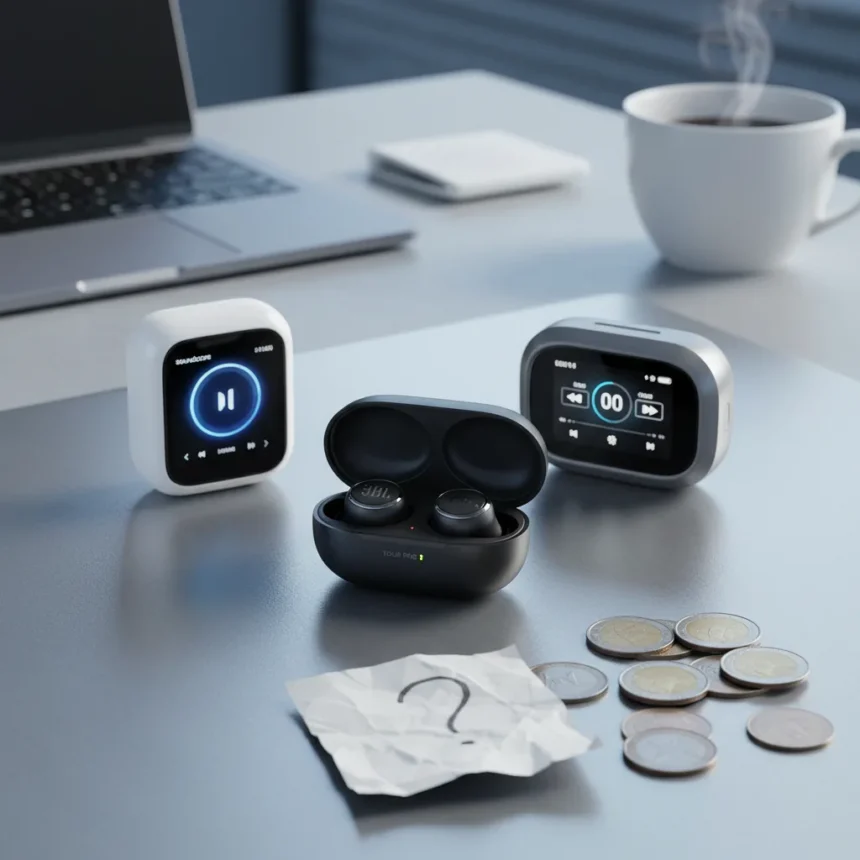
Touchscreen earbud cases are popping up on more models every season, from JBL’s Live series to Anker’s Soundcore lineup. But after testing multiple versions, one question keeps surfacing: are these screens solving a real problem, or just adding cost to products that already work fine without them?
Key Takeaways
- JBL Live 4 series expanded touchscreen case features with enhanced controls and customization options.
- Touchscreen cases let users adjust ANC, EQ, and volume directly without opening a phone app.
- Anker Soundcore earbuds also feature touchscreen cases for playback and noise-cancellation control.
- Some reviewers describe the feature as “more like a gimmick than an innovation.”
- The real value depends on whether you actually need quick case access to audio settings.
Why Brands Are Adding Screens to Earbud Cases
The appeal is straightforward: a touchscreen on your charging case lets you tweak audio settings without pulling out your phone. JBL’s approach with the Live 4 series demonstrates this logic. Earlier JBL touchscreen cases already offered quick access to active noise cancellation, equalizer adjustments, and volume control. The Live 4 generation took it further, adding what JBL calls “even more features, controls, and customization options” to the Smart Charging Case software. If you’re tired of digging through app menus, the promise makes sense.
Anker’s Soundcore earbuds follow the same playbook, using touchscreen cases to let users control playback, switch EQ presets, toggle noise-cancellation modes, and customize other features. The pattern is clear: manufacturers see the charging case as unused real estate and are turning it into a secondary control hub.
The Gimmick Question: Does the Feature Deliver Real Value?
Here’s where skepticism enters. Having “an overwhelming number of audio applications” on your phone makes the case screen appealing at first—you avoid app clutter and get instant access to the controls you use most. But that convenience comes with a catch: the case screen is small, requires learning a new interface, and adds another device you need to keep charged and functional.


TechRadar’s broader testing reinforces this doubt. One reviewer described a similar case-display feature as “more like a gimmick than an innovation,” noting that the novelty factor—like playing Flappy Bird on a charging case—felt disconnected from the core job of the earbuds. The JBL Live Beam 3 offers a color touchscreen that lets you set custom wallpapers pulled from your phone photos, with the image flipping to stay upright when you open the case. Fun? Sure. Essential? Harder to justify.
The real question isn’t whether touchscreen cases are cool—they demonstrably are. It’s whether they solve a problem most users actually face. If your phone is already in your hand, opening an app takes seconds. If your phone is across the room, you probably don’t need to adjust your EQ anyway.



Touchscreen Cases vs. the App-Based Alternative
Traditional earbud control relies on your smartphone app, which offers deeper customization and a larger screen for tweaking settings. Touchscreen cases trade that depth for speed and convenience, but only if you’re the type of user who constantly adjusts settings on the fly. For listeners who set their preferences once and leave them alone, the case screen adds cost without benefit.
JBL and Anker are betting that enough users want that speed boost to justify the added complexity. Maybe they’re right. But the skepticism from reviewers who’ve tested multiple versions suggests the feature is still searching for its killer use case. Until that emerges, touchscreen earbud cases remain a “nice to have” rather than a “need to have.”
Is a touchscreen earbud case worth the extra cost?
Only if you frequently adjust audio settings and find app navigation annoying. For most listeners who set their preferences once, the touchscreen adds expense without solving a genuine pain point. The convenience factor matters most if your phone is consistently unavailable or if you use multiple audio profiles throughout the day.
What can you actually do on a touchscreen earbud case?
Depending on the model, touchscreen cases let you control playback, adjust active noise cancellation, tweak equalizer settings, and customize other audio features. Some models, like the JBL Live Beam 3, add cosmetic options like custom wallpapers. The exact capabilities vary by brand and generation.



Are touchscreen earbud cases the future of audio?
Probably not in their current form. While more brands are adding the feature, reviewers remain unconvinced that touchscreen cases represent a meaningful evolution in earbud design. The feature works best as a convenience option for power users, not as a universal upgrade that changes how most people interact with their earbuds. Until manufacturers solve the real friction points—battery life, durability, and intuitive interface design—touchscreen cases will likely stay a niche feature rather than become the standard.
Edited by the All Things Geek team.
Source: TechRadar




