




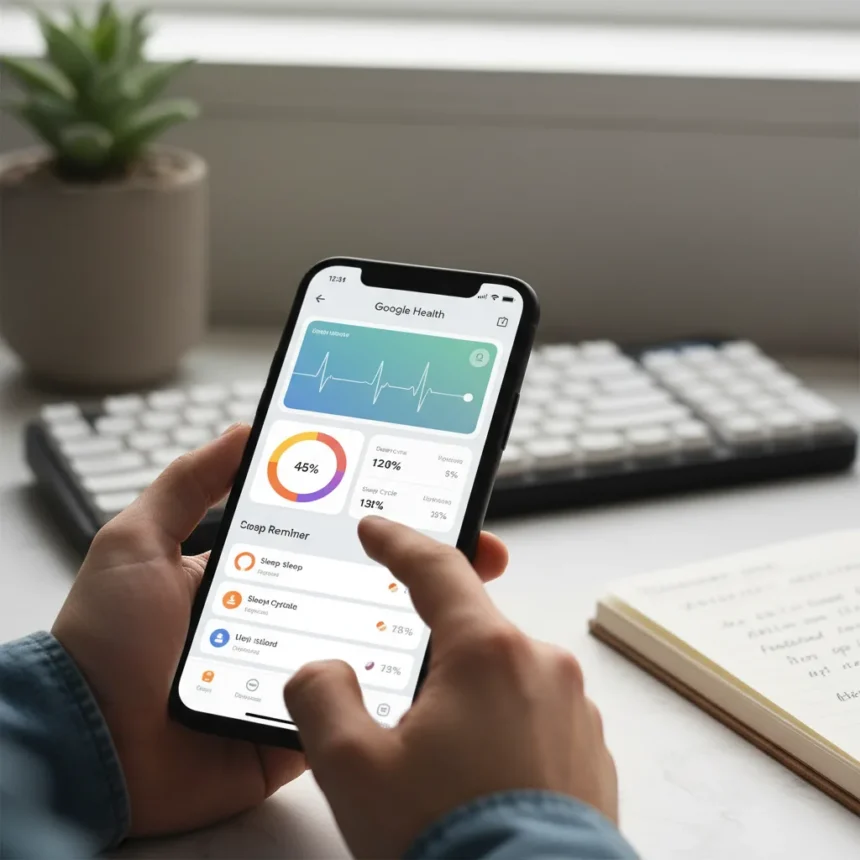
The Google Health app customizations available in the redesigned Fitbit interface give longtime users a fighting chance to make the rebrand feel less like a forced migration. When the Fitbit app transitions to Google Health on May 19, the Material 3 Expressive design and reorganized dashboard will feel unfamiliar to anyone who spent years navigating the old layout. But the new app isn’t locked into a one-size-fits-all experience—if you know where to dig, you can reshape it to match how you actually track fitness and health.
Key Takeaways
- Google Health app customizations let you pin favorite metrics to the Today tab for instant visibility.
- The floating Ask Coach button provides AI-powered advice on workouts, sleep, and medical history anytime.
- You can sync Google Health with MyFitnessPal to continue logging meals without switching apps.
- Barcode scanning via photo offers a free alternative to MyFitnessPal’s paid barcode feature.
- Health Premium costs $9.99/month or $99.99/year, with the annual plan representing a $20 increase.
Pinning Your Most-Watched Metrics to the Top
The Today tab in Google Health app customizations starts with generic focus metrics, but you’re not stuck with them. The app lets you choose which metrics matter most and pin them to the dashboard for an at-a-glance view of your progress. Instead of scrolling through cards to find your step count, sleep duration, or cardio load, your chosen metrics sit right at the top where they’re impossible to miss. This single change transforms the Today view from a corporate-designed default into a personalized health snapshot.
Why does this matter? Because different people care about different things. A runner obsesses over cardio load. A sleep-focused user wants duration and quality front and center. Someone managing a health condition might prioritize a specific metric tied to their condition. By letting you customize the focus metrics, Google Health app customizations acknowledge that health tracking isn’t one-size-fits-all. The redesigned interface uses vibrant icons and large cards, but those cards are yours to arrange.
Leveraging the Always-On Ask Coach Button
The floating Ask Coach button is the most underrated feature in Google Health app customizations—it’s always accessible, always ready, and it changes how you interact with your health data. Instead of staring at a metric and wondering what it means or how to improve it, you can ask the AI Health Coach directly. The coach responds with suggestions and source links, not generic wellness platitudes.


What can you actually ask? Sleep advice, workout questions, nutrition guidance, and even interpretations of your medical history if you’ve synced those details. The coach can also adjust your workout schedule or cardio load if travel or other life events throw your routine off balance—it can remove a planned workout for a week without resetting your entire plan. This level of adaptation is something the old Fitbit app couldn’t do. The Health Coach can also flag recent test results that fall outside normal limits, giving you a heads-up if something in your medical data needs attention. It’s not a replacement for talking to your doctor, but it’s a useful early warning system.
Syncing With MyFitnessPal to Keep Your Workflow Intact
One of the smartest Google Health app customizations is the ability to sync with MyFitnessPal, letting you keep logging meals where you’re already comfortable without forcing a switch to Google’s nutrition interface. If you’ve been using MyFitnessPal for years and know its barcode scanner, your habits, and its interface, you don’t have to abandon it. The nutrition values you log in MyFitnessPal populate correctly in Google Health, creating a unified view without the friction of learning a new app.



But there’s a catch: MyFitnessPal’s barcode scanning is a premium feature, and not everyone wants to pay for it. Google Health app customizations include a workaround—you can take a photo of a food barcode, and the app will recognize it. It’s not as frictionless as a dedicated scanner, but it’s free and it works. For users who’ve resisted upgrading to MyFitnessPal Premium, this is a meaningful alternative that keeps you from feeling locked into paid features.
Customizing Workouts and Sending Runs to Your Watch
The workout experience in Google Health app customizations gives you flexibility the old Fitbit app lacked. You can follow a suggested workout exactly as written, or you can edit it to match your fitness level, available time, or current mood. If the app suggests a 45-minute run but you only have 30 minutes, you can modify it. If a strength workout includes exercises you can’t do, you can swap them out.
Once you’ve customized a workout, you can start it directly in the app or send it to a Pixel Watch for wrist-based tracking. The app also auto-tracks workouts detected by your watch or phone, then confirms them with you so you don’t end up logging a walk to the mailbox as cardio. This combination of flexibility and automation makes Google Health app customizations feel less restrictive than the previous interface.
What About Medical History Integration?
Google Health app customizations include the ability to sync medical history details—test results, diagnoses, medications—directly into the app. You control what gets synced, and Google says the data is securely stored. The Health Coach can reference your medical history when you ask questions, providing context-aware advice rather than generic suggestions. If a recent test result flags as outside normal limits, the coach surfaces it. This integration sounds clinical, but it’s actually practical: instead of juggling separate health apps and paper records, your medical timeline lives alongside your fitness data.


Is Google Health Premium worth the cost?
Health Premium costs $9.99 per month or $99.99 per year. The annual plan represents a $20 increase compared to previous pricing. If you’re a Google AI Pro or Ultra subscriber, Health Premium is included free in over 30 countries. For most users, the basic tier—which includes activity tracking, sleep tracking, health tracking, and manual wellness logging—is sufficient. Premium adds advanced coaching and deeper integrations, but the Google Health app customizations available in the free tier already give you significant control.
Can you sync Google Health with other apps besides MyFitnessPal?
Yes. Google Health works with Health Connect, Google Health APIs, Apple Health, Peloton, and MyFitnessPal. This ecosystem approach means you’re not locked into a Google-only workflow. If you use Peloton for cycling or Apple Health on an iPhone, Google Health can pull data from those platforms and give you a unified view of your fitness across devices and services.
What happens to my old Fitbit data after the rebrand?
Your data carries over automatically when the Fitbit app transitions to Google Health on May 19. You won’t lose your step history, sleep records, or any other tracked data. Google Fit users will be invited to migrate later in the year. The rebrand is a rename and redesign, not a data wipe.
The Google Health app customizations available today prove that the rebrand doesn’t have to feel like a loss. Yes, the interface is different. Yes, longtime Fitbit users will need to relearn where things live. But the new app offers more flexibility, smarter AI coaching, and better ecosystem integration than the old Fitbit experience. If you take 10 minutes to customize your focus metrics, set up the Health Coach, and sync your favorite third-party apps, Google Health can feel less like a forced migration and more like an upgrade you actually chose.
Where to Buy
Edited by the All Things Geek team.
Source: Android Central