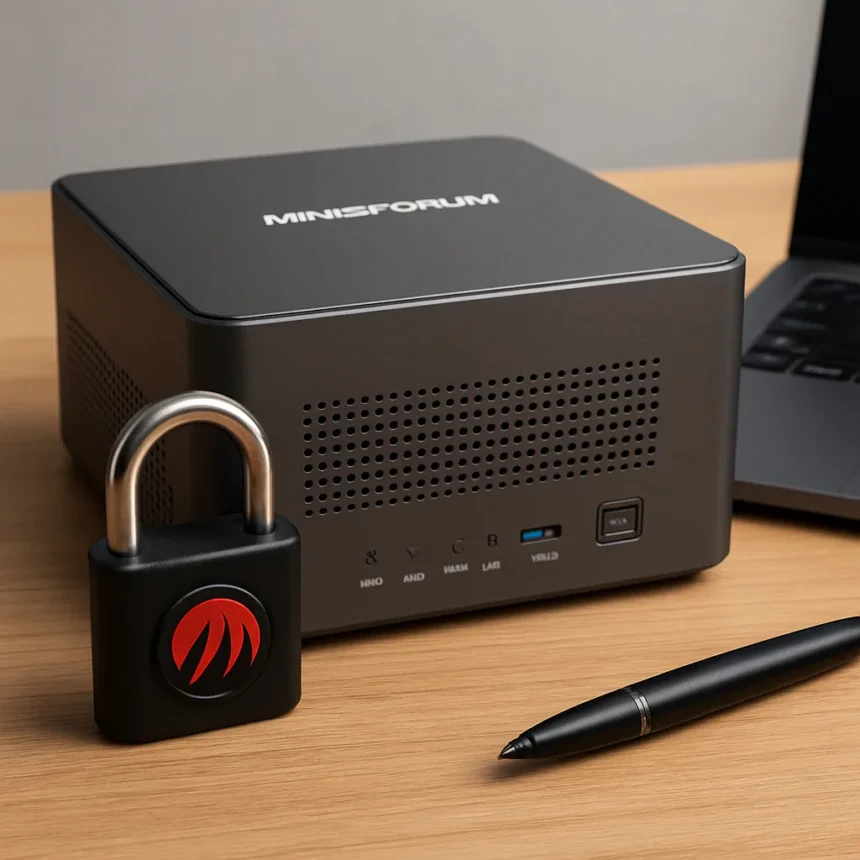
The Minisforum N5 Max NAS is a flagship network storage device revealed at CES 2026, built around AMD’s flagship Ryzen AI Max+ 395 Strix Halo APU with 16 Zen 5 cores capable of 5.1GHz boost and an integrated XDNA 2 NPU for running local AI models. It promises up to 190TB of combined storage—150TB from five 3.5-inch or 2.5-inch SATA bays, plus 40TB from five M.2 NVMe slots—paired with dual 10GbE networking and Minisforum’s proprietary MinisCloud OS. The catch? It ships with OpenClaw, an AI framework with multiple recent security issues, pre-installed by default.
TL;DR: The Minisforum N5 Max NAS combines impressive hardware—AMD Strix Halo APU, up to 128GB RAM, 190TB storage, dual 10GbE—with local AI capabilities via pre-installed OpenClaw. But shipping with a security-vulnerable framework on a network-connected device raises serious questions about default configurations and user safety.
Why the Minisforum N5 Max NAS Matters Right Now
This is not just another NAS refresh. Minisforum is positioning the N5 Max as an AI-capable storage device for running large language models locally, without sending data to the cloud. That privacy angle is genuinely valuable for enterprises and privacy-conscious users. The hardware lineup supports it: the Ryzen AI Max+ 395 includes a Radeon 8060S iGPU with 40 compute units, 64MB of L3 cache, and that dedicated NPU, all designed to accelerate AI workloads on-device.
But here is where the editorial judgment kicks in: pre-installing OpenClaw on a network-attached storage device, given its known security vulnerabilities, is a risky default that puts users in a position of having to actively disable or remove the software rather than opt in to it. This is the wrong way to ship a security-sensitive appliance. Users who do not follow tech news closely will not know to remove it, leaving their NAS exposed.


Hardware That Actually Impresses
Let us be clear about what Minisforum has built here. The Minisforum N5 Max NAS supports up to 128GB of soldered LPDDR5X-8000 RAM across a 256-bit interface, with configurations ranging from 32GB to 128GB depending on the model. That is not consumer-grade hardware. The storage architecture is equally ambitious: five bays for 3.5-inch or 2.5-inch drives rated up to 30TB each, plus five M.2 NVMe slots with mixed PCIe 4.0 configurations. A single 2280 slot runs at x4 bandwidth (up to 8TB), while three other 2280 slots run at x1, each supporting up to 8TB. That flexibility matters for users building hybrid storage arrays.
Connectivity is where the N5 Max separates itself from entry-level NAS units. Dual 10GbE plus a 5GbE LAN port means serious throughput for backups and media workflows. Two USB4 v2 ports rated at 80Gbps add external expansion options. The power envelope is reasonable: a built-in 250W PSU plus secondary USB-C PD support up to 140W. Compared to Minisforum’s own N5 Pro—which uses the older Ryzen AI 9 HX 370 and requires external power—the N5 Max consolidates everything into a more compact 5-bay form factor.



The OpenClaw Problem and What It Means
Here is the uncomfortable truth: OpenClaw, the AI framework Minisforum is shipping pre-installed, has suffered multiple recent security issues. The research brief does not detail those vulnerabilities specifically, but the fact that a tech publication flagged this in the headline tells you the community is concerned. Pre-installing it on a device that sits on your network, accessible to multiple users and potentially exposed to the internet, is the wrong call.
Users can disable or remove OpenClaw and install alternatives like TrueNAS, Unraid, or Proxmox via UEFI boot, which gives them flexibility. But that requires technical knowledge. The default configuration should be secure first, with optional AI features available as an opt-in download after launch. Minisforum could have shipped with OpenClaw available but not enabled, requiring users to explicitly activate it after reading security advisories. Instead, the company chose convenience over safety—a choice that feels especially questionable for a device marketed to enterprises and privacy-conscious users.
How the N5 Max Compares to Other Minisforum Models
The Minisforum N5 Max NAS sits at the top of Minisforum’s current NAS lineup. The N5 Pro, powered by the Ryzen AI 9 HX PRO 370, supports up to 96GB of DDR5 SO-DIMM ECC RAM and includes 10GbE plus OCuLink support, but it is an older architecture and requires external power. The entry-level N5 Air uses a Ryzen 7 255 and 10GbE, targeting budget-conscious buyers. The N5 Max splits the difference: newer silicon than the Pro, more powerful than the Air, and integrated power delivery that the Pro lacks.
For users who need local AI inference alongside massive storage, the N5 Max is the only Minisforum option. For users who prioritize stability and do not need AI capabilities, the N5 Pro with ECC RAM support for ZFS remains a solid choice, though it is older.



Should You Buy the Minisforum N5 Max NAS?
If you need a high-capacity NAS with local AI inference and you are comfortable removing or securing OpenClaw immediately after setup, the Minisforum N5 Max NAS hardware is genuinely impressive. The Strix Halo APU, 128GB RAM, and 190TB storage capacity deliver real performance for media workflows, machine learning projects, and large-scale backups. The dual 10GbE networking makes it competitive with enterprise-grade units at a fraction of the cost.
But if you are not prepared to audit and harden the default software configuration, wait. Either Minisforum should ship with OpenClaw disabled by default, or the company should publish a detailed security advisory before launch. Shipping a pre-installed framework with known vulnerabilities on a network-connected device is a liability that no amount of hardware specs can justify.
What security vulnerabilities has OpenClaw had?
The research sources confirm that OpenClaw has experienced multiple recent security issues, but the specific details of those vulnerabilities are not disclosed in the available information. Users should research current OpenClaw security advisories before deploying the Minisforum N5 Max NAS in a production environment.
Can you replace the Minisforum N5 Max NAS operating system?
Yes. The Minisforum N5 Max NAS supports UEFI boot, which means you can install alternative operating systems like TrueNAS, Unraid, or Proxmox instead of the proprietary MinisCloud OS. This gives you full control over which software runs on the device, including whether to use OpenClaw at all.
How much storage can the Minisforum N5 Max NAS actually hold?
The Minisforum N5 Max NAS supports up to 150TB of HDD storage across five 3.5-inch or 2.5-inch SATA bays (each rated to 30TB) and up to 40TB of SSD storage across five M.2 NVMe slots, for a total of 190TB. Your actual capacity will depend on the specific drives you install and whether you use RAID, which reduces usable space.
The Minisforum N5 Max NAS is a powerful machine built on impressive hardware, but it ships with a security liability that overshadows its strengths. Fix the OpenClaw problem, and you have a genuine flagship NAS. Ship it as-is, and you are putting users in a position of having to clean up your default configuration. That is not acceptable for a device marketed to privacy-conscious users and enterprises.
Edited by the All Things Geek team.
Source: TechRadar