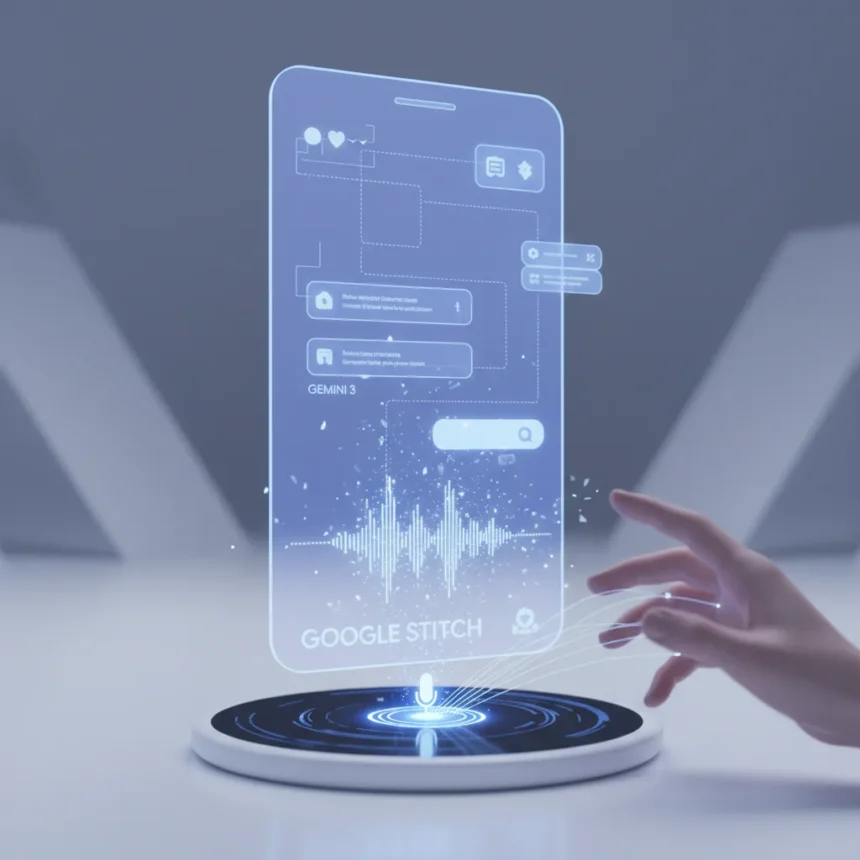
Google Stitch AI design is a free web-based design canvas launched by Google Labs in 2025 that transforms voice or text prompts into functional, clickable app prototypes using AI. Rather than sketching mockups in Figma or coding UI by hand, designers and product managers can describe their vision in plain English—”a task dashboard with a sidebar navigation and dark mode”—and watch Stitch generate a multi-screen prototype in seconds. The tool has just been upgraded to Gemini 3, enabling a new Prototypes feature that lets you stitch screens together into interactive user flows with drag-drop gestures and animations.
Key Takeaways
- Google Stitch AI design generates mobile and web UIs from voice or text prompts using Gemini models
- Powered by Gemini 3 for higher-quality UI generation; supports iterative refinement via chat-like commands
- Generates clickable prototypes with multiple layout variants, component libraries, and exports to Figma, HTML, CSS, JavaScript, Flutter, or React
- Free access via Google Labs with usage limits: 350 generations per month in Standard mode, 50 in Experimental mode
- Experimental mode accepts sketch or screenshot uploads for sketch-to-UI generation
How Google Stitch AI Design Works in Practice
The workflow splits into two modes. Standard mode uses Gemini 2.5 Flash to instantly convert text prompts into layouts—type “mobile app with onboarding flow” and the canvas populates with screens in seconds. Experimental mode, powered by Gemini 2.5 Pro, flips the process: upload a hand-drawn sketch, wireframe, or screenshot, and Stitch interprets the structure and generates a high-fidelity UI from it. Both modes feed into the same iterative loop: refine via chat commands like “Add a side nav,” “Switch to dark theme,” or “Increase button radius,” and watch the canvas update in real time.
The tool generates multiple layout variants—labeled A, B, C—so you can compare different approaches without starting over. It also detects recurring elements like buttons, cards, and forms, automatically building a component library that keeps designs consistent across screens. For designers who need precision, Stitch outputs a hierarchical component tree and JSON schema structure, giving developers a clear blueprint to work from.
Prototypes and Interactive Flows—The New Gemini 3 Upgrade
The headline feature in Stitch’s recent upgrade is Prototypes: the ability to stitch multiple screens together into clickable, interactive flows. Generate a dashboard screen with task cards and a sidebar navigation, then annotate which elements trigger interactions—”clicking this card navigates to the detail view,” “dragging enables a snap animation”—and Stitch builds the prototype. This bridges the gap between static mockups and functional apps. You can test user flows, validate navigation patterns, and share clickable prototypes with stakeholders without writing a line of code.



Multi-screen editing accelerates the workflow further. Hold Shift and select multiple screens, then submit a single prompt—”increase button radius across all screens” or “apply dark theme”—and Stitch updates them all at once. You can also branch designs without overwriting originals, letting you explore variations safely.
Export and Code Generation Capabilities
Stitch doesn’t trap your designs in its own ecosystem. Copy a design and paste it directly into Figma, and it preserves Auto Layout, layers, and constraints—no rebuilding required. For developers, export HTML, CSS, JavaScript, Flutter, or React code snippets. This makes Stitch useful not just for designers sketching ideas but for teams trying to close the gap between design and development. The exported code is structured enough to accelerate handoff, though complexity varies depending on how intricate your prompt and design choices are.



How Google Stitch AI Design Compares to Alternatives
Most AI design tools generate static images—pretty to look at but not interactive. Stitch produces clickable prototypes with live iteration and code export, a meaningful difference for teams moving from concept to prototype to code. Flowstep, a competitor, offers unlimited users and real-time collaboration without re-prompting for iterations, advantages in collaborative environments. But Stitch’s Gemini 3 integration and sketch-to-UI mode give it unique strengths for designers who want to start from rough sketches or who need the flexibility of Google’s generative models. For solo designers or small teams, Stitch’s free tier with 350 monthly generations is a substantial advantage.
Limitations and When Stitch Falls Short
The monthly generation limits—350 in Standard mode, 50 in Experimental—throttle heavy users. A designer prototyping five different app concepts could hit the Experimental limit in a few days. Over-reliance on AI prompts can also produce generic, cookie-cutter designs if you are not iterating thoughtfully; Stitch responds to what you ask, and vague prompts yield vague results. The tool excels at rapid ideation and functional prototypes, but it is not a replacement for thoughtful design strategy or brand identity work. If your project requires highly custom interactions or complex animations, you will still need to refine in Figma or code.
Is Google Stitch AI Design free to use?
Yes. Stitch is available free via Google Labs at stitch.withgoogle.com with monthly generation limits: 350 in Standard mode and 50 in Experimental mode. No credit card required to get started.
Can I export designs from Stitch to Figma?
Yes. Copy a Stitch design and paste it directly into Figma—it preserves Auto Layout, layers, and constraints. You can also export code snippets in HTML, CSS, JavaScript, Flutter, or React.


What is the difference between Standard and Experimental modes?
Standard mode uses Gemini 2.5 Flash for text-to-UI generation with a 350-generation monthly limit and instant results. Experimental mode uses Gemini 2.5 Pro for sketch-to-UI generation from uploaded sketches or wireframes, with a 50-generation limit and higher-fidelity output.
Google Stitch AI design is a genuine time-saver for teams tired of hand-coding UI or waiting weeks for design cycles. The Gemini 3 upgrade and Prototypes feature close the gap between mockup and interactive prototype, letting you validate ideas faster. Free access and code export make it accessible to solo designers and startups, though the monthly limits and design quality ceiling mean it works best as part of a broader design workflow, not as a replacement for it.
Edited by the All Things Geek team.
Source: Android Central