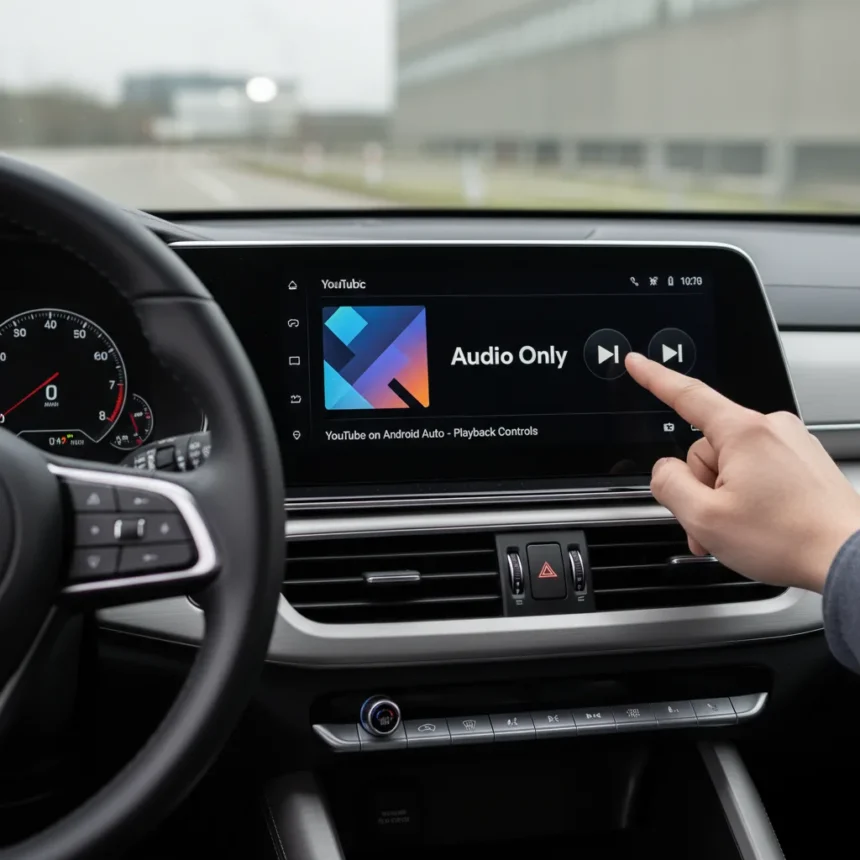
YouTube on Android Auto finally has official integration, but it is not what drivers expect. Google added partial support to Android Auto around the 2026 updates for Android 14, 15, and 16, enabling playback controls and audio functionality—but deliberately blocking video playback for safety reasons.
Key Takeaways
- YouTube on Android Auto restricts video playback to protect driver safety; only audio and controls work officially.
- Google’s official YouTube app allows playback resuming and audio control, not full video streaming on the dashboard.
- Third-party apps like CarStream, AA Car Play Video, and CarTube enable full YouTube video for passengers when parked.
- CarStream requires the AAAD downloader from GitHub; AA Car Play Video installs from Telegram; CarTube works cross-platform.
- Feature rolled out in 2026 Android Auto updates; widely available via sideloading on Android 14, 15, and 16.
What YouTube on Android Auto Actually Does
Google designed Android Auto with driver safety in mind. The official YouTube app does not support video playback through Android Auto—it only allows audio playback of YouTube Music and basic media controls. This means you can resume a video or skip tracks, but the dashboard displays no video stream. The feature lets Android Auto automatically resume media like YouTube on startup, which sounds convenient until your car’s display suddenly blares the last video you watched.
The restriction is intentional. Video on a dashboard while driving creates distraction and liability, so Google locks video playback entirely in the official app. If you want full YouTube video on your car’s screen, you need third-party tools.
Third-Party Solutions for YouTube Video on Android Auto
Three main workarounds exist for passengers or parked viewing. CarStream uses the AAAD (Android Auto Apps Downloader) tool to sideload YouTube access without requiring root access; it auto-opens to YouTube when you connect your phone. AA Car Play Video installs from a Telegram group and offers ad-free, HD video up to 1080p with playlist support, designed for passenger or parked use on Android 14, 15, and 16. CarTube works across iOS and Android, streaming YouTube plus Netflix and Disney+ full-screen on your dashboard.


Each method trades official support for functionality. Sideloading apps like CarStream or using Telegram-distributed tools like AA Car Play Video means you accept potential instability or future incompatibility. CarTube requires visiting a website to download the app, then plugging your phone into your car via USB or wireless Android Auto. The tradeoff is worth it for passengers on long road trips, but these are not Google-sanctioned solutions.
How to Get YouTube Video Working on Android Auto
If you want full YouTube video on your car’s display, here is the fastest path. Download the AAAD app from GitHub, then use it to download and install CarStream. When you connect your phone to your car, CarStream auto-opens to YouTube. Alternatively, download AA Car Play Video from the official Telegram group—installation takes under two minutes—then connect your phone to your car via USB or wireless Android Auto for full video playback. For cross-platform support, visit the CarTube website, download the app on iOS or Android, and plug into your car’s display.


None of these methods require root access or void your warranty, but they do rely on third-party infrastructure outside Google’s control. If YouTube or Android Auto updates break compatibility, these tools may stop working until developers update them.
Why Google Restricts YouTube Video on Android Auto
The official YouTube app blocks video on Android Auto because distracted driving kills. A passenger watching YouTube is fine; a driver glancing at a video is not. Google prioritizes safety over convenience, which is why the official implementation limits itself to audio and playback controls. This is the right call, even if it frustrates users who want full YouTube access in their cars.
Third-party tools solve this by assuming the user is parked or the phone is in a passenger’s hands. They shift liability away from Google, which is why they exist in the gray zone of sideloading and Telegram distribution rather than the Play Store.
Comparing YouTube on Android Auto to Competitors
Android Auto’s partial YouTube support differs sharply from full-featured in-car entertainment systems. CarlinKit 4.0 CP2A adapters convert wired CarPlay to Android Auto, offering a hardware workaround for YouTube access, though pricing varies and these adapters sit in a similar gray zone as software sideloads. Fermata Auto provides another alternative for video apps on Android Auto. None of these solutions are as seamless as plugging into native YouTube support, but they exist precisely because Google refuses to enable video playback officially.



Is YouTube on Android Auto Safe?
Official YouTube support on Android Auto is safe because it blocks video—you cannot watch while driving. Third-party video apps are safe only if used while parked or by passengers, not by the driver. If you sideload CarStream or AA Car Play Video, you assume responsibility for using it correctly. The apps themselves do not prevent misuse; discipline and passenger responsibility do.
Will Google Ever Enable Full YouTube Video on Android Auto?
Unlikely in the near term. Google’s safety-first stance on Android Auto is consistent across all video apps. The company views the dashboard as a driver-facing interface, not an entertainment screen. Until autonomous driving becomes mainstream, full YouTube video on Android Auto will remain restricted to third-party tools.
Can I Use YouTube on Android Auto While Parked?
Yes, third-party apps like AA Car Play Video and CarTube work perfectly when parked. Many users use these tools for passenger entertainment on road trips or to watch content while waiting in the car. The key is discipline—never attempt to watch video while driving, regardless of whether the app technically allows it.
YouTube on Android Auto represents Google’s pragmatic compromise between user demand and driver safety. The official implementation is deliberately limited, but third-party solutions fill the gap for those willing to sideload. If you want official YouTube support, you get audio and controls. If you want video, you accept the responsibility of third-party tools and parked-only use.
Edited by the All Things Geek team.
Source: Android Central