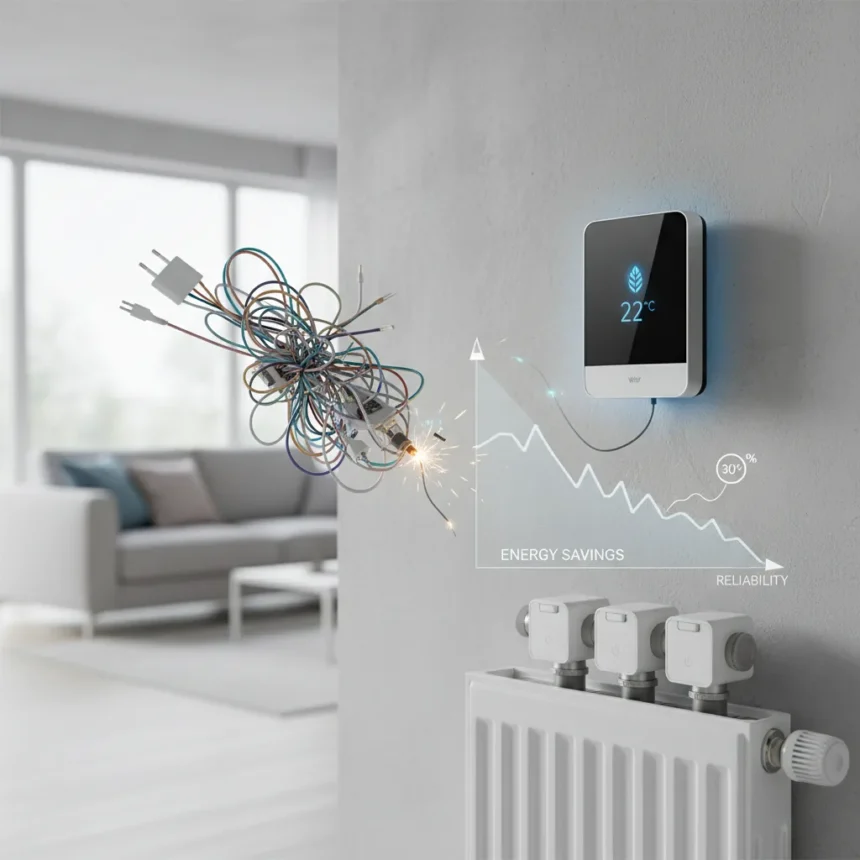
Wiser 2nd Gen smart home heating promises to make controlling your boiler and radiators as simple as plugging in a hub and screwing on a few smart valves. After weeks of real-world use, the system mostly delivers on that promise, though the “pretty much plug and play” claim glosses over some early hiccups that most users will encounter.
Key Takeaways
- Wiser 2nd Gen supports combi boilers, zoned systems, stored hot water, and heat pumps with a single hub.
- Setup takes under an hour for most homes; radiator thermostats install without tools on standard TRVs.
- Closed Zigbee mesh network means devices talk to each other, unlike WiFi systems that depend on router range.
- Energy savings reach up to 30% annually through smart scheduling and Eco mode, though some early devices had battery drain issues.
- Voice control works via Alexa and Google Assistant, but command set is limited compared to native smart speakers.
What Wiser 2nd Gen Actually Is
Wiser 2nd Generation smart home heating is a modular system made by Drayton that lets you control individual room temperatures from an app, with support for combi boilers, zoned heating systems, stored hot water cylinders, and heat pumps. The core is a rectangular hub that screws to the wall next to your boiler. Two buttons handle setup and heating activation, with green LEDs showing when the system is active. From there, you add smart radiator thermostats, a wireless thermostat, smart plugs, and optional sensors for motion, humidity, water leaks, and smoke detection.
The system uses a closed Zigbee mesh network, meaning each device interconnects to relay signals rather than relying on WiFi strength from a central router. This architecture is a genuine advantage over WiFi-only competitors: dead zones in distant rooms are less likely because the radiator thermostat in the hallway can relay commands to the one upstairs. In practice, this works well until it doesn’t—more on that below.
Setup and Installation: Easier Than Expected, But Not Flawless
Installation genuinely is straightforward for most homes. The hub connects to your boiler with a simple cable, and the wireless thermostat pairs instantly. Radiator thermostats unscrew from existing TRVs without tools; you use provided adapters only if your valves are an unusual size. Twist the batteries in, wait for the LED to turn green, and the thermostat joins the mesh network. The Wiser Home app walks you through scheduling and automations in a logical sequence.


Where the “plug and play” claim starts to fray: some users experience Zigbee signal drops in rooms far from the hub or blocked by walls and metal pipes. Adding a smart plug as a range extender solves this, but it is an extra step and cost that the marketing materials do not emphasize. Early firmware versions also made the smart thermostat emit an audible clicking noise during operation—a firmware update quieted it, but users had to discover this issue first. One radiator valve went offline within the first week; a factory reset fixed it, but the experience is not seamless.
Energy Savings and Smart Modes
Wiser 2nd Gen delivers measurable energy reductions through three main modes: Away, Eco, and Smart. Away mode cuts heating when your phone location suggests you have left home, saving around 14% on annual energy use. Eco mode learns your home’s heat retention and switches off heating early based on weather forecasts, adding another 2% in savings. Smart mode lets you set custom schedules per room. Combined, the system can reduce annual heating energy by up to 30%, though real-world savings depend heavily on how you configure the system and your home’s insulation.


The Moments feature is genuinely useful for households with shifting routines. Press a button in the app—say, “Working from Home”—and the study radiators heat to your preferred temperature while the rest of the house stays cooler. This beats manually adjusting each room and encourages actual energy discipline rather than just setting it and forgetting it.
Control and Voice Integration
The Wiser Home app is clean and responsive. You can boost any radiator for 30 minutes to 3 hours, create automations (e.g., turn on the lounge radiators and dim the lamp for a cozy evening), and view energy consumption. Voice control works with Alexa and Google Assistant, but the command set is limited. You can ask Google Nest Hub to set a room temperature or turn heating on and off, but you cannot ask Alexa to activate a Moment or adjust the thermostat schedule via voice alone. For a system marketed as smart home integration, this is a missed opportunity.
Reliability and Real-World Quirks
Most Wiser 2nd Gen installations run without drama once the initial setup is complete. However, early adopters have reported two recurring issues. One radiator thermostat experienced rapid battery drain within weeks of installation; fresh batteries and repositioning the smart plug range extender resolved it. Another user saw intermittent signal drops that required a hub restart. These are not widespread failures, but they happen often enough that new users should expect a troubleshooting phase rather than true plug-and-play operation.
The thermostats themselves feel well-built, with a 2-inch screen displaying current temperature, desired temperature, humidity, battery level, and a flame icon showing heating status. After the firmware update, they run quietly.



Wiser 2nd Gen vs. Standard Smart Heating
Compared to manually adjusting individual TRVs or using a single programmable thermostat, Wiser makes heating responsive and granular. You get per-room control from anywhere, not just at the boiler. The Zigbee mesh architecture is more resilient than WiFi-dependent systems in homes with thick walls or metal fixtures. However, if your home has excellent WiFi coverage and you are comfortable with a simpler interface, a WiFi-only competitor might avoid the Zigbee complexity entirely—though the brief provides no named alternative for direct comparison.
Should You Install Wiser 2nd Gen?
If your home has a compatible boiler, you want per-room heating control, and you are willing to spend an hour on installation and a few hours troubleshooting signal issues, Wiser 2nd Gen is worth the investment. The energy savings are real, the app is intuitive, and the Moments feature genuinely changes how you interact with heating. The early reliability quirks are frustrating but not deal-breakers—they resolve with a reset or a firmware update. The voice control limitations are disappointing but not critical if you use the app regularly.
The “pretty much plug and play” claim is accurate if you live in a small, open-plan home with minimal signal obstruction. For everyone else, budget an extra smart plug and expect one troubleshooting session. That is not a failure—it is just the reality of mesh networks.
Does Wiser 2nd Gen work with heat pumps?
Yes, Wiser 2nd Gen hubs support heat pumps alongside combi boilers, zoned systems, and stored hot water cylinders. This makes it future-proof if you plan to upgrade your heating source.
Can you control Wiser 2nd Gen away from home?
Yes, the Wiser Home app works remotely via internet connection, and Away mode automatically detects when you leave and adjusts heating accordingly. You can manually override settings from anywhere.
How much energy does Wiser 2nd Gen actually save?
Real-world savings depend on your setup and behavior. The system can reduce annual heating energy by up to 30% through smart scheduling and Eco mode, with Away mode contributing around 14% and Eco mode adding 2%. Actual savings vary by home insulation, climate, and how aggressively you use the system’s features.
Wiser 2nd Gen is a solid upgrade for anyone tired of fighting with TRVs or wanting granular heating control. The setup is genuinely easier than older smart heating systems, the energy savings are substantial, and the app experience is polished. Just go in knowing that “pretty much plug and play” means “mostly plug and play with a few quirks to iron out,” not “zero friction.” For most households, that trade-off is worth making.
Where to Buy
Edited by the All Things Geek team.
Source: T3