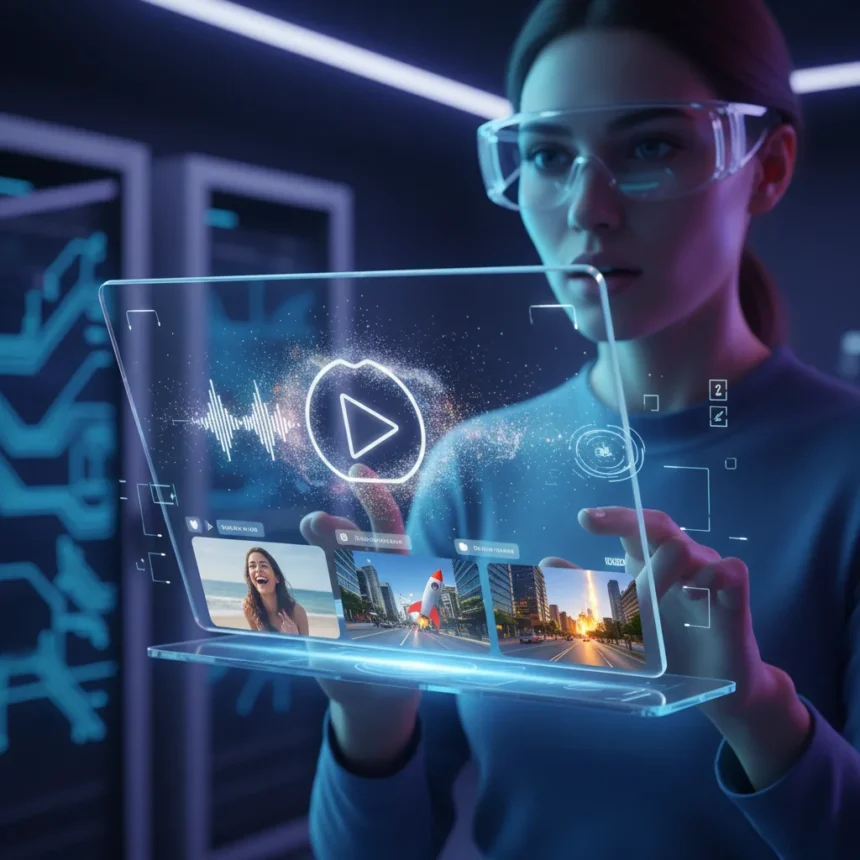
Gemini Omni Flash video creation through live voice chat represents a meaningful step forward in how people interact with AI creative tools. Google’s newly introduced Gemini Omni Flash is a multimodal AI model designed to generate and edit videos in real time using conversational voice input, transforming the way creators might approach video production workflows.
Key Takeaways
- Gemini Omni Flash enables video generation and editing via live voice chat interactions
- The model processes voice commands to create and modify video content conversationally
- Voice-driven video creation moves beyond text prompts toward more natural AI interaction
- Gemini Omni Flash represents a shift in multimodal AI capabilities toward real-time creative workflows
- The system allows users to iterate on video edits through spoken dialogue rather than manual interface controls
How Gemini Omni Flash video creation works in practice
Gemini Omni Flash video creation operates through a live chat interface where users speak commands directly to the AI model. Instead of typing detailed prompts or navigating traditional video editing software, you describe what you want—a scene, an edit, a style change—and the model generates or modifies video content in response. This conversational approach flattens the learning curve for video creation, removing the need to master complex editing timelines or effects menus.
The model’s ability to process voice input and understand context across multiple exchanges means you can refine videos iteratively. Ask for a change, hear the result, request another adjustment, and continue until the output matches your vision. This back-and-forth workflow mirrors how a creative director might brief a videographer, except the AI responds in seconds rather than hours or days.
Why this matters for multimodal AI development
Gemini Omni Flash video creation signals a broader industry shift away from single-modality AI tools. Earlier systems excelled at text generation or image creation in isolation. Multimodal models like Gemini Omni Flash handle video, audio, and voice simultaneously, processing what you say and generating visual content that responds to your intent. This convergence feels qualitatively different from typing prompts into a text box.



The competitive landscape for multimodal AI includes other models attempting similar feats, but Gemini Omni Flash’s emphasis on live voice interaction sets it apart. Rather than requiring users to switch between tools—dictating ideas, pasting text into a generator, reviewing static outputs—the model consolidates the entire workflow into one conversational interface. That integration is where the practical advantage lies.
Real-time iteration and creative control
One of the most compelling aspects of Gemini Omni Flash video creation is the ability to iterate in real time. Traditional video editing demands precision: you highlight a clip, apply an effect, render, review, undo if needed. Voice-driven iteration compresses this cycle. Describe what you want changed, and the model regenerates that section immediately. If the result misses the mark, refine your description and try again.



This approach appeals to creators who think in dialogue rather than menus. A screenwriter might describe a scene’s mood verbally and watch Gemini Omni Flash generate video that matches that emotional intent. A content creator could narrate shot-by-shot edits without touching a keyboard. The reduced friction between idea and output could fundamentally change how people approach video production, especially for those intimidated by traditional editing software.
Does Gemini Omni Flash video creation replace traditional video editing?
Gemini Omni Flash video creation is not a direct replacement for professional video editing software—at least not yet. Traditional editors like DaVinci Resolve or Adobe Premiere Pro offer frame-by-frame control, advanced color grading, and plugin ecosystems that demand precision work. Gemini Omni Flash targets a different use case: rapid ideation, rough cut generation, and iterative refinement where speed matters more than pixel-perfect control.
The real value lies in democratizing video creation for people who lack editing skills or time. A podcaster could generate intro sequences without learning motion graphics. A marketer could produce social media clips from voice descriptions alone. These workflows don’t require professional-grade precision—they require speed and accessibility, which Gemini Omni Flash video creation delivers.
What gaps remain in voice-driven video creation
Despite its strengths, Gemini Omni Flash video creation faces challenges that traditional editing still handles better. Complex projects with multiple asset types, intricate color correction, or synchronized audio mixing remain easier in dedicated software. The model’s understanding of spatial relationships, precise timing, and layered compositions may not yet match what experienced editors can achieve through direct manipulation.


Additionally, voice-driven workflows assume users can articulate their creative intent clearly. Ambiguous requests or vague descriptions might produce outputs that miss the mark, requiring multiple iterations to correct. A visual editor can see the problem immediately and fix it; a voice user might spend longer describing what went wrong before the model understands the correction needed.
Is Gemini Omni Flash video creation available now?
The research brief does not specify a launch date, pricing, or regional availability for Gemini Omni Flash. To find current access details, check Google‘s official AI announcements or the Gemini product page directly.
How does Gemini Omni Flash compare to other AI video generators?
Gemini Omni Flash video creation’s distinguishing feature is its emphasis on live voice chat as the primary input method. Other AI video tools focus on text prompts or require users to upload existing footage for editing. By centering voice interaction, Gemini Omni Flash positions itself as a conversational creative partner rather than a prompt-response tool. This architectural choice appeals to creators who think faster than they type and prefer dialogue over written instructions.
Can you edit existing videos with Gemini Omni Flash?
Yes, Gemini Omni Flash video creation includes editing capabilities, not just generation from scratch. You can describe modifications to existing footage through voice commands, and the model applies those edits. This dual functionality—creating new content and refining existing material—makes the tool more versatile than generators focused solely on creation.
Gemini Omni Flash video creation represents a meaningful evolution in how people might interact with AI creative tools. By prioritizing voice input and real-time iteration, it removes barriers between creative intent and finished output. Whether it transforms professional workflows or simply makes video creation accessible to casual users, the shift toward conversational, multimodal AI creative tools feels genuinely different from the text-prompt paradigm that currently dominates. The future of creative AI likely looks less like filling out forms and more like talking to a collaborator who responds instantly to your ideas.
Where to Buy
Samsung Galaxy S26 | Samsung Galaxy S26
Edited by the All Things Geek team.
Source: Tom's Guide