





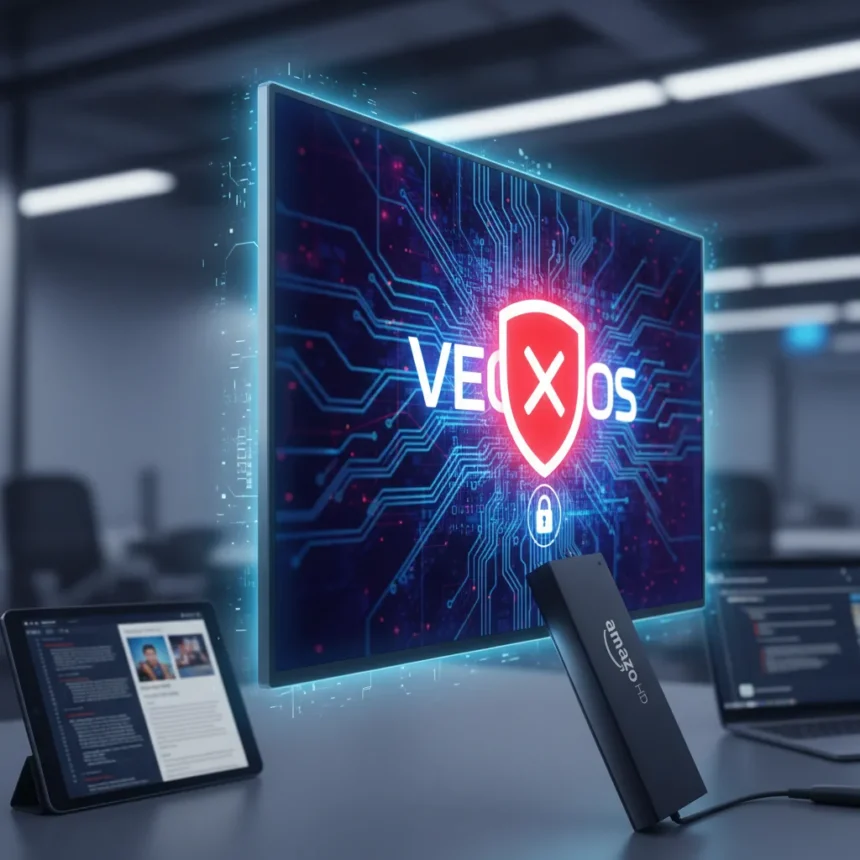
The Amazon Fire TV Stick HD is Amazon’s most affordable streaming device at $35, but it comes with a significant limitation: the Amazon Fire TV Stick HD runs on Vega OS, a Linux-based operating system that prevents sideloading of apps from outside the Amazon Appstore entirely. Amazon is now openly warning buyers about this restriction on the product page, signaling a deliberate shift away from the flexibility that older Fire TV models offered.
Key Takeaways
- Amazon Fire TV Stick HD costs $35 and launches in April 2026 via preorder.
- Vega OS blocks all sideloading; only Amazon Appstore apps are available.
- Older Android-based Fire TV models still support sideloading via developer options.
- Amazon’s developer portal confirms all future Fire TV Sticks will use Vega OS.
- Customer backlash over app limitations and performance is mounting.
What the Amazon Fire TV Stick HD Actually Blocks
Amazon’s warning message on the Fire TV Stick HD product page is unambiguous: “For enhanced security, this device prevents sideloading or installing apps from unknown sources. Only apps from the Amazon Appstore are available for download”. This is not a setting users can toggle. Unlike older Fire TV Stick 4K and 4K Max models that run Android and allow sideloading through developer options, the Amazon Fire TV Stick HD offers no workaround. The Vega OS architecture does not include the “Apps from Unknown Sources” toggle that Android-based predecessors had. Even registering as a developer does not unlock sideloading on Vega devices—the OS simply does not support it.
The restriction applies to the entire app ecosystem. Users cannot install the Downloader app, which was the standard method for sideloading APK files on older Fire TV devices. Amazon’s Appstore is the sole source of applications, and if an app is not available there, it cannot run on the Amazon Fire TV Stick HD. This is a hard technical boundary, not a policy Amazon can reverse with a software update.
Why Amazon Is Locking Down Future Fire TV Sticks
Amazon is framing Vega OS as a security enhancement, but the shift reflects a broader business strategy. According to Amazon’s developer portal, “Starting with Fire TV Stick 4K Select, all future Fire TV Sticks will run on Vega”. The Fire TV Stick 4K Select, announced in September 2025, was the first mainstream Fire TV device to enforce this restriction. The Amazon Fire TV Stick HD extends this lockdown to the budget tier, meaning every new Fire TV device Amazon releases will prevent sideloading going forward.


This move creates friction for users who previously relied on sideloading to access streaming apps not available in the Amazon Appstore—particularly free or unauthorized streaming services. Amazon is explicitly targeting this use case. The company’s warning message appears specifically to discourage buyers from purchasing the device expecting to modify it for illegal free streaming. However, the broader impact affects legitimate use cases too. Developers testing apps, users accessing region-specific services, and power users who prefer alternative Android launchers are all locked out.
Comparing Amazon Fire TV Stick HD to Older Models
The contrast between the Amazon Fire TV Stick HD and its predecessors is stark. The Fire TV Stick 4K Max and standard Fire TV Stick 4K both run Android and include the Downloader app in the Amazon Appstore, allowing users to sideload APK files after enabling developer options. On these older models, the process is straightforward: access Settings, navigate to My Fire TV, select About, click the device name seven times to unlock Developer Options, then toggle “Apps from Unknown Sources” to On. The Amazon Fire TV Stick HD offers no equivalent pathway.



The $35 price point of the Amazon Fire TV Stick HD is positioned as the entry-level option, but it sacrifices flexibility entirely compared to the Fire TV Stick 4K, which costs roughly $10 more and retains Android with full sideloading support. Users shopping for the cheapest Fire TV device are getting the most restricted one—a trade-off Amazon is not heavily advertising but is warning about on the product page.
Customer Backlash and Ongoing Legal Questions
The shift to Vega OS has sparked significant customer backlash. Users have complained about slow performance, limited app availability in the Amazon Appstore, and the removal of sideloading as a core feature. Amazon has faced accusations of censoring negative reviews on product pages discussing these limitations. Additionally, an ongoing lawsuit alleges that Amazon deliberately bricked older first and second-generation Fire Sticks via software updates to force users to upgrade to newer, locked-down Vega devices. While this lawsuit remains unresolved, it reflects deep frustration over Amazon’s direction.
The timing of the Amazon Fire TV Stick HD launch—with explicit sideloading warnings—suggests Amazon is aware of customer expectations and is preemptively managing them. By clearly stating that sideloading is impossible, Amazon aims to reduce returns and negative reviews from buyers expecting the flexibility of older models.
Can You Sideload on Any Current Fire TV Device?
Yes, but only on older Android-based Fire TV models. If you own a Fire TV Stick 4K Max or standard Fire TV Stick 4K, sideloading is still possible. Access Settings from the home screen, go to My Fire TV, select About, and click the device name five to seven times until you see “You are now a Developer”. Then return to My Fire TV, open Developer Options, and toggle “Apps from Unknown Sources” to On. After that, you can use the Downloader app to sideload APK files. This method does not work on the Amazon Fire TV Stick HD or Fire TV Stick 4K Select, both of which run Vega OS.


What Should You Buy Instead if Sideloading Matters?
If sideloading is essential for your use case, avoid the Amazon Fire TV Stick HD and the Fire TV Stick 4K Select. The Fire TV Stick 4K Max remains the highest-end option with Android and full sideloading support. Alternatively, devices like the Nvidia Shield, Samsung Android devices, Google Chromecast boxes, and Onn streaming devices all support sideloading natively. These options give you far more control over what apps you can install, though they may cost more than the $35 Fire TV Stick HD.
Is the Amazon Fire TV Stick HD worth buying if I don’t sideload?
For casual streamers who only use mainstream apps like Netflix, Prime Video, and Disney+, the Amazon Fire TV Stick HD is a solid $35 option. It supports most major streaming services available in the Amazon Appstore. However, if you ever think you might want to sideload in the future, the $10 price difference between this model and the Fire TV Stick 4K is worth paying to preserve that flexibility on an Android-based device.
Will Amazon ever unlock sideloading on Vega OS devices?
No. Vega OS is architecturally designed to prevent sideloading, and this is not a software limitation that Amazon can reverse. If you purchase an Amazon Fire TV Stick HD, you are permanently locked to the Amazon Appstore. There is no developer mode, no workaround, and no future update that will change this.
The Amazon Fire TV Stick HD represents a fundamental shift in how Amazon approaches its streaming hardware. By locking the device to Vega OS and explicitly warning buyers about the sideloading restriction, Amazon is prioritizing control and content licensing over user flexibility. For $35, you get a capable streaming device that handles mainstream apps well. But you lose the freedom that made earlier Fire TV models appealing to power users and those seeking alternatives to corporate app stores. If that trade-off bothers you, the older Fire TV Stick 4K remains the better choice—at least until Amazon phases out Android-based Fire TV devices entirely.
Where to Buy
Amazon Fire TV Stick 4K Select | Amazon Fire TV Stick 4K Max 2023 | Amazon Fire TV Cube
Edited by the All Things Geek team.
Source: TechRadar




