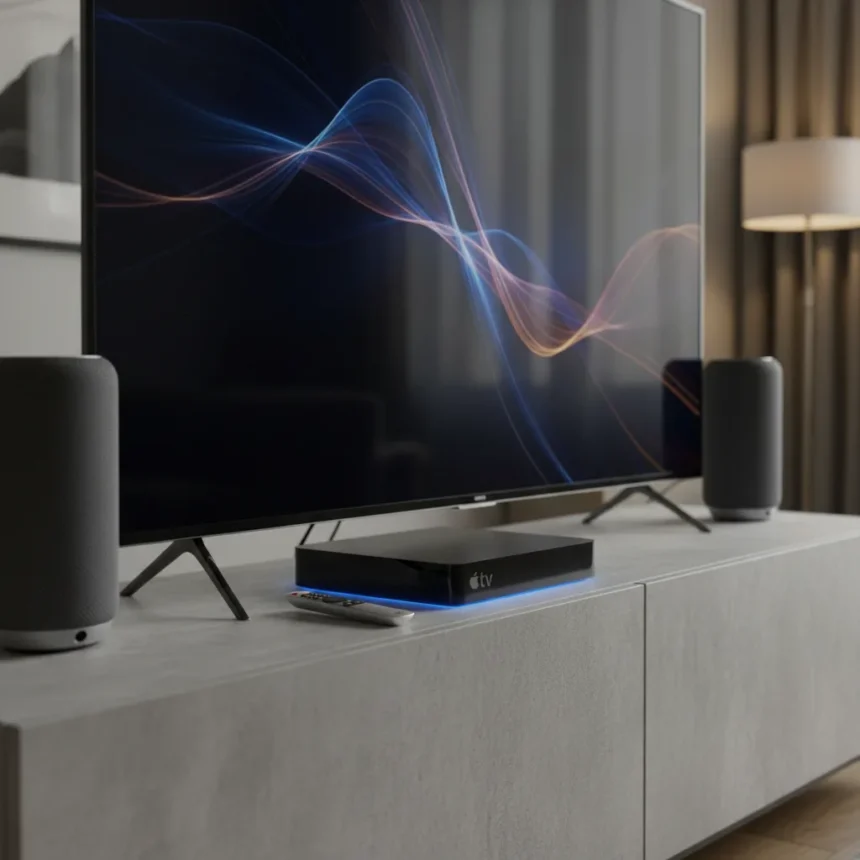
The Apple TV 4K software update rolling out in March 2026 arrives as a lifeline for a four-year-old streaming box that has felt increasingly neglected. tvOS 26.4 tackles three frustrations that have plagued users: Dolby Atmos audio dropouts with soundbars, bland content discovery, and legacy app clutter. For a device that still commands premium pricing and sits at the heart of Apple’s home entertainment strategy, these fixes matter more than incremental hardware refreshes would.
Key Takeaways
- tvOS 26.4 introduces persistent HDMI audio using Dolby MAT, eliminating Dolby Atmos pops and lipsync issues with soundbars
- Genius Browse revival brings back Apple’s algorithmic recommendations for smarter movie and TV discovery
- Enhance Dialogue on HomePod 2nd generation uses real-time ML to clarify speech over background noise
- iTunes Movies and TV apps are removed, consolidating playback into the unified Apple TV app
- InSight feature shows actor and music info during playback without overlaying the screen, similar to Prime Video’s X-Ray
The Dolby Atmos Problem Apple Finally Solved
For years, Apple TV 4K owners with Dolby Atmos soundbars have reported random pops, dropouts, and lipsync delays that made the experience frustrating rather than immersive. The Apple TV 4K software update addresses this directly. tvOS 26.4 implements persistent HDMI audio connection using Dolby MAT, a protocol that maintains stable Dolby Atmos signaling without the handshake failures that triggered glitches. This is not a minor tweak—it is the kind of fix that separates a device people actually want to use from one gathering dust behind the TV.
The device supports Spatial Audio with Dolby Atmos natively, handling lossless audio from 16-bit/44.1kHz up to 24-bit/48kHz. But stability matters more than specs when you are trying to watch a film. Users with Sonos soundbars and similar Dolby Atmos setups have complained about this for months. Now, if Apple’s fix holds, the Apple TV 4K becomes a genuinely reliable centerpiece for Dolby Atmos enthusiasts rather than a device that forces them to downgrade to stereo just to avoid glitches.
Apple TV 4K Software Update Brings Back Genius for Smarter Discovery
The Apple TV 4K software update introduces Genius Browse, reviving Apple’s Genius recommendation engine that once powered iTunes and Apple Music. This is not just a cosmetic refresh—it signals that Apple recognizes its biggest weakness against competitors like Roku and Amazon Fire TV: content discovery. Scrolling through endless rows of tiles is exhausting. Genius Browse promises smarter, personalized movie and TV recommendations based on your viewing history, generating curated playlists and suggestions without requiring manual search.



Where does this rank against competitors? Roku and Fire TV rely on third-party recommendation APIs and paid partnerships. Apple’s Genius approach leverages first-party data from Apple TV+ subscriptions, iTunes purchases, and iCloud viewing history across all Apple devices. That ecosystem advantage is real, though the actual quality of recommendations will determine whether users adopt it or ignore it like they do most algorithmic suggestions on streaming platforms.
HomePod Integration and Dialogue Clarity
The Apple TV 4K software update deepens HomePod integration in two practical ways. First, you can now set a HomePod or stereo pair as the default audio output, enabling Enhance Dialogue—a real-time machine learning feature that boosts speech clarity over background noise. This works specifically on HomePod 2nd generation and processes audio in real time, making dialogue-heavy content like documentaries and dramas easier to follow without cranking the volume.



Second, hands-free playback control via HomePod Siri lets you pause, play, and skip without touching the remote. The HomePod auto-detects context and sends commands to the Apple TV without manual intervention. For households already invested in HomePod, this seamless control is genuinely useful. For everyone else, it is a reminder that Apple’s ecosystem works best when you are fully committed to it.
What Gets Cut: iTunes Apps and Legacy Cleanup
The Apple TV 4K software update removes the standalone iTunes Movies and TV apps, consolidating everything into the unified Apple TV app. This is a necessary cleanup—maintaining separate apps for legacy iTunes purchases and newer Apple TV+ content creates confusion. However, it also signals that Apple is moving on from the iTunes era entirely. Users with large iTunes libraries should verify that their purchases appear in the Apple TV app before updating, though Apple has been handling this transition for years.
InSight: Actor Info Without Screen Overlay
A smaller but thoughtful addition is InSight, which displays actor names, character info, and music credits during playback without overlaying the video itself. Prime Video pioneered this with X-Ray, and Apple’s implementation works similarly—use the iPhone Remote app to tap actor names or songs during Apple TV+ playback. It is not essential, but it is the kind of feature that makes a premium streaming device feel more polished than cheaper alternatives.
Should You Update Your Apple TV 4K?
Yes. The Dolby Atmos stability fix alone justifies the update for anyone experiencing audio dropouts. Genius Browse and Enhance Dialogue are bonuses that improve daily usability. The only reason to hesitate is if you rely heavily on iTunes purchases and have not verified they sync to the Apple TV app—test this on a non-critical day first.



Does the Apple TV 4K software update support Hi-Res Lossless audio?
Not yet. The Apple TV 4K currently supports lossless audio up to 24-bit/48kHz, but Hi-Res Lossless (24-bit/192kHz) is not available. Apple has not ruled out a future update, but there is no timeline or guarantee.
Can you use Enhance Dialogue with any soundbar?
No. Enhance Dialogue requires a HomePod 2nd generation paired with the Apple TV 4K. It does not work with third-party soundbars or older HomePod models. This limitation keeps the feature within Apple’s ecosystem.
The Apple TV 4K software update proves that Apple can extend the life of aging hardware through thoughtful software improvements. The Dolby Atmos fix addresses a real pain point, Genius Browse tackles discovery fatigue, and HomePod integration deepens the ecosystem advantage. For a streaming device that has not seen new hardware in four years, tvOS 26.4 is exactly the kind of update that justifies keeping it as your primary streaming hub rather than replacing it with a cheaper alternative.
Where to Buy
Apple TV 4K (2022)£139ViewSee all prices | Amazon Fire TV Stick 4K Max 2023 | Google TV Streamer 4K
Edited by the All Things Geek team.
Source: T3