






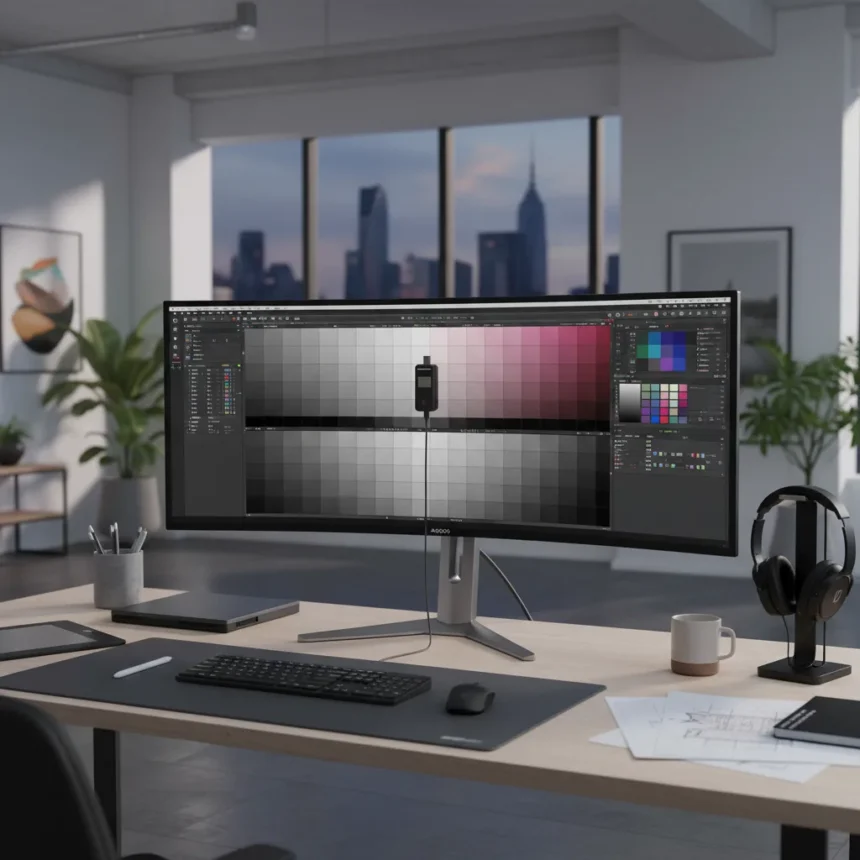
The Alogic Edge 40-inch 5K ultrawide monitor is a premium display built for Mac users who refuse to compromise on screen real estate. With a 21:9 aspect ratio, 5120 x 2160 pixel resolution, and 100Hz refresh rate, this ultrawide delivers the horizontal workspace of nearly two standard displays without cluttering your desk. At $1299, it positions itself as a compelling alternative to Apple’s Studio Display or multi-monitor setups, especially for creatives managing complex timelines and expansive workflows.
Key Takeaways
- 40-inch ultrawide with 5K2K resolution (5120 x 2160) and 100Hz refresh rate across 21:9 aspect ratio
- Pixel density of 138-139 ppi remains sharp for Mac work despite being lower than Retina displays
- USB-C dock with integrated hub provides single-cable connectivity for Mac workflows
- Requires display calibration before professional creative work to achieve accurate color
- Priced at $1299, significantly below comparable Apple Studio Display alternatives
Why the Alogic Edge 40-inch 5K ultrawide matters for Mac creatives
Mac-focused displays remain scarce in the ultrawide market. Most options force Mac users into Windows-centric ecosystems or require adapters that compromise the clean desktop aesthetic Apple users expect. The Alogic Edge 40-inch 5K ultrawide breaks that pattern by delivering native Mac integration through its USB-C dock, matching Apple’s design language in silver or space gray finishes, and offering the workspace equivalent of a 4K display and a half horizontally. For video editors, motion designers, and developers managing multiple windows, this translates to eliminating the need for secondary monitors while maintaining a minimal footprint.
The sharpness question matters here. At 138-139 pixels per inch, the Alogic Edge falls short of Apple’s Studio Display (218 ppi), yet reviewers report the difference is negligible in real use. One reviewer noted being pleasantly surprised at sharpness when transitioning from high-density LG UltraFine 5K displays, and another stated they did not notice a significant pixel density difference despite the size advantage. The larger screen size compensates for the lower ppi in ways that matter more to productivity than specifications suggest.
Display performance and Mac compatibility
The Alogic Edge 40-inch 5K ultrawide uses an IPS panel with a 100Hz refresh rate, making it suitable for productivity, creative work, multitasking, and video editing timelines. The 8-14ms gray-to-gray response time means it is less ideal for fast-paced gaming, but that is not the target use case. What matters for creatives is color accuracy and workspace stability, both of which depend on proper calibration before professional work begins.


Mac integration works smoothly through the USB-C dock, which doubles as a hub for connecting peripherals. However, some scaling issues may emerge on macOS, potentially requiring third-party apps to optimize display settings. This is not a dealbreaker—it is a workflow adjustment—but it means you cannot unbox this display and immediately trust what you see on screen. Calibration is not optional for color-critical work.
Design, build, and comparison to alternatives
The Alogic Edge 40-inch 5K ultrawide measures 13 inches wider but only 1.5 inches taller than other Alogic ultrawide models, delivering maximum workspace without excessive footprint growth. The thin metal foot stand includes cable passthrough, and the overall construction emphasizes sustainable materials alongside premium aesthetics. This design philosophy aligns with Apple’s industrial standards, making it one of the few third-party displays that does not feel out of place next to Apple hardware.



Compared to the Apple Studio Display, the Alogic Edge offers more horizontal real estate at a lower price, 100Hz refresh versus 60Hz, and thinner bezels. The Studio Display wins on brightness, integrated speakers, and a built-in camera—features that matter for video conferencing but less so for solo creative work. For designers and editors working alone, the Alogic Edge’s extra screen width and faster refresh rate provide more practical value. The trade-off is that the Alogic requires calibration before professional use, whereas the Studio Display ships calibrated.
Should you buy the Alogic Edge 40-inch 5K ultrawide?
Buy this display if you are a Mac-based creative running out of horizontal workspace and want to consolidate two monitors into one elegant ultrawide. The $1299 price is reasonable for the screen real estate and build quality. Do not buy it expecting perfect color accuracy out of the box—plan to calibrate or use third-party Mac scaling apps. If you need integrated speakers, a camera, or maximum brightness for video conferencing, the Apple Studio Display remains the safer choice despite its smaller footprint. For pure creative workspace on Mac, the Alogic Edge 40-inch 5K ultrawide is a rare win.
Does the Alogic Edge 40-inch 5K ultrawide work well for video editing?
Yes. The 21:9 aspect ratio is ideal for video editing timelines, giving you more track visibility without zooming out and losing detail. The 100Hz refresh rate and IPS color performance support color grading workflows, though you must calibrate the display before trusting color-critical decisions.
How does pixel density compare to other Mac displays?
The Alogic Edge 40-inch 5K ultrawide has 138-139 ppi, compared to the Apple Studio Display’s 218 ppi. Despite the numerical gap, reviewers found the difference imperceptible in daily use, largely because the larger screen size makes pixel pitch less noticeable.


What Mac scaling issues should I expect?
Some macOS applications may not scale perfectly to the ultrawide format, requiring third-party display management apps to optimize the viewing experience. This is a one-time setup task, not an ongoing problem.
The Alogic Edge 40-inch 5K ultrawide is not a perfect display, but it solves a real problem for Mac creatives: the need for vast horizontal workspace without sacrificing design or ecosystem integration. Calibrate it, set it up properly, and it becomes the kind of display you wonder how you ever worked without.
Where to Buy
Edited by the All Things Geek team.
Source: TechRadar