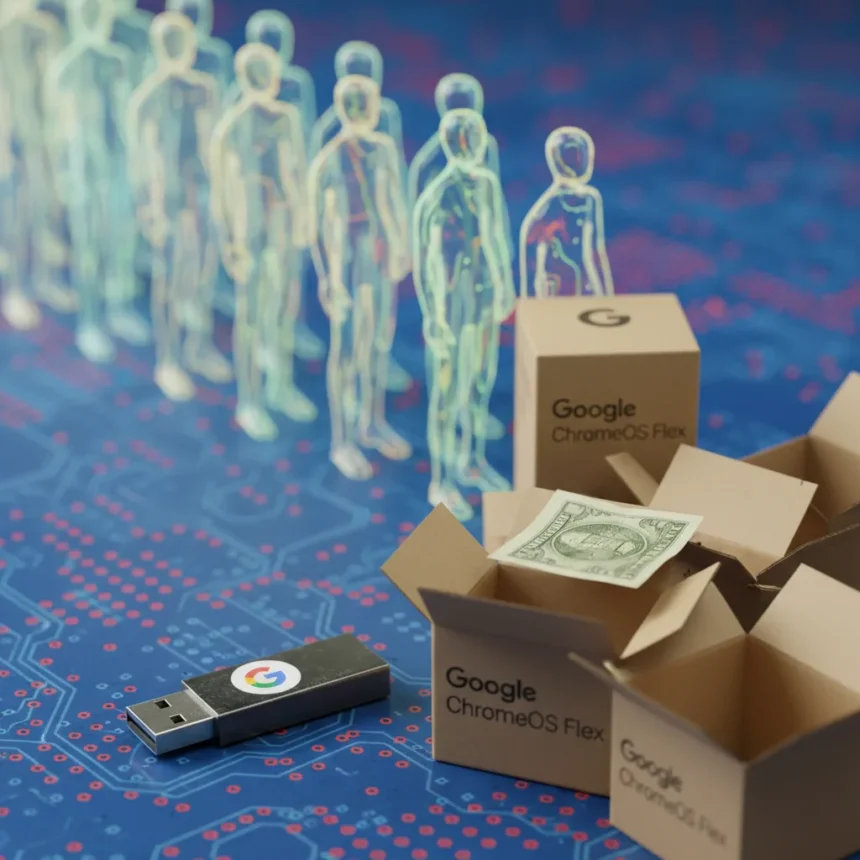
Google’s ChromeOS Flex USB stick, a $3 device designed to breathe new life into aging laptops, has sold out at the Google Store, signaling explosive demand for a product that challenges Windows dominance on budget hardware. The ChromeOS Flex USB stick allows users to install Chrome OS on non-Chromebook machines—including 10-year-old Dell, HP, Lenovo, and Acer models—without requiring expensive upgrades or new hardware purchases.
Key Takeaways
- Google’s $3 ChromeOS Flex USB stick sold out immediately, indicating mainstream adoption of Chrome OS revival.
- ChromeOS Flex requires minimum specs: 4GB RAM, 16GB storage, Intel/AMD processor from 2008 onward.
- Installation takes 10-30 minutes and bypasses Windows 11’s TPM 2.0 requirement, which blocks upgrades on older machines.
- Used laptops compatible with Flex cost $50-200 on secondary markets, making total upgrade cost under $250.
- Free alternative: download the ISO and create your own bootable USB, though Google’s pre-loaded version eliminates setup friction.
The sellout matters because it proves what skeptics have long dismissed: there is genuine, mainstream appetite for Chromebooks and Chrome OS alternatives to Windows. For a decade, the narrative around Chromebooks has been dismissive—tech elites claimed they were toys, limited to web browsing, unsuitable for real work. Google’s $3 USB stick demolishes that argument by offering a path for budget-conscious users and e-waste-conscious consumers to transform machines that would otherwise end up in landfills.
What ChromeOS Flex Actually Does
ChromeOS Flex is a lightweight version of Chrome OS built specifically for non-Chromebook hardware. Once installed, old laptops gain access to modern Chrome OS features: automatic security updates, built-in virus resistance, web app integration, Android app support via the Google Play Store, and optional Linux (Beta) for power users. The operating system handles daily computing—email, documents, video conferencing, streaming—without the bloat and performance drag of Windows on aging hardware.
The key difference between ChromeOS Flex and generic USB alternatives is simplicity and official support. A generic 16GB USB drive costs $5-10 but requires users to download the ISO, use the Chromebook Recovery Utility to create a bootable drive, and troubleshoot boot failures. Google’s pre-loaded $3 USB stick eliminates that friction entirely. Insert it, restart the laptop, and the installer loads automatically. For non-technical users, that difference justifies the price and explains the sellout.


How to Install ChromeOS Flex on Your Old Laptop
Before installing, verify your laptop is compatible using Google’s ChromeOS Flex compatibility check tool. Enter your device model—Dell Latitude, HP EliteBook, Lenovo ThinkPad—and the tool confirms support. Thousands of models from 2008 onward are compatible; machines older than that or with ARM processors are not supported.
With the Google USB stick in hand, restart your laptop and press the boot menu key (typically F2, Del, or Esc depending on manufacturer). Enter BIOS or UEFI settings, disable Secure Boot, and enable USB boot priority. Save changes and reboot. The ChromeOS Flex installer will load from the USB drive. From there, follow on-screen prompts: the installer wipes the existing drive and installs Chrome OS, a process that takes 10-30 minutes depending on drive speed. After installation completes, sign in with your Google account, and the device reboots into ChromeOS Flex. Optional post-install steps include enabling Linux (Beta) for terminal access or installing apps from the Play Store.



Important safety note: Installing ChromeOS Flex erases all data on the target drive. Back up any files before proceeding. If you want to test Chrome OS without committing, the installer offers a trial mode that runs from the USB without modifying the hard drive.
Why the Sellout Matters More Than the Price
The $3 price is almost irrelevant—what matters is that Google manufactured and sold a physical product, acknowledged demand for Chrome OS on non-Chromebook hardware, and immediately sold out. This is not a promotional gimmick or a niche product for enthusiasts. It is a mainstream statement that reviving old laptops with Chrome OS is economically and environmentally sound.
Windows 11 cannot run on most machines older than 2018 due to TPM 2.0 requirements, forcing users into either expensive hardware upgrades or security vulnerabilities by staying on Windows 10. ChromeOS Flex sidesteps this entirely. A used 2012 Dell Latitude that cannot run Windows 11 can run ChromeOS Flex with full security updates, modern apps, and better performance than the original Windows installation.
Compare this to the alternative: buying a new Chromebook starts at $250. A used laptop compatible with Flex costs $50-200 on eBay or Amazon, plus the $3 USB stick (or free if you download the ISO). Total cost under $250, often significantly less. For schools, nonprofits, and budget-conscious consumers in developing markets, this math is unbeatable.



What Happens Now?
Google has not announced a restock date for the $3 USB stick. The sellout could mean the company underestimated demand, or it could signal a strategic shift—perhaps Google will focus on the free ISO download instead, which eliminates the need for physical inventory. Users can still install ChromeOS Flex by downloading the ISO and creating their own bootable USB drive using the Chromebook Recovery Utility, though this requires more technical know-how than inserting Google’s pre-loaded stick.
The broader implication is that Chromebooks and Chrome OS are no longer niche products. They are mainstream alternatives to Windows, especially in education and budget segments. The sellout proves demand exists; the question now is whether Google will capitalize on it with wider distribution, better marketing, or deeper integration with enterprise and education channels.
Can I use any USB drive for ChromeOS Flex?
Yes. Any USB drive 8GB or larger works with the free ISO download. You will need to use Google’s Chromebook Recovery Utility to create the bootable drive, which adds setup complexity compared to Google’s pre-loaded $3 stick. Generic USB drives work fine once the ISO is written; the advantage of Google’s official version is convenience, not functionality.
What laptops work with ChromeOS Flex?
Thousands of models from Dell, HP, Lenovo, Acer, ASUS, and other manufacturers are compatible if they have 4GB RAM, 16GB storage, and Intel or AMD processors from 2008 onward. Use Google’s compatibility check tool to verify your specific model. ARM-based processors (like those in older iPad-style devices) are not supported.
Will ChromeOS Flex slow down my old laptop?
No. ChromeOS Flex is specifically designed to run efficiently on older hardware. Most users report faster performance than the original Windows installation because Chrome OS has lower system requirements and automatic updates prevent the bloat that accumulates on aging Windows machines. Machines with less than 4GB RAM will struggle, but the minimum spec of 4GB handles typical web browsing, email, and document work smoothly.
The ChromeOS Flex USB stick sellout is not just about a $3 gadget—it is validation that affordable, secure, long-lasting computing is what users actually want. Google proved it with a simple product and let the market speak. The question now is whether the company will listen and build on this momentum, or treat it as a one-off curiosity. For anyone with an old laptop gathering dust, the answer is clear: Chrome OS revival is here, and it works.
Where to Buy
Asus Chromebook CM1402CM2A-DS44
Edited by the All Things Geek team.
Source: TechRadar