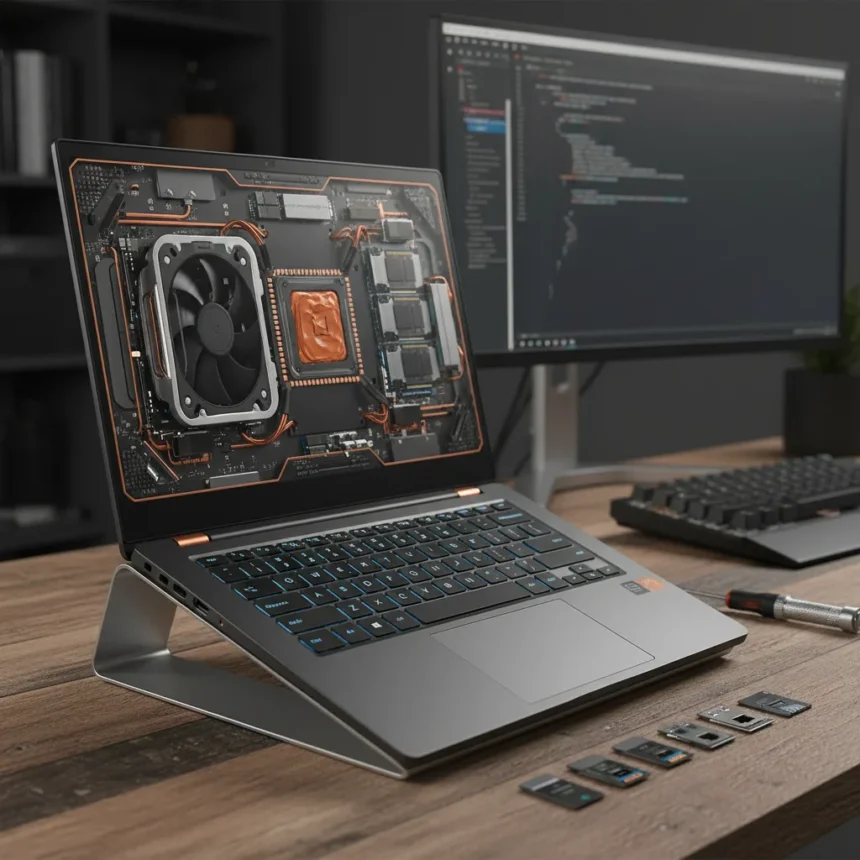
The Framework Laptop 13 Pro is a ground-up redesign of the modular laptop that refuses to compromise on upgradeability, even as it targets power users with faster processors and better thermals. This is not a minor refresh—it’s a fundamental rethink of how a compact, repairable notebook should perform in 2025.
Key Takeaways
- Framework Laptop 13 Pro features Ryzen AI 300 series or Intel Core Ultra processors with up to 96GB DDR5 RAM and 8TB storage.
- New 120Hz display option reaches 2880×1920 resolution, up from the standard 2256×1504 at 60Hz.
- Swappable ports (USB-A, USB-C, DisplayPort, HDMI, Ethernet) and Wi-Fi 7 support maintain full modularity.
- Keyboard redesigned for lower actuation force and reduced resonance; improved thermal system cuts heat and fan noise.
- iFixit gives Framework a 10/10 repairability score, addressing e-waste concerns competitors ignore.
What Changed in the Framework Laptop 13 Pro Redesign
Framework Laptop 13 Pro ditches incremental updates for a complete architectural overhaul. The new models ship with AMD’s Ryzen AI 300 series—the Ryzen AI 5 340 (6-core/12-thread, up to 4.8GHz) or Ryzen AI 7 350 (8-core/16-thread, up to 5.0GHz)—alongside Intel Core Ultra Series 1 and 2 options. These are not marginal performance gains; they’re the chips power users actually want in a 13-inch machine.
The display jumped from adequate to genuinely useful. The standard 2256×1504 matte panel remains, but Framework Laptop 13 Pro now offers a 2880×1920 option running at 120Hz, a massive leap for video editing, coding, and design work. Both panels use a 3:2 aspect ratio—wider than the 16:9 wasteland competitors peddle—and the standard version hits 400 nits brightness with roughly 100% sRGB coverage.
Thermal management was a known pain point in earlier generations. Framework addressed this head-on with a revamped cooling system that reduces both heat output and fan noise, critical for anyone working in libraries, coffee shops, or shared spaces. The keyboard received equal attention: reduced actuation force and lower resonance make extended typing sessions less fatiguing.


Modularity and Repairability: Where Framework Laptop 13 Pro Stands Apart
Framework Laptop 13 Pro retains the modular architecture that defines the brand. All ports are swappable—USB-A, USB-C, DisplayPort, HDMI, Ethernet—letting you reconfigure based on actual need rather than what a designer decided you’d want. Wi-Fi 7 support arrives as standard, and the company continues offering new mainboards, displays, and port modules as upgrades.
The iFixit repairability score is a perfect 10/10, a distinction almost no other laptop manufacturer achieves. That matters. When your battery degrades, you swap it. When a keyboard key sticks, you replace the module. When new processors launch, you upgrade the mainboard without replacing the entire machine. This is the opposite of the sealed-box approach Apple and Dell champion, and it’s the right answer for anyone concerned about e-waste or long-term ownership costs.



Framework Laptop 13 Pro also maintains backward compatibility with prior generations—components from 11th-13th Gen Intel and Ryzen 7040 models interchange with new designs. That ecosystem depth is rare and valuable.
Performance, Display, and Battery Reality Check
Framework Laptop 13 Pro delivers solid performance for content creators and developers, but it does not compete with MacBook Pro or Dell XPS on raw refinement or display technology. There is no discrete GPU, no OLED screen, no HDR certification. The 400-nit standard display is functional, not premium. If you need a 16-inch powerhouse with a discrete RTX GPU, this is not your machine.
Battery life reaches nearly 8 hours of video playback in tested AMD configurations, respectable for a compact notebook but not class-leading. The 61Wh battery in prior AMD models set expectations; the new generation maintains that baseline. You’re getting a full workday on a charge if your workload is reasonable, not a week-long adventure machine.
The hinge strength nominal rating sits at 3.3kg, upgradeable to a heavier 4kg option. Prior tolerance issues—where lid stability varied unit-to-unit—have been fixed, a small but meaningful improvement for durability.



Configuration and Pricing Reality
Framework offers Extended Productivity (Ryzen AI 5 340, 16GB RAM, 512GB storage, Windows 11 Pro, 1-year warranty) and Extended Performance (Ryzen AI 7 350, similar specs, 3-year warranty) configurations. The older Framework Laptop 13 AMD edition started at $849, but 2025 models with high-end specs (Intel Core Ultra 7 or Ryzen AI 9, 32GB RAM, 1TB storage) run around $1,699. That is a premium for specs compared to what Dell or Lenovo charge, though the modularity tax is real and intentional.
DIY editions let you assemble the machine yourself, reducing costs if you have the patience and technical comfort. Pre-built models arrive ready to use. Both paths offer 1-3 year warranties.
Is the Framework Laptop 13 Pro Worth Upgrading?
If you own a Framework Laptop 13 from 2023 or earlier, the upgrade calculus depends on your workload. The new Ryzen AI 300 chips are measurably faster, the 120Hz display is transformative for creative work, and the thermal improvements are real. If you are a developer, video editor, or writer who keeps machines for 5+ years, the modularity and repairability justify the cost. If you swap laptops every 18 months, you are probably overpaying.
If you are coming from a MacBook Air or XPS 13, Framework Laptop 13 Pro asks you to accept a less refined build and display in exchange for repairability and upgradeability. That is a trade-off, not a universal win.
Can you upgrade the CPU in a Framework Laptop 13 Pro after purchase?
Yes. Framework sells new mainboards with updated processors, and they install into existing chassis. You cannot upgrade the CPU in-place like a desktop, but swapping the entire mainboard is straightforward and far more modular than competitors allow.
How does the Framework Laptop 13 Pro display compare to MacBook Pro?
Framework Laptop 13 Pro offers a sharper 2880×1920 option at 120Hz, but MacBook Pro’s mini-LED display delivers superior brightness, contrast, and HDR performance. Framework prioritizes practical resolution and refresh rate; Apple prioritizes premium visual experience. Choose based on your actual work.
What makes the Framework Laptop 13 Pro repairable?
Every major component—keyboard, trackpad, battery, display, ports, mainboard—is user-replaceable without special tools or proprietary adhesives. The 10/10 iFixit score reflects this modular-first design philosophy, a stark contrast to sealed laptops from other brands.
Framework Laptop 13 Pro proves that modularity and modern performance are not mutually exclusive. It is the right machine for power users who view repairability as a feature, not a marketing gimmick, and who plan to own their laptop long enough for upgrades to matter.
Edited by the All Things Geek team.
Source: Tom's Guide