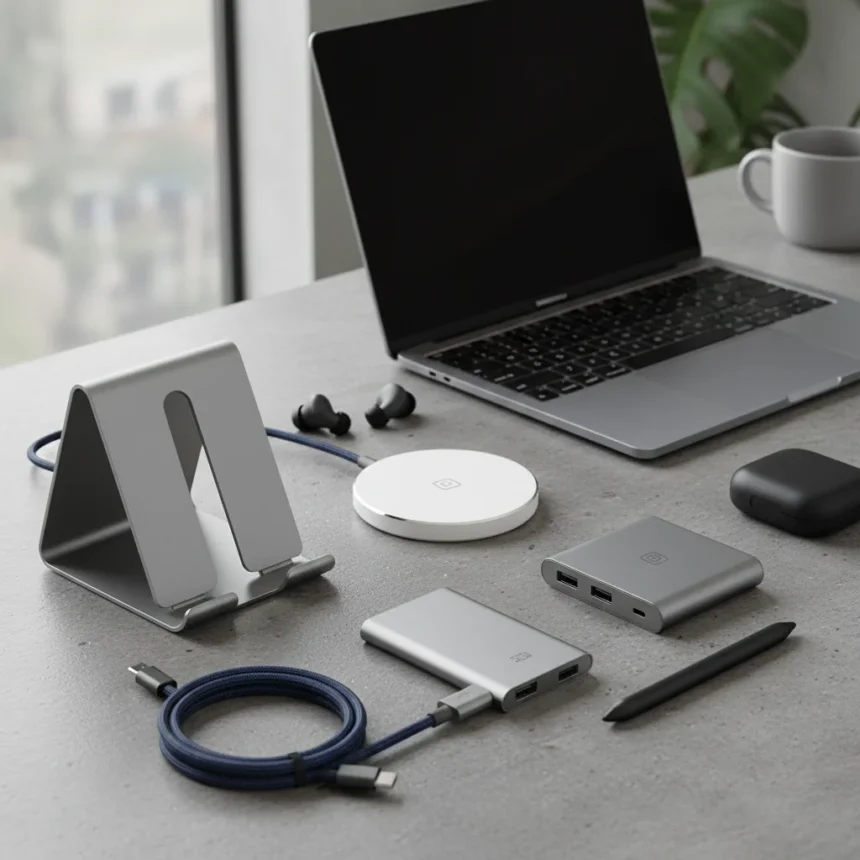
MacBook Neo accessories under $50 can genuinely improve your daily workflow without draining your wallet. Whether you need better connectivity, ergonomic input devices, or protective gear, quality options exist at prices that won’t force you to choose between your laptop and your rent.
Key Takeaways
- USB-C hubs unlock multiple ports on your MacBook Neo for under $50
- Ergonomic wireless mice like the Contour Unimouse offer adjustable angles and foldable designs
- Protective cases, skins, and stands are available at budget-friendly prices
- Many accessories are currently on sale for 30% off or more
- Chargers and power solutions round out affordable essential upgrades
USB-C Hubs Expand Your MacBook Neo’s Connectivity
The MacBook Neo’s minimalist design means fewer ports than you probably need. A USB-C hub solves this problem instantly, adding multiple connection points for external drives, displays, and peripherals without requiring you to spend more than $50. These hubs sit between your laptop and your workspace, turning one port into five or six functional connections. Most quality options include USB-A ports for legacy devices, HDMI or DisplayPort for external monitors, and SD card readers for photographers or videographers.
Look for hubs that match your specific workflow. If you’re constantly moving between meetings and coffee shops, a compact hub that folds or fits in a bag is worth prioritizing. If you’re docked at a desk most of the time, a larger hub with more ports and better cable management makes sense. The price difference between a basic hub and a feature-rich one is often just $10–15, so consider what ports you actually use before settling on the cheapest option.
Ergonomic Wireless Mice Beat the MacBook Trackpad
The Contour Unimouse is a standout choice for MacBook Neo users seeking ergonomic relief. This wireless mouse features an adjustable design that tilts between 35 and 70 degrees, allowing you to find the angle that suits your hand and wrist best. The foldable design makes it genuinely portable—you can collapse it flat and toss it in a bag without adding bulk.


Ergonomic mice address a real problem: the MacBook trackpad, while excellent for gestures, forces your arm into an unnatural position for extended work sessions. A proper mouse lets your arm rest naturally while your wrist stays neutral. The Contour Unimouse’s adjustability means it works for left-handers and right-handers alike, and the wireless connection means no cables cluttering your desk. At under $50, it’s one of the smartest investments you can make for long-term comfort.
Protective Cases and Skins Shield Your Investment
Your MacBook Neo is portable, which means it travels. Protective cases and skins keep it safe from scratches, dents, and accidental spills without adding significant weight or bulk. A quality case typically runs $20–40, leaving room in your budget for other accessories. Skins offer a lighter alternative—they protect against minor scuffs and let you customize the look of your machine without the heft of a full case.



The choice between a case and a skin depends on your lifestyle. If you’re commuting on public transit or throwing your MacBook into a backpack with other gear, a case is non-negotiable. If you mostly work from fixed locations and occasionally move between rooms, a skin provides adequate protection at a lower cost and with zero impact on portability. Some users buy both—a slim skin for daily aesthetics and a heavier case for travel days.
Stands Improve Ergonomics and Desk Space
A laptop stand elevates your MacBook Neo to eye level, reducing neck strain and improving posture during long work sessions. Quality stands range from $15–45, and even the budget options are sturdy enough to hold your laptop safely. The real benefit isn’t just comfort—it’s desk real estate. By lifting your laptop vertically, you reclaim the horizontal surface below for external keyboards, documents, or your coffee mug.
Adjustable stands offer more flexibility than fixed-height models, but they cost slightly more. If you’re sharing your desk with multiple people or frequently switching between sitting and standing, adjustability is worth the extra $10–15. If your setup is static, a simple fixed stand does the job perfectly well and saves you money.
Chargers and Power Solutions Round Out Your Setup
A second charger for your MacBook Neo—one for your desk and one for your bag—eliminates the daily ritual of unplugging and repacking. Quality third-party USB-C chargers are available well under $50. The key is ensuring the charger matches your MacBook Neo’s power requirements; check your original charger’s wattage and buy accordingly.



Power banks designed for laptops are also worth considering if you travel frequently. Some can fully charge a MacBook Neo once, giving you genuine flexibility for long days away from outlets. These typically cost $35–50 and weigh less than you’d expect.
Current Sales Make These Deals Even Better
Many MacBook Neo accessories are currently on sale for 30% off or more, pushing already-affordable items into impulse-buy territory. This is the moment to stock up on the accessories you’ve been considering. The sales won’t last forever, and next month’s prices will return to normal.
Should I buy a case or a skin for my MacBook Neo?
Buy a case if you travel frequently or commute with your laptop. Buy a skin if you primarily work from fixed locations and want lightweight protection with customization. Many users buy both—a skin for daily use and a protective case for travel.
What should I look for in a USB-C hub for MacBook Neo?
Prioritize the ports you actually use most: USB-A for older devices, HDMI or DisplayPort for external monitors, and SD card readers if you work with photos or video. Check power delivery specs to ensure the hub can charge your laptop while powering other devices simultaneously.
Is the Contour Unimouse worth buying for MacBook Neo?
Yes, if you spend more than four hours daily working at a desk. The adjustable angle and foldable design make it genuinely useful for both comfort and portability. The wireless connection means no cable clutter, and the price is reasonable for an ergonomic input device.
The best MacBook Neo accessories under $50 aren’t luxury items—they’re practical fixes for real problems your laptop creates. A USB-C hub gives you ports. An ergonomic mouse saves your wrist. A stand saves your neck. A case saves your machine. None of these cost much, and all of them improve your daily experience measurably. Buy them now while sales are active, and you’ll wonder how you ever worked without them.
Where to Buy
50% OFFMOSISOMosiso Compatible With Macbook Neo Case 13 Inch$11.99$23.99shop now | SynerlogicSynerlogic Mac Os Shortcuts Sticker for Air/Pro$5.95shop now | 20% OFFLogitechLogitech Pebble Mouse 2 M350s$19.96$24.99shop now | 10% OFFUgreenUgreen Vertical Laptop Stand Holder$17.99$19.99shop now | AnkerAnker USB-C Hub for Macbook$54.99shop now
Edited by the All Things Geek team.
Source: Tom's Guide