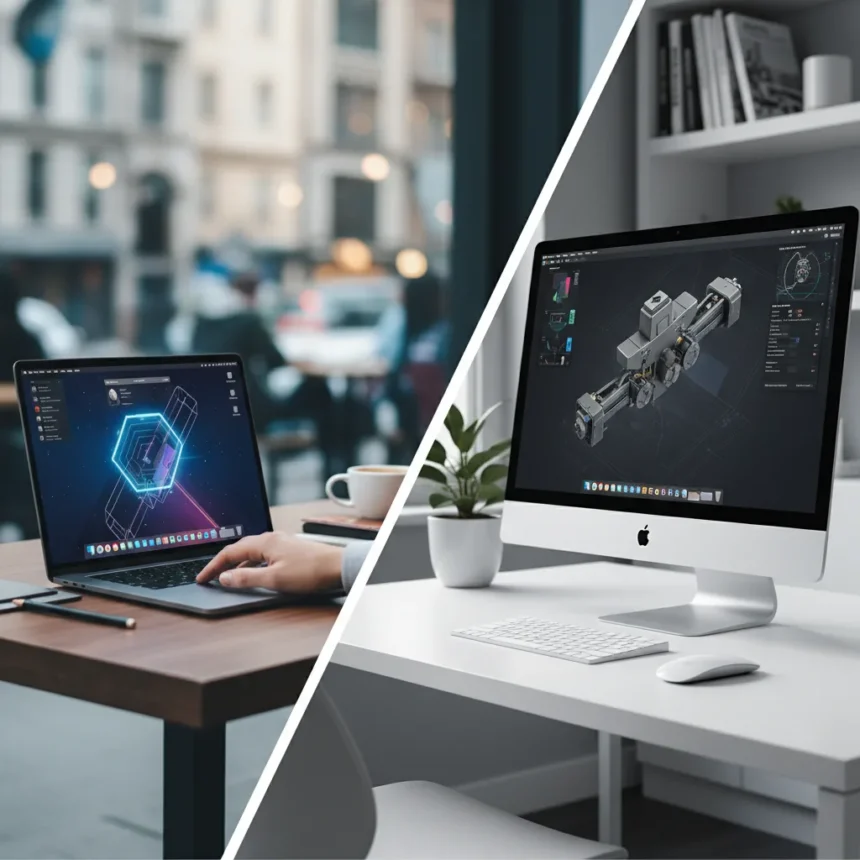
Choosing between the MacBook Pro M4 vs iMac M4 means deciding whether you prioritize portability or a fixed workspace with a larger display. Both machines pack Apple’s M4 chip, but they serve fundamentally different users: one travels with you, the other anchors your desk.
Key Takeaways
- MacBook Pro M4 offers portability and performance in a compact form factor for mobile professionals.
- iMac M4 delivers a larger all-in-one display and integrated design for stationary creative work.
- Both machines use the same M4 chip but differ in GPU cores, display size, and expansion options.
- MacBook Pro suits travel and flexible workspaces; iMac suits studios and fixed creative setups.
- Budget and workflow determine which Mac delivers better value for your specific needs.
MacBook Pro M4 vs iMac M4: Core Differences
The MacBook Pro M4 is a laptop; the iMac M4 is an all-in-one desktop. That single distinction shapes everything else. If you work from multiple locations, attend client meetings, or travel regularly, the MacBook Pro’s portability is non-negotiable. If you have a dedicated workspace and rarely move your machine, the iMac’s larger display and desktop ergonomics win. The MacBook Pro M4 comes in 14-inch and 16-inch screen sizes. The iMac M4 ships with a 24-inch display as standard. That extra screen real estate in the iMac matters for video editing, photo retouching, and multi-window coding workflows where you need to see more at once.
Both machines use Apple’s M4 chip, but configuration options differ. The MacBook Pro M4 starts with an 8-core or 10-core GPU depending on the model you select. The iMac M4 offers configurations ranging from 7-core to 10-core GPU options. For most professionals, the GPU core difference is marginal—you notice it only in sustained 3D rendering or machine learning tasks. The real performance gap comes down to your specific workflow, not the chip itself.
Display and Design: Workspace Considerations
The iMac M4’s 24-inch display is integrated into the machine, eliminating cable clutter and desk space waste. You get a complete workstation out of the box: screen, keyboard, trackpad, and processing power all in one aluminum enclosure. The MacBook Pro M4’s 14-inch or 16-inch display, while excellent, is smaller. If you want a larger screen for your MacBook Pro, you’ll need to buy an external monitor—adding cost and complexity to your setup.


The iMac M4 display includes a nano-texture option that reduces glare, useful if you work near windows or bright rooms. The MacBook Pro M4 screen uses a standard glossy finish, which can reflect light. Neither is objectively better; it depends on your lighting conditions. For video conferencing, content creation, or long editing sessions, the iMac’s larger screen reduces eye strain and increases productivity per hour of work.
Portability and Flexibility
Here’s where the MacBook Pro M4 dominates. You can work anywhere—coffee shops, client offices, airplanes, or your couch. The 14-inch model weighs around 3.5 pounds and fits easily into a backpack. The iMac M4 is a stationary machine. Once you set it up on your desk, it stays there. Moving it requires unplugging everything, carrying a 24-inch monitor, and re-establishing your workspace. If your job requires flexibility, the choice is obvious: MacBook Pro M4.



For freelancers, consultants, remote workers who travel, or anyone splitting time between home and an office, the MacBook Pro’s mobility is invaluable. You’re not tethered to a desk. The iMac M4 is built for professionals with a permanent studio—video editors, designers with dedicated spaces, developers who work from one location, or anyone who values screen real estate over mobility.
Expansion and Connectivity
The MacBook Pro M4 includes Thunderbolt ports (typically three on the 14-inch, four on the 16-inch) for connecting external storage, displays, and docks. You can expand connectivity significantly with a Thunderbolt dock, adding USB-A, SD card readers, and additional Thunderbolt ports. The iMac M4 also has Thunderbolt ports but built into the back of the machine, making them less convenient to access during daily work. Neither machine has user-replaceable storage or RAM—both are configured at purchase and cannot be upgraded later.
If you use a lot of external peripherals—multiple hard drives, audio interfaces, video capture cards—the MacBook Pro’s accessibility wins. You can quickly disconnect and reconnect devices. The iMac’s rear-mounted ports mean you’re reaching around the back of your monitor every time you swap cables, which gets tedious fast.
Should You Buy the MacBook Pro M4 or iMac M4?
Buy the MacBook Pro M4 if you travel, work from multiple locations, need flexibility, or want a single machine that handles everything. It’s the more versatile choice. Buy the iMac M4 if you have a dedicated workspace, spend most of your time at one desk, and value a large display for creative work. It’s the more comfortable choice for stationary professionals.



What’s the price difference between MacBook Pro M4 and iMac M4?
The research brief does not include specific pricing for either machine. Prices vary by configuration and region. Check Apple’s official website for current pricing in your country, as costs change with sales and availability.
Can you use an iMac M4 as a portable workstation?
Not practically. The iMac M4 is an all-in-one desktop machine designed for stationary use. While technically moveable, it’s heavy, requires careful handling, and needs a full power and display setup wherever you go. The MacBook Pro M4 is designed for portability and is the right choice if you need a truly mobile machine.
The MacBook Pro M4 vs iMac M4 decision ultimately comes down to your lifestyle and workspace. Portability and flexibility favor the MacBook Pro. Screen size, comfort, and a complete out-of-the-box setup favor the iMac. Neither is objectively better—they’re built for different users. Know your workflow, and the choice becomes clear.
Where to Buy
Check Amazon | $1,186.12 at Amazon | $1,189 at Amazon | $1,283 at Amazon
Edited by the All Things Geek team.
Source: TechRadar